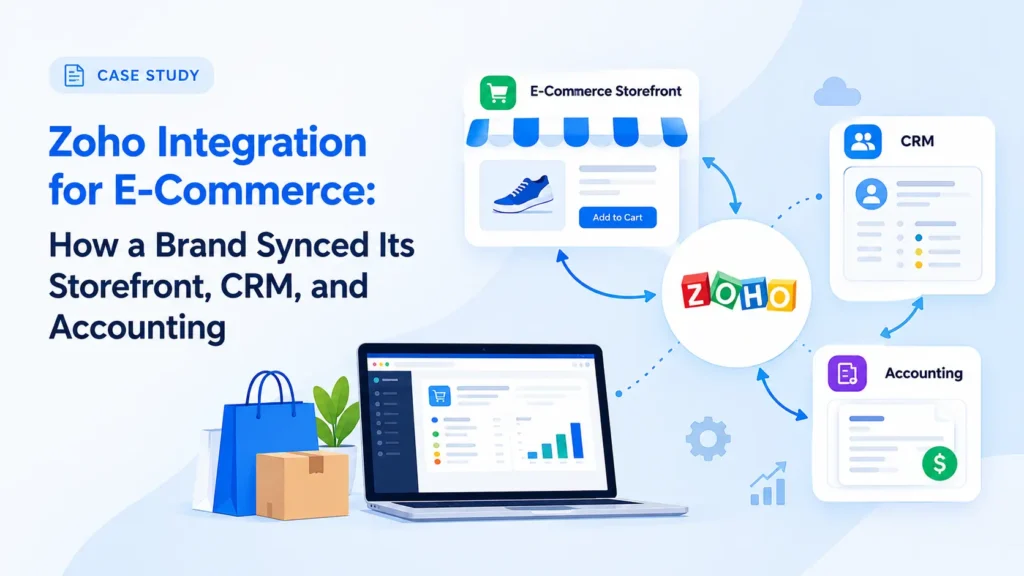
This is an illustrative scenario based on common challenges faced by growing online retailers. It demonstrates how ZillTech’s Zoho team uses Zoho Integration, Consulting, and Customization & Automation services to connect a storefront, CRM, and accounting. Company details are representative of a typical client profile and not an actual ZillTech engagement.
Industry: E-Commerce
Services Highlighted: Zoho Integration, Zoho Consulting, Customization & Automation, Zoho Analytics & Reporting
Tools Used: Zoho CRM, Zoho Flow, Zoho Books, Zoho Analytics, online storefront (such as Shopify or WooCommerce)
The Business Profile
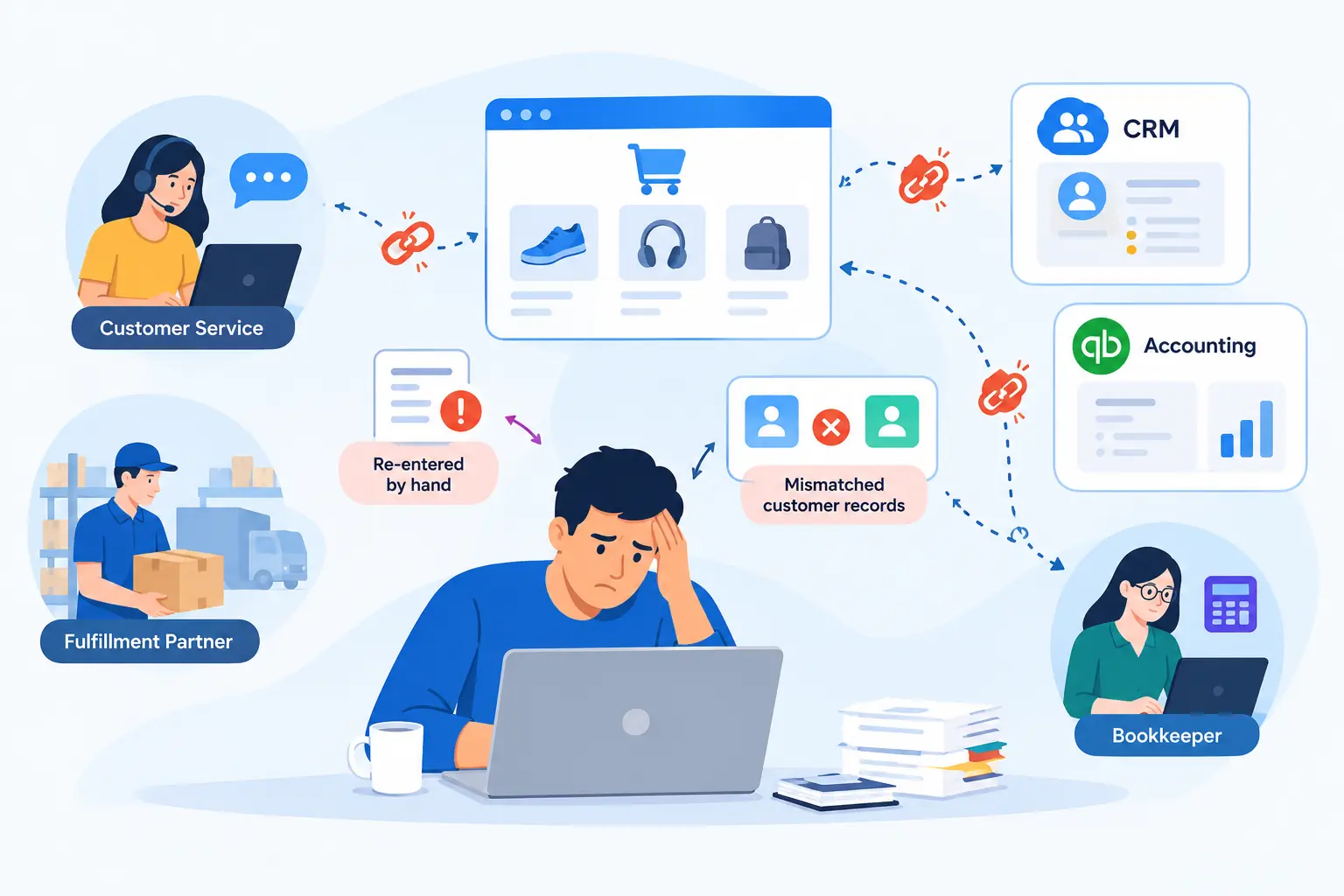
The company was a growing online retailer selling its own products through a web storefront, with a small customer service team, a fulfillment partner, and a part-time bookkeeper. Sales had been climbing, and the tools around the storefront had been added one at a time as problems appeared: a CRM here, an accounting package there, a few quick connections built by different people along the way.
Each tool worked on its own. Together they didn’t. Orders were re-entered by hand, customer records disagreed from one system to the next, and when one of the quick connections broke, nobody knew until a customer complained or the books didn’t balance.
The Challenge
Orders Copied by Hand: New orders had to be typed into the CRM and the accounting system separately. During busy weeks, entries fell behind, and mistakes crept in.
Customers Who Appeared Twice: The same shopper existed in the storefront and the CRM under slightly different names and emails. Support agents never knew which record was current.
Inventory Out of Step: Stock counts in one place didn’t always match another, so the team sometimes promised items that weren’t available.
Accounting That Lagged: Sales reached the books days late. Month-end meant reconciling orders, refunds, and payments line by line.
Connections That Broke Silently: Several small automations had been built by different people over time. When one failed, nothing alerted the team, and nobody had a map of what connected to what.
Our Approach
ZillTech began with the people who lived with the problem: the support team, the fulfillment lead, and the bookkeeper. The goal wasn’t to add more tools. It was to decide which system owns which piece of data, and to make the connections between them dependable.
Mapping What Connects to What
We documented every existing connection: what data moved, in which direction, how often, and who built it. This map showed overlapping automations, gaps where data was still copied by hand, and connections with no owner. It became the plan for the project and a document the company had never had.
Deciding Which System Owns Which Data
For each type of data, we set a single source of truth. Orders originate in the storefront, customer history lives in Zoho CRM, and financial records belong in the accounting system (Zoho Books). Clear ownership prevents two systems from overwriting each other, which is the most common cause of duplicate and conflicting records. Our Zoho consulting work usually starts with exactly this kind of decision.
Choosing the Right Connection Method for Each Job
Not every connection needs the same tool. ZillTech used native Zoho connections where they fit, Zoho Flow for workflows between Zoho apps, the storefront, and other services, and custom API logic where a standard connector couldn’t handle the rule the business needed. Choosing the simplest reliable method for each job keeps the whole setup easier to maintain.
Clean Customer Matching
Matching rules were set up so a returning shopper updates their existing record in Zoho CRM instead of creating a new one. Existing duplicates were reviewed and merged, and standard formats were applied to names, emails, and phone numbers, so new data arrives clean. If you’re also moving data from an older system, see our Zoho migration service.
Orders That Flow Into the CRM and the Books
When an order is placed, it creates or updates the customer in Zoho CRM and passes the sales details to the accounting system, with refunds and cancellations following the same path. The team stopped retyping orders, and the bookkeeper receives transactions as they happen instead of in a month-end batch.
Alerts When Something Breaks
Every connection was built with error handling: failed steps are retried where it is safe, logged, and reported to the right person by message. A broken sync is now caught the same day, not weeks later. This is the part of integration work that is easiest to skip and most expensive to leave out.
Tested Before It Went Live
Connections were built and tested with sample orders, refunds, and edge cases before they touched live customer data, so problems were fixed before the team relied on the new setup.
Dashboards, Documentation, and Handover
Zoho Analytics dashboards now show orders, customer activity, and support follow-ups on one set of definitions. ZillTech documented every connection, including what it does and who to contact if it fails, and trained an in-house owner, so the company is no longer dependent on whoever built each piece. For more on this side of our work, see our Zoho Analytics & Reporting service.
Why It Mattered
Every manual step in an online business is a place for a delay or an error, and customers feel both. A wrong stock count turns into a cancelled order. A duplicate record turns into a support reply that ignores the customer’s history. Before connecting anything new, ZillTech first needed to understand what was already connected and how it behaved.
Why Zilltech
As an Authorized Zoho Partner, ZillTech connects the full range of Zoho applications with the tools you already use, including accounting software, e-commerce platforms, and others, through API connections and Zoho Flow. We design for reliability first: clear data ownership, error handling, and documentation. See how this applies to Zoho CRM for E-commerce, and if you’d like local support, our Zoho CRM consultants in Texas are available.
Not sure which Zoho apps your store needs? Try our free Zoho App Finder, or schedule a free consultation and we’ll map your connections first. Starting fresh? Explore our Zoho implementation services.

The Results: Fewer Manual Steps, Cleaner Records & Clearer Numbers
The project turned a patchwork of loosely connected tools into one dependable flow that the team doesn’t have to babysit.
Orders That Enter Once: An order is captured once and carried to the CRM and the books automatically, so retyping and the errors that came with it are no longer part of the day.
One Record Per Customer: Support agents see a single, current history, so replies reflect what the customer has actually bought and asked.
Books That Keep Up: Sales, refunds, and payments reach accounting as they happen, which shortens month-end reconciliation.
Problems Caught Early: When a connection fails, the right person is alerted the same day, and the cause is logged.
A System the Company Understands: With a connection map, written documentation, and a trained owner, the business can make everyday changes without guessing.