Business operations rely on forms to report issues, collect feedback, make a sale, and formalize an authorization. If you’re still using email with a basic Google form, you’re losing out on the benefits of an advanced form-building tool.
With Zoho Forms, you can build forms without having to know any code. Paid features include professional online forms that collect payments, submissions and integrate with other applications. Processing submissions is just the basics, and you will quickly see what an advantage Zoho Forms has over other basic services.
Online forms can be optimized to deliver the tools necessary to meet the needs of your business.
Need more than basic forms? Explore our Zoho Forms Services to see how our services can help you build smarter forms, automate approvals, connect CRMs, and reduce manual work across your business.
The Distinctions of Zoho Forms
Integrated with the entire Zoho product family, Zoho forms can customize your operations further by using forms with Zoho CRM, Zoho Desk, Zoho Campaigns, and Zoho Sheet, to name only a few, without the need for middleware.
The integrations lack of any third-party tools and with Zoho forms, you will also find features that include, but are not limited to, advanced approval workflows, task assignment, notifications via email and sms, creating a new record in your CRM, merging a record to that document, and accepting payments.
Five Ways to Build Your Form
This is where the flexibility of Zoho Forms has the greatest advantage. Multiple options are available to help you create forms based on your starting point.
Create from scratch: The traditional method of form building. Zoho Forms gives you two form options. There are Standard forms, which are preferable when you have more structured data to collect (like an application, or detailed data collection from surveys), or Card forms, which display one question at a time. This is better for expedient sign-ups, or feedback forms. You can design your form your way by dragging and dropping from a large library of over 30 different field types and by customizing the design to suit your company. There is absolutely no coding required.
Use templates: Stuck at the starting line? Zoho Forms has a huge library of different fillable templates to start from, spanning from lead generation to user requests or even event sign-ups. Choose one and fill in the fields in your desired way, and your form will be ready to use in a few short minutes.
Build CRM forms directly: This is a win/ win feature. Say you’re a Zoho CRM user. Now you can build specialized CRM forms that will generate a form directly with fields that are matched to your CRM Leads, Contacts, or Deals. When that form is filled out, the record in your CRM will be created or updated. This is a great time saver. For businesses undergoing rapid expansion, establishing these connections early on is key to scaling, as detailed in our guide on CRM implementation for growing businesses.
Convert PDFs to forms: Do you have a PDF form or traditional paper form on hand? With Zoho Forms, that is no problem. You can simply upload the form, and it will be scanned field by field, and digitized for you. This is extremely efficient for digitizing your traditional paperwork (invoices, contracts, electronic patient consent forms) based processes.
Forms can be generated using an AI tool: as simple as entering your request in the text box, like “job application form” or “event registration form.” Creating a form happens automatically with relevant fields thanks to the drafting capabilities of Zoho Forms. Not only is it quick, but it is also a smart and inventive tool exhibiting remarkable accuracy.
Below is a visual representation of the efficiency gains when using the automated form creation methods compared to manual builds:
Form Creation Speed Analysis (Estimated Minutes)
Integrate With Your Business Systems
Data collection is only the start of the journey. With Zoho Forms, the data collected can be distributed to relevant destinations as needed.
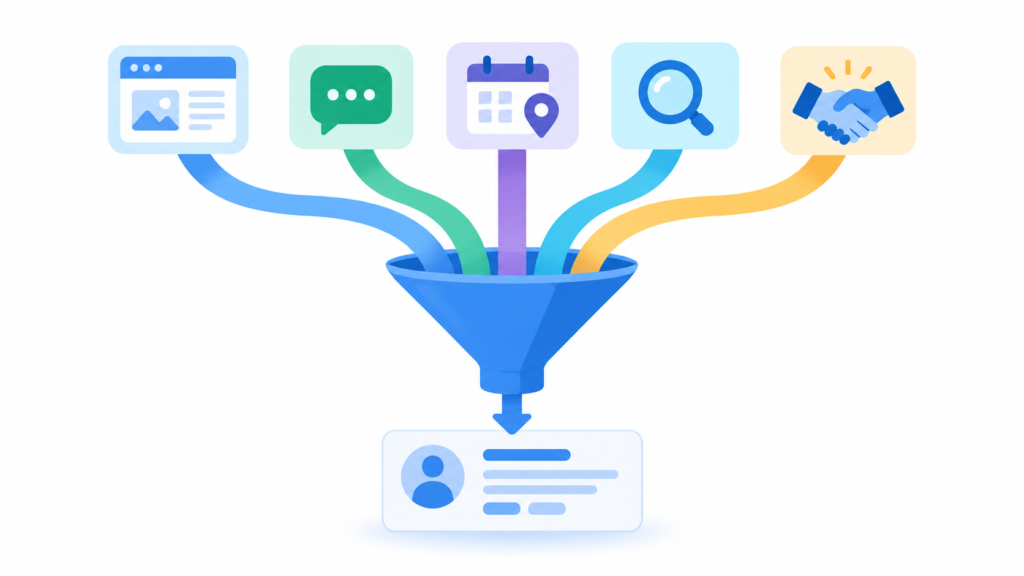
Zoho CRM integration: Each submission on your form can be turned into a lead, contact, or deal record in your CRM. Simply mapping fields, setting up hidden lead source attribution fields, and conditional routing to determine which sales team receives which type of submission can all be done in just a few clicks. This level of automated lead handling plays a core role in modern business process automation with Zoho.
Approval Workflows: Forms that require review before action is taken, including purchasing requests, leave applications, and expense claims, can all make use of Zoho Forms’ multi-level approval workflows feature. The order of approval, as well as the consequences of approval or rejection, is set by you. The approval time for tech companies was, on average, 40 percent faster after the adoption of the feature. Sequential approvals across legal, compliance, and sales functions for client onboarding also resulted in a 30% time reduction for a company in the financial services sector.
Task assignments: You can also shift your workflows into overdrive. With Zoho, you can create a help desk task out of an IT support request, a task for the accounts management and operations team out of a new client onboarding form, etc. Form submissions trigger task assignments.
Email, SMS, and WhatsApp notifications: Send more than just standard auto-responses. Update your clients with direct, personalized emails, send condition-based attachments like acceptance letters or instant confirmations, and inform your clients with conditional attachments. Manage your communications on Microsoft Teams by automatically posting messages when new submissions are received.
Marketing Automation: After a form is submitted, automatically upgrade them to a contact in your marketing database with Zoho Marketing Automation. Create multi-channel marketing campaigns and segment your contacts using data from your forms: your contacts’ job titles, location, and lead intent.
Webhooks for everything else: You need to send submission data to a third-party application, but that application doesn’t have an out-of-the-box integration for your Zoho service? Use webhooks to define the data submission structure and send it in the exact format that your systems require. Have everything sync in real time.
Collecting data is easy. Turning it into action is what drives growth.
Transform Your Business with Customized Zoho Workflows
Don’t let manual data entry and broken forms slow your growth. Our certified Zoho consulting experts are here to build, customize, and automate your online processes from start to finish.
Form Implementation Comparison
To help visualize why scaling organizations transition to Zoho’s ecosystem over generic services, the table below highlights key functional contrasts:
| Feature | Basic Google Form | Zoho Forms (Fully Implemented) |
|---|---|---|
| CRM Syncing | Manual CSV Export or basic third-party zap | Native, instant mapping to Leads, Contacts, and Deals |
| Approval Workflows | None | Multi-level sequential approvals with automated rejections |
| Data Digitization | None | OCR PDF-to-Form scanning and digital document conversion |
| Multi-Channel Alerts | Email Alerts Only | Conditional Email, SMS, WhatsApp, and MS Teams alerts |
Make the Most of Zoho Forms
Transitioning to integrated online forms doesn’t just save time—it changes how easily information flows throughout your entire corporate infrastructure. For comprehensive optimization of your system processes and to prevent setup bottlenecks, consult a qualified Zoho consulting partner to structure your workflows seamlessly.