
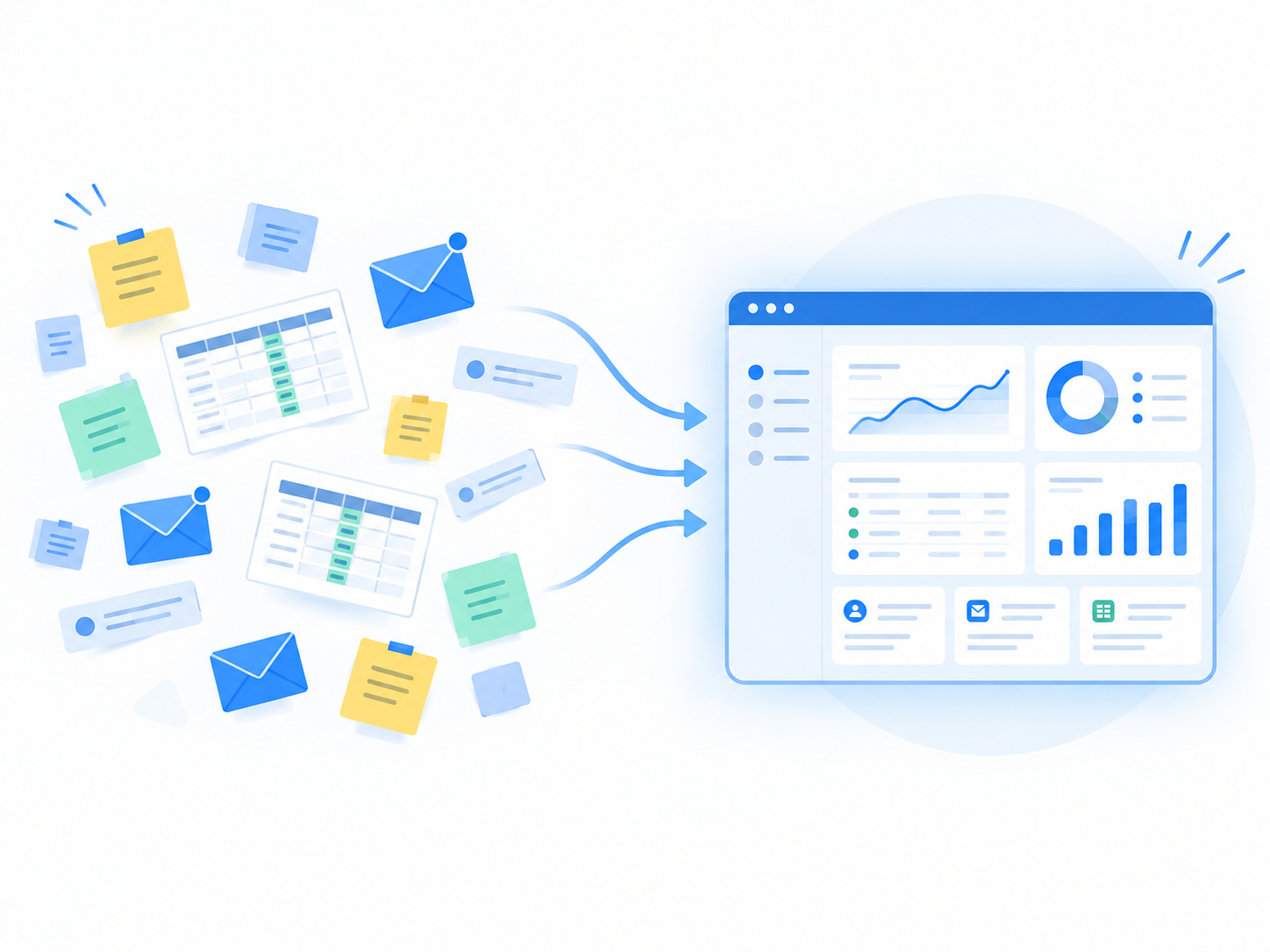
Zoho CRM is a cloud-based sales platform that centralizes your leads, contacts, deals, and customer communications in one place, then layers on automation and AI to help your team sell faster and more consistently. That’s the short answer. If you’ve spent any time researching CRMs this year, you’ve probably noticed most explainers either regurgitate Zoho’s marketing copy or bury the useful details – pricing tiers, implementation timelines, API limits – three articles deep.
I’ve worked with sales teams evaluating and rolling out Zoho CRM, and the question I get most isn’t “what does it do” in the abstract, it’s “what does it actually do for a team like mine, and what will it cost me in time and money to find out.” That’s what this guide is built to answer. We’ll walk through what Zoho CRM does day to day, what it costs in 2026, how long a real implementation takes, where it beats (and loses to) HubSpot, Pipedrive, and Salesforce, the mistakes that sink most rollouts, and what to do next if you’re seriously considering it.
What does Zoho CRM do, in plain English?
Zoho CRM is a cloud sales platform that centralizes leads, contacts, deals, and communications, then uses automation and AI to help teams sell faster and more consistently. Zoho’s own positioning around its CRM platform centers on helping businesses increase leads, accelerate sales, and measure performance more effectively, and in practice that means three things happening at once: your data stops living in scattered spreadsheets, repetitive busywork gets automated, and you get visibility into what’s actually working in your pipeline.
What problems does Zoho CRM solve for sales teams?
Before a CRM, most growing sales teams run on some combination of spreadsheets, email threads, and tribal knowledge. That works until it doesn’t, leads fall through the cracks, follow-ups get missed, every rep runs their own version of the sales process, and forecasting is basically a guess. Zoho CRM is built to close those specific gaps: it gives you one system of record for every lead and deal, enforces (or at least encourages) a consistent process across reps, and turns raw activity data into forecasts and dashboards a manager can actually trust.
Who is Zoho CRM built for (and who might outgrow it)?
In my experience, Zoho CRM fits most comfortably with SMB and mid-market B2B teams, companies that need real process enforcement and AI-assisted selling but don’t want (or can’t justify) enterprise-grade pricing. It’s also a strong fit for multi-region organizations that need territory management baked in. Where it starts to strain is at the far end of complexity: if your data model is genuinely unusual, or you need a highly specialized industry cloud, Salesforce’s depth of customization tends to be the better long-term fit. We’ll dig into that trade-off more in the comparison section below.
How does Zoho CRM fit into the wider Zoho ecosystem?
One thing that differentiates Zoho CRM from a lot of standalone sales tools is that it’s rarely used in isolation. It connects natively with other Zoho products, Books, Desk, Campaigns, Analytics, Flow, SalesIQ, Sign, and WorkDrive and, as Zoho documents in its guide to sales workflow automation, extends to over 1,200 third-party app integrations more broadly. That matters practically: if you’re already running (or considering) Zoho Books for accounting or Zoho Desk for support, keeping everything in the same ecosystem means your customer data doesn’t fragment across five different logins.
Key entities to know before you go further:
What core features does Zoho CRM actually use day to day?
Day-to-day work in Zoho CRM revolves around pipeline management, workflow automation, Blueprint process enforcement, AI (Zia) for scoring and insights, and dashboards for performance. Zoho’s own features overview frames the platform around helping teams increase leads, accelerate sales, and measure performance, and those three buckets map almost exactly to how reps and managers actually spend their time in the tool. Here’s what that looks like in practice, including the updates that shipped in 2026.
How do leads, contacts, and deals move through the pipeline?
The core workflow is simple to describe and takes real discipline to run well: a lead comes in through a web form or import, gets enriched and auto-assigned, moves through nurturing, converts into a contact and a deal, and then progresses through deal stages until it closes. Zoho CRM supports multiple pipelines and Kanban-style views, so a company selling two different product lines or running separate SMB and enterprise motions, can manage each with its own stages and rules rather than forcing everything into one generic pipeline.
In my experience, the teams that get the most value here are the ones that resist the urge to over-engineer their pipeline stages on day one. Start with the stages your team already uses informally, then refine.
How does automation (workflows, approvals, Blueprint) reduce manual work?
This is where Zoho CRM starts to differentiate itself from lighter-weight CRMs. Workflow rules can trigger field updates, emails, webhooks, and custom functions automatically, so instead of a rep remembering to send a follow-up email or update a field, the system does it. Blueprint takes this further by enforcing your actual sales process: a deal literally cannot move to “Proposal” until required fields are filled, tasks are completed, and manager approval is granted.
2026 brought two updates worth knowing about here: subform-level workflow triggers, which let automations fire on line-item-level data (useful for quote or product tables) rather than only top-level fields, and an overhauled approval process UI that makes multi-step approvals easier to configure and track.
What does Zia AI (and Zia Agents) actually do for reps and managers?
Zia is Zoho’s built-in AI, and it works across three broad categories: prediction (lead and deal scoring, win probability, likely close dates), generation (drafting emails, summarizing records), and enrichment (sentiment analysis, anomaly detection in forecasts). As Dotsquares covers in its breakdown of Zoho CRM’s Zia AI, 2026’s headline addition is Zia Agents, agentic AI that can autonomously qualify leads and even book meetings without a rep manually driving each step.
One honest caveat worth flagging, because most vendor content glosses over it: Zia’s predictions need time to become useful. In practice, expect three to six months of clean, closed-deal data before scoring and forecasting stabilize enough to trust. If you feed Zia messy or sparse historical data, you’ll get correspondingly unreliable predictions early on, that’s not a Zia-specific problem, it’s true of any ML-driven scoring model, but it’s worth setting expectations with your team before launch.
How do Canvas, custom modules, and portals change the user experience?
Canvas is Zoho’s no-code page designer, and it’s genuinely useful for tailoring the interface to how different teams actually work, for example, giving sales reps a different record layout than support staff, with conditional fields that only appear when relevant. 2026 added Canvas Templates, which speeds up this customization by giving admins pre-built starting points instead of designing every layout from scratch. Beyond Canvas, Zoho CRM supports custom modules and fields with layout rules, role-based views, and portals for customers, partners, and vendors who need limited, controlled access to relevant records.
What reporting and analytics can you rely on for decisions?
Reporting scales with your plan tier: dashboards and reports are available broadly, but unlimited custom reports require Professional or higher, and advanced analytics with data storytelling and anomaly detection in forecasts are gated to Ultimate. We’ll cover exactly which features sit behind which plan in the pricing section next, but it’s worth knowing upfront that “reporting” in Zoho CRM isn’t a single fixed feature, how deep you can go depends on what you’re paying for.
Feature → business outcome, at a glance:
How much does Zoho CRM cost in 2026 (and which plan fits which team)?
As of September 2026, Zoho CRM’s paid plans run from $14/user/month (Standard) to $52/user/month (Ultimate) on annual billing, with key features like Blueprint, Zia AI, sandbox access, and advanced analytics gated by tier. Getting the plan choice right matters more than most buyers realize, pick too low and you’ll hit a wall on automation or AI within a few months; pick too high and you’re paying for territory management or advanced analytics your team isn’t ready to use.
What are the 2026 Zoho CRM plans and prices (USD, annual vs monthly)?
One thing worth flagging clearly: monthly billing costs meaningfully more than annual across every tier. If you’re confident Zoho CRM is the right long-term fit after a pilot, committing to annual billing is where the real savings show up.
Which plan is right for small businesses vs mid-market teams?
- Free/Standard: Very small teams that just need a basic pipeline and contact management, without process enforcement or AI.
- Professional: The sweet spot for most SMBs, since this is the first tier that unlocks Blueprint and CPQ, which is where real automation value starts. As WorksBuddy’s comparison of Zoho CRM alternatives notes, this is typically where SMBs land once they need more than basic pipeline tracking.
- Enterprise/Ultimate: Mid-market teams that need Zia AI, territory management, a sandbox environment for testing changes before they hit production, and advanced analytics.
In my experience, teams underestimate how much they’ll want Blueprint once they’ve used it for even a month, it’s the single feature that most changes how consistently a sales team actually executes. If your budget allows it, Professional is usually worth the jump over Standard for that reason alone.
What hidden costs and add-ons should you budget for?
- CRM Plus bundle: if you need marketing, helpdesk, and CRM together, the bundled suite may be more cost-effective than buying modules separately.
- Add-on apps beyond your core plan.
- Implementation and partner fees: particularly relevant for mid-market rollouts.
- Data migration and training costs, which are easy to underestimate if you’re moving off spreadsheets or a legacy CRM.
- Heavy API usage: this is the one buyers most consistently miss, and it deserves its own explanation below.
How do API credits and limits affect integrations and AI agents?
Every Zoho CRM edition comes with a daily API credit allowance, and it scales with plan tier. According to Gravity’s breakdown of Zoho CRM’s AI agent and API updates, the allowances look like this:
This matters more than it sounds. If you’re running scheduled syncs with other tools, or leaning on Zia Agents for autonomous lead qualification, each operation, a GET request, an Insert/Update, a Lead Conversion, a Bulk Write consumes credits at different rates. Teams on lower tiers running heavy integrations can burn through their daily allowance faster than expected, which causes syncs to fail or throttle. If you’re planning serious automation or AI agent usage, factor API credit ceilings into your plan decision now, not after you’ve built the integration.
How long does Zoho CRM implementation take, and what does a good rollout look like?
SMBs often go live with Zoho CRM in 2–4 weeks, while mid-market teams typically need 13–16 weeks to properly handle integrations, data migration, Blueprint configuration, and adoption, per WorksBuddy’s 2026 CRM comparison research. That gap is bigger than most vendor content admits, and the timeline you should plan for depends entirely on how complex your process and tech stack actually are, not on how fast a sales rep tells you it can go.
What are the typical implementation phases and timelines?
For a mid-market rollout, a realistic phased timeline looks like this:
- Weeks 1–3: Discovery: data audit, defining roles and profiles, mapping your actual sales process (not an idealized version of it).
- Weeks 4–8: Core configuration: building out modules, fields, layouts, and workflow rules.
- Weeks 9–12: Integrations and migration: connecting third-party tools, setting up Blueprint, migrating and validating historical data.
- Weeks 13–16: UAT, training, and go-live: user acceptance testing, team training, launch, and a hypercare period to catch issues fast.
Smaller teams can compress this dramatically, a 2–4 week SMB rollout is realistic when you have a simpler process, less legacy data to migrate, and fewer integrations to build. The gap between these two timelines is almost entirely explained by integration complexity and data volume, not by team size alone.
What does a practical implementation checklist include?
A good implementation checklist covers process mapping, field standards, clear ownership rules, thorough data cleanup, and critically, testing one complete record lifecycle end-to-end with dummy data before real users ever touch the system. If you have access to a sandbox environment (available on Enterprise and above), use it to test configuration changes before they hit production. Don’t skip mobile testing either; a configuration that works perfectly on desktop can be genuinely unusable on a phone if layouts and required fields weren’t tested there.
The single most useful piece of advice I’d give anyone implementing Zoho CRM: run one dummy deal through your entire configured pipeline, lead capture through close, before you let a single real user log in. It surfaces broken workflow rules, missing required fields, and Blueprint gaps far faster than reading through a configuration checklist ever will.
How do you drive user adoption in the first 30 days?
Implementation and adoption are two different problems, and a lot of rollouts nail the first while completely missing the second. A practical 30-day adoption approach includes:
- Making key fields mandatory so data stays clean from day one
- Setting up manager dashboards so pipeline visibility exists immediately
- Turning on activity notifications so follow-ups don’t get missed
- Enforcing mobile usage where reps are field-based
- Requiring loss-reason validation on closed-lost deals (this alone dramatically improves your win/loss data over time)
- Building adoption scorecards to track who’s actually using the system
- Coaching low-adopting reps individually rather than sending another all-team email
Tie all of this back to concrete KPIs, activity logging rate, stage update frequency, and forecast accuracy are the three I’d watch most closely in the first month. If those three numbers are trending the right way, adoption is working.
What security and compliance features should admins configure early?
Before go-live, admins should configure roles and profiles, audit logs, data import/export controls, and duplicate management rules, these are foundational and much harder to retrofit once real data and users are in the system. On compliance specifically (ISO 27001, SOC 2, GDPR), I’d recommend verifying current certification status directly against Zoho’s official trust and compliance pages before citing or relying on any specific claim in a proposal or contract, certifications and scopes can change, and it’s not worth repeating outdated information on something this important.
What does Zoho CRM do better than HubSpot, Pipedrive, or Salesforce for many teams?
Zoho CRM often wins on total cost of ownership, depth of automation and AI at mid-market price points, and access to a 40+ app suite, though it demands more admin discipline than simpler tools, according to Pyramidbits’ Zoho CRM vs Salesforce and HubSpot comparison. This isn’t a case of Zoho CRM being universally “better” it’s a case of it winning decisively on specific trade-offs that matter a lot to certain teams and less to others. Here’s where that plays out.
How does total cost of ownership compare at 10, 25, and 50 seats?
Illustrative 3-year TCO comparisons for a roughly 20-user team, as modeled by Pyramidbits, show Zoho CRM Professional landing around $48k, compared to roughly $110k for Salesforce Professional and around $104k for HubSpot Professional. That gap isn’t just license price, it’s driven by license cost, implementation scope, and add-ons stacking up differently across platforms. In practice, HubSpot and Salesforce implementations tend to accumulate more paid add-ons and higher-touch implementation costs as you scale past a handful of seats, while Zoho CRM’s feature depth at the Professional and Enterprise tiers keeps more capability inside the base license price.
Illustrative 3-year TCO at ~20 seats:
(Figures are illustrative estimates for comparison purposes — run your own numbers based on actual seat count and required add-ons before budgeting.)
When is Zoho CRM a better fit than HubSpot?
Zoho CRM tends to win for cost-conscious teams that want deep customization, AI-driven scoring, and access to a broader suite of connected apps. HubSpot tends to win where a team specifically wants a unified marketing-and-content hub with minimal admin overhead, HubSpot’s strength has always been how little configuration it needs to get a marketing and sales team aligned out of the box. If your priority is inbound marketing plus sales in one clean interface and you’re willing to pay more for that simplicity, HubSpot is a legitimate pick. If your priority is process enforcement, AI depth, and suite breadth at a lower price, Zoho CRM tends to pull ahead. Mid-market teams should also weigh data residency and architecture considerations as part of this decision, since requirements here vary by industry and region.
When is Zoho CRM a better fit than Pipedrive?
Pipedrive is built to be a lean, visual pipeline tool, and it does that job well for teams that don’t need much beyond pipeline management and basic automation. As Rework’s Pipedrive vs Zoho CRM comparison lays out, Zoho CRM becomes the better fit once you need more than that, Blueprint for process enforcement, Zia AI for scoring and forecasting, territory management, and customer/partner portals, without a huge price jump to get there. If your team has genuinely outgrown “just move deals through stages” and needs real process and AI depth, that’s usually the signal to look past Pipedrive.
When should you consider Salesforce instead of Zoho CRM?
This is the honest counterpoint worth stating clearly: Salesforce is the better fit when you have highly complex data models, a real need for the AppExchange ecosystem, specialized industry cloud requirements, and the admin or developer capacity to support that complexity. Zoho CRM is recognized as a Gartner Visionary and offers a genuinely broad feature set for the price, but it isn’t trying to be Salesforce, it’s optimized for teams that want strong automation and AI without enterprise-level implementation overhead. If your organization already has a dedicated Salesforce admin team and complex, industry-specific requirements, that existing investment and complexity may make Salesforce the more sensible path regardless of TCO.
Decision matrix:
What are the common mistakes when using Zoho CRM (and how do experts avoid them)?
Most Zoho CRM failures come from messy data, generic process mapping, over-customization, weak training, and ignoring API or credit limits in heavy integrations, a pattern Gravity’s implementation research also flags as a recurring theme. None of these are Zoho-specific problems, exactly, they’re the same mistakes that sink most CRM rollouts, regardless of platform. But Zoho CRM’s flexibility means it’s easier than most tools to configure your way into these traps, so it’s worth naming them explicitly.
What data mistakes break Zoho CRM implementations?
The most common failure point is importing dirty data on day one: inconsistent field standards, unclear record ownership, and no deduplication strategy. Once bad data is in the system, reps stop trusting it, and adoption erodes from there. The fix is unglamorous but effective, run a proper data audit before migration, standardize your field formats, assign clear ownership rules, use Zoho’s deduplication tools, and always run test imports on a small batch before migrating everything at once.
What process and configuration mistakes cause low adoption?
I’ve seen this one derail more rollouts than almost anything else: copying a generic “best practice” sales process instead of mapping your team’s actual process, then over-customizing the system before anyone’s even used it. Add in ignoring the mobile experience and skipping required-field enforcement, and you end up with a system reps route around rather than rely on. The fix: map your real sales process first, start with the simplest possible configuration, use Blueprint to enforce stage gates once you know the process works, and test everything on mobile before go-live, not after.
What integration and API pitfalls surprise teams?
This is the mistake that’s easiest to miss until it’s already causing problems. Teams often assume API access is effectively unlimited, then get caught off guard when scheduled syncs start failing because they didn’t plan for credit burn, ignored concurrency limits, or built integrations without proper error handling. Since credit limits scale by edition and different operations (GET requests, inserts, bulk writes, lead conversions) consume credits at different rates, the fix is to estimate your realistic API usage before building an integration, batch operations where possible, actively monitor credit consumption, and design retry logic so a throttled sync doesn’t silently fail.
What training and governance gaps undermine ROI?
The last common failure mode is treating training as a one-time event rather than an ongoing process, no manager dashboards, no adoption KPIs, no continuous coaching after the initial rollout. The fix mirrors the 30-day adoption approach covered earlier: build a structured adoption plan, have managers actually lead pipeline reviews using the CRM data (not a side spreadsheet), track adoption scorecards, and keep enablement going well past launch week.
Mistake → Fix, at a glance:
What should you do next if you’re considering Zoho CRM?
Run a scoped pilot with clean data, map one real sales process end-to-end, and validate pricing, integrations, and adoption before committing org-wide. That’s the single best piece of advice I can give after seeing how differently these rollouts go depending on whether teams pilot first or jump straight to a full deployment.
How do you design a low-risk Zoho CRM pilot?
Pick one team or one process, not your whole sales org and run it through Zoho CRM for a timeboxed period. Define success metrics upfront: cycle time, activity logging rate, and forecast accuracy are the three I’d track. Keep the pilot to 4–6 weeks. That’s long enough to see whether the process and automation actually hold up under real use, but short enough that a failed pilot doesn’t cost you months of momentum.
What data and processes should you prepare before starting?
Before the pilot starts, prepare clean lead and contact lists, standardized field formats, a documented version of your actual sales stages, and clear rules for required fields and approvals. This is the same groundwork covered in the implementation and mistakes sections above, doing it before the pilot, rather than during, is what separates a useful pilot from a confusing one.
When should you involve a Zoho partner vs doing it yourself?
For simple SMB setups with a straightforward process and minimal integrations, a DIY rollout is usually realistic, Zoho CRM’s admin interface doesn’t require a developer for basic configuration. Once you’re dealing with multi-system integrations, complex Blueprint logic, territory management, or mid-market governance requirements, bringing in a Zoho partner tends to pay for itself in avoided rework and faster time to value.
What are the next best resources to explore?
- Zoho CRM Pricing in 2026: Plans, Add-Ons, and Hidden Costs
- Zoho CRM Implementation Checklist (SMB & Mid-Market)
- Zoho CRM vs HubSpot vs Salesforce: 3-Year TCO Breakdown
- Zoho Zia AI: What Works, What Doesn’t, and How to Configure It
Quick Recap
Zoho CRM centralizes your leads, contacts, and deals, then automates the busywork and layers on AI to help your team sell more consistently, at a total cost of ownership that’s usually meaningfully lower than HubSpot or Salesforce for comparable capability. It rewards teams willing to map their real process and keep data clean, and it punishes teams that skip that groundwork. If you’re evaluating it seriously, the pilot-first approach above is the lowest-risk way to find out if it fits before you commit budget and months of rollout time.





