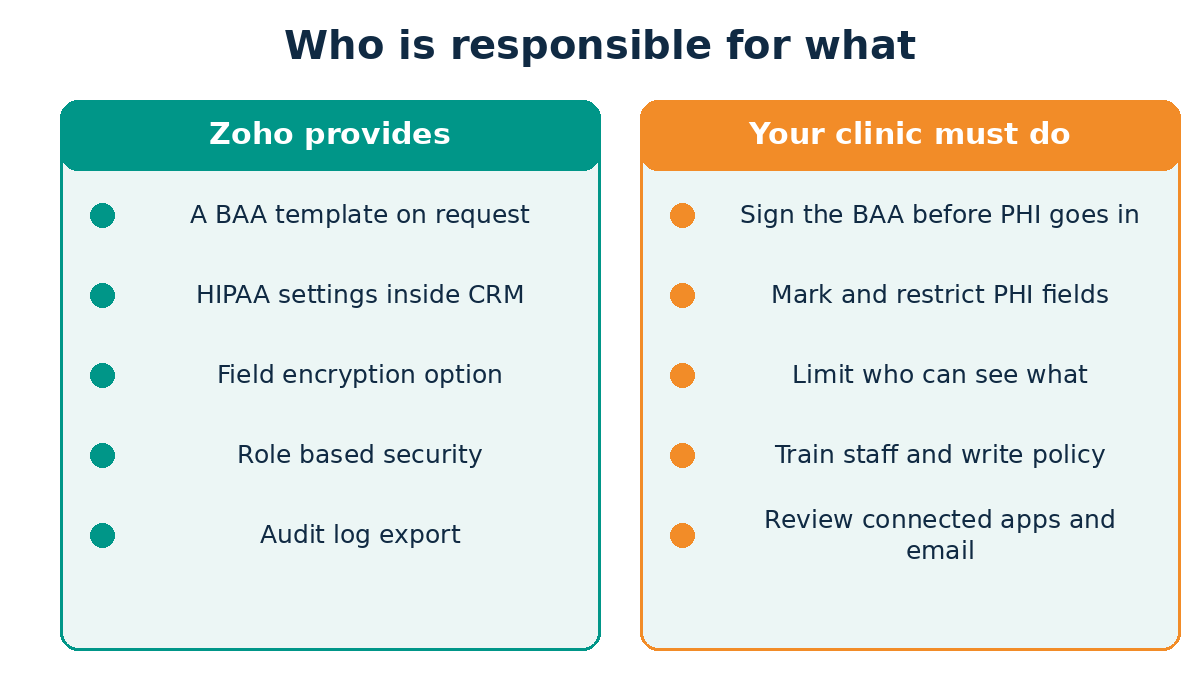
Zoho CRM can be used in a HIPAA-compliant way, but no CRM is “HIPAA certified” on its own. Zoho provides a Business Associate Agreement on request and offers HIPAA settings inside the CRM. Your clinic still has to sign the agreement, mark patient data fields, restrict how that data leaves the system, control who sees it, and train your staff.
Clinics ask me this question more than almost any other, usually right after a vendor demo that made everything sound easy. My honest answer is always the same: the software gives you the tools, and your configuration decides whether you are compliant. This guide explains what Zoho actually offers, where the limits are, and the order I follow when a healthcare client wants patient-related data in their CRM.
Is Zoho CRM HIPAA Compliant?
Here is the short version. Zoho states that it does not collect, use, store, or maintain protected health information for its own purposes, and that Zoho CRM provides features to help customers use the CRM within HIPAA requirements. It also says HIPAA requires covered entities to sign a Business Associate Agreement, and that you can request Zoho’s template by emailing its legal team. You can read this directly on Zoho’s HIPAA page for CRM.
Notice what that wording does not say. It does not say “Zoho CRM is HIPAA certified.” Compliance is about how a covered entity and its business associates handle protected health information (PHI), and a tool is only one piece of that. Think of it like a lockable filing cabinet. The lock helps, but you can still leave the key on the desk.
Who Needs to Worry About This?
If you are a healthcare provider, health plan, or clearinghouse, HIPAA calls you a covered entity. Providers such as doctors, clinics, dentists and pharmacies count, but only if they transmit health information electronically in connection with a standard transaction. The U.S. Department of Health and Human Services (HHS) explains these roles on its covered entities and business associates page.
A business associate is generally a person or organization that creates, receives, maintains, or transmits PHI on your behalf. HHS lists cloud service providers that store or process electronic PHI for a covered entity among its examples, and the covered entity must have a written Business Associate Agreement in place before sharing PHI. See HHS’s business associates FAQ and its guidance on HIPAA and cloud computing. In practice, that is why a CRM vendor that holds your patients’ PHI needs the agreement.
Not every clinic needs PHI in its CRM at all. A marketing team that tracks enquiry names and phone numbers may hold very little. A care coordination team that records symptoms, medications, or appointment reasons holds a lot. The line between those two matters, and I will come back to it.
What Zoho CRM Gives You for HIPAA
These are the controls I rely on, taken from Zoho’s own documentation. The limits in the table are the ones that catch people out.
| Feature | What It Does | Limit or Catch |
|---|---|---|
| HIPAA compliance settings | Lets an admin choose which modules hold PHI | Up to 10 modules. Needs the Manage Compliance Settings permission |
| Personal health data fields | Marks individual fields as PHI so the system can restrict them | Up to 25 fields per module. Lookup, multi-select lookup, and auto-number fields cannot be marked |
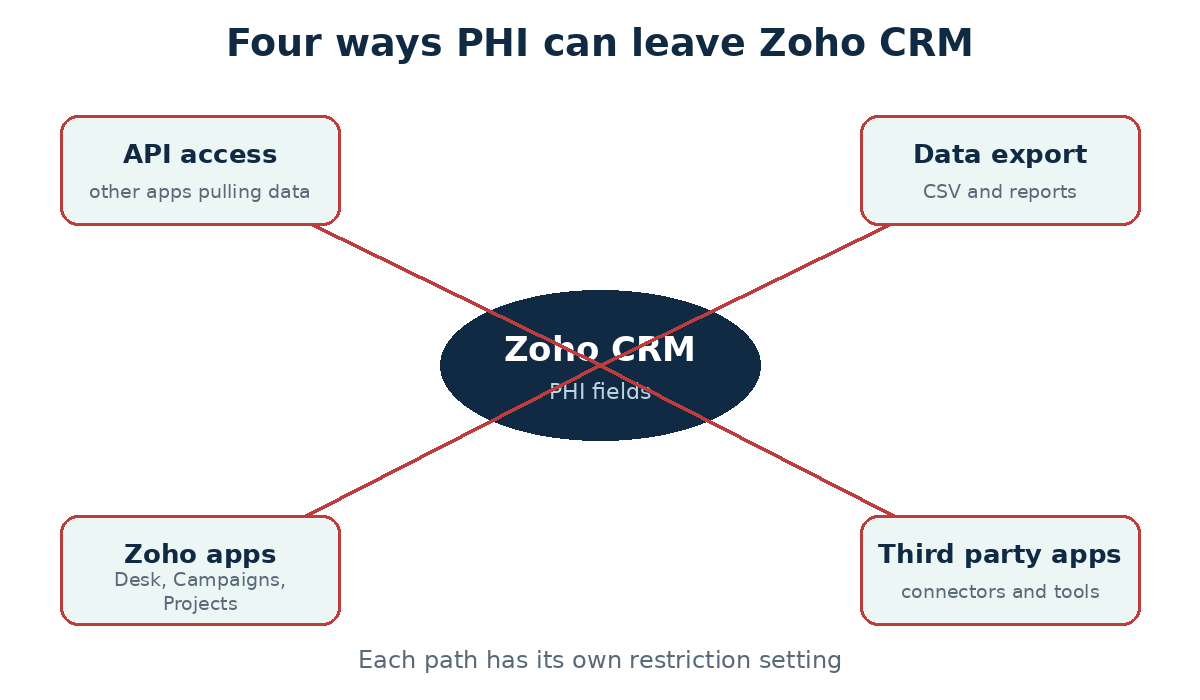
| Restrict API access | Stops marked fields being sent to other apps through the API | Only covers fields you marked |
| Restrict export | Withholds marked fields from data exports | Does not stop someone reading the screen |
| Restrict transfer to Zoho apps and third-party apps | Blocks PHI flowing to Desk, Campaigns, Projects, and connected tools | Check the data flow table in Zoho’s help for each app |
| Field encryption | Encrypts PHI fields for extra protection | Not mandatory in Zoho, but strongly recommended. It has its own limitations |
| Audit log | Records activity so you can review access | Kept for 60 days by default. Export it regularly if you need longer |
One more point in that same documentation changed how I scope projects. HIPAA settings are supported for Leads, Contacts, Vendors and custom modules. Deals and Accounts are not on that list. So if your team habitually types patient notes into a Deal record, you have a design problem before you have a compliance problem. I move that information into a custom module and keep the Deal free of PHI.
How Do You Set Up Zoho CRM for HIPAA?
This is the order I follow. The Business Associate Agreement comes first, because nothing sensitive should be loaded until it is signed.
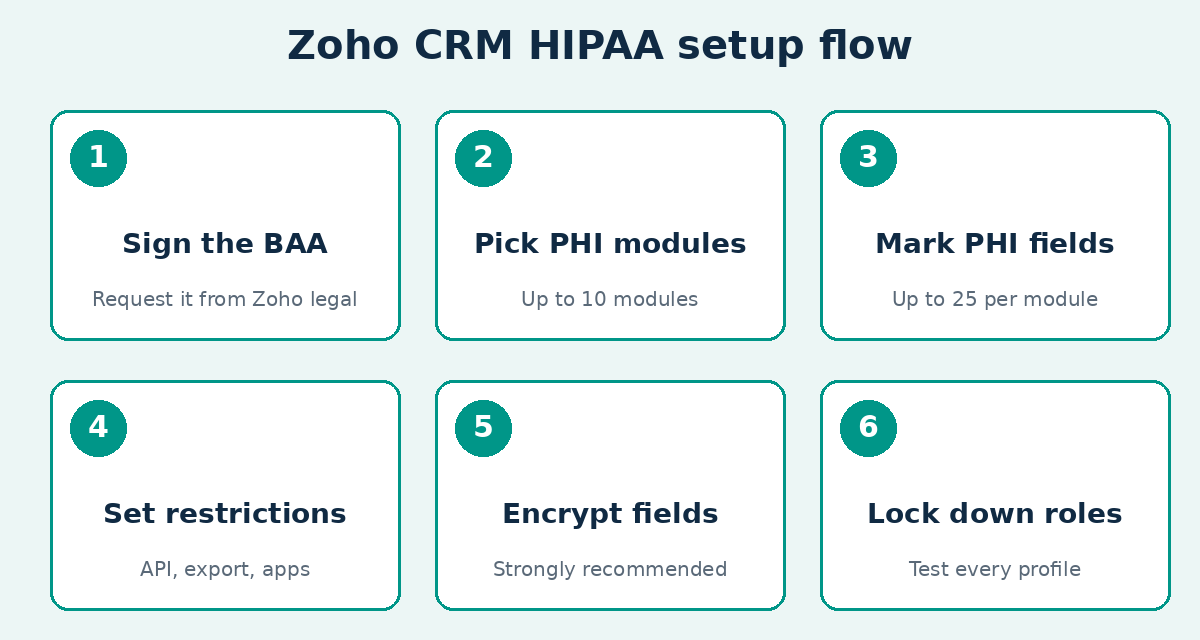
Step 1: Get the Business Associate Agreement Signed
Request Zoho’s template by emailing the legal address given on Zoho’s HIPAA help article. Then ask in writing which Zoho services the agreement covers. This matters because a clinic rarely uses the CRM alone. If you also use Zoho Forms, Desk, Campaigns or Sign, confirm each one is in scope before PHI touches it. Some third-party sources suggest HIPAA features and the agreement depend on your plan, so confirm your edition with Zoho and check the feature availability page.
For what the agreement itself must contain, HHS publishes sample business associate agreement provisions. Have your attorney compare Zoho’s template against them.
Step 2: Decide What PHI You Actually Need
The HIPAA Privacy Rule’s minimum necessary standard asks covered entities to take reasonable steps to limit PHI uses, disclosures and requests to what the purpose requires. HHS explains it on its minimum necessary requirement page. It does not apply to everything, for example disclosures to another provider for treatment, so ask your compliance contact how it applies to your workflows. Before touching settings, sit with the front desk and ask what they really need to see in the CRM. Appointment reminders may need a name, a phone number, and a time slot. They rarely need a diagnosis. Every field you do not create is a field you never have to protect.
Step 3: Choose the Modules and Mark the PHI Fields
Go to Setup, then Security Control, then Compliance Settings, and open the HIPAA Compliance tab. Turn it on and select the modules that will hold PHI. Then open each module, edit the layout, and tick “Contains Personal Health Data” on each sensitive field. Surgical history, symptoms and medication details are the examples Zoho gives.
Step 4: Set the Restrictions
Switch on restrictions for API access, export, transfer to Zoho apps, and transfer to third-party apps, based on how your clinic works. My default is to switch all four on and then open a specific door only when someone gives me a written reason. Doing it the other way round is how patient data ends up in a marketing tool by accident.
Step 5: Encrypt the PHI Fields
Zoho does not force encryption, but I do not leave it off for health data. Read the Zoho encryption whitepaper and the help article on encryption limits first, because encrypted fields can behave differently in search and some features. Test before you roll out.
Step 6: Lock Down Roles and Test Every Profile
Build profiles around job roles, not people. A receptionist, a clinician, a billing clerk, and a marketing assistant should see different things. Then log in as each one and try to find data they should not see. This test is the one most teams skip, and it is the one that catches the embarrassing mistakes.
Where Clinics Leak PHI Without Noticing
Switching on the HIPAA settings does not close every door. These are the places I check in every healthcare audit.
| Risk Area | How It Leaks | What I Do |
|---|---|---|
| Notes and free text | Staff type diagnoses into a notes box that is not a marked field | Train staff and keep clinical detail in marked custom fields |
| Email and templates | Merge fields pull PHI into an email sent over an unsecured route | Keep PHI out of templates and mass emails |
| Workflow rules | An automation copies a field to another module or sends an alert with patient details | Review every rule that touches a marked field. See our workflow rules guide |
| Integrations | A connector or Zapier-style tool receives PHI with no agreement in place | Require a separate BAA for any tool that can touch PHI |
| Attachments | Scans of lab results or insurance cards are uploaded to a general field | Use a marked File Upload field only |
| Departed staff | Old users keep access after leaving | Deactivate accounts on the last working day |
| Short audit log | Activity older than 60 days is gone when an incident review starts | Export the audit log on a schedule |
The integration row deserves extra attention. If you connect the CRM to a form builder, an SMS tool, or an automation platform, each one may become a business associate too. HHS’s business associate FAQ lists IT vendors and app developers that handle PHI on a covered entity’s behalf among its examples. Our comparison of Zoho Flow and Zapier is useful here, because keeping automation inside Zoho can mean fewer outside vendors to vet. If you need a connection built and reviewed with this in mind, our Zoho integration services can help.
Should Patient Data Live in the CRM at All?
Often my advice is to keep the CRM for the relationship and keep the clinical record elsewhere. A CRM is built for pipelines, follow-ups, and communication. An electronic health record is built for clinical care and has its own compliance design. When a client asks me to store full treatment histories in Zoho CRM, I ask what problem they are solving. Usually they want appointment reminders, referral tracking, and patient follow-ups. A CRM can do that with a few light fields and a link back to the clinical system.
We worked on this balance in our HIPAA-conscious patient scheduling project for clinics, and you can see how we set up CRM for providers on our Zoho CRM for healthcare page. If you are planning a larger rollout, our Zoho CRM implementation roadmap shows how to stage the work.
Are HIPAA Rules Changing?
HHS proposed a major update to the HIPAA Security Rule in January 2025, and the proposal would make several technical safeguards stricter. As of this review, it is a proposal and not a final rule. Law-firm and industry trackers report that HHS’s regulatory agenda now lists final action no earlier than July 2027, and that the existing Security Rule stays fully in force until a final rule replaces it. Follow HHS’s Security Rule proposal page for the current status, and ask your compliance contact whether your safeguards already meet the direction of travel, such as encryption and multi-factor authentication.
Pre-Launch Checklist for a Healthcare Clinic
| Check | Done When |
|---|---|
| Business Associate Agreement | Signed, filed, and confirmed to cover every Zoho service you use |
| Risk assessment | Written down and reviewed by your compliance contact |
| PHI modules and fields | Selected, marked, and within the module and field limits |
| Restrictions | API, export, Zoho apps, and third-party transfers set on purpose |
| Encryption | Enabled and tested on PHI fields |
| Roles | Each profile tested by logging in as that role |
| Integrations and automations | Each one reviewed, with agreements where needed |
| Audit log | Export schedule set |
| Staff training | Everyone knows what may and may not be typed into the CRM |
Do You Need a Consultant?
If you have a few users, one location, and a very light data model, you can follow Zoho’s documentation yourself. If you have several locations, many integrations, or a compliance team asking hard questions, outside help usually saves rework. Read what a Zoho consultant does before you decide, and see how our Zoho implementation services work. A consultant can configure the system, but we don’t replace your compliance officer or lawyer, and anyone who says otherwise should make you nervous.
Frequently Asked Questions
Is Zoho CRM HIPAA Certified?
Zoho does not describe CRM as “HIPAA certified.” It offers a Business Associate Agreement and HIPAA settings, and your clinic is responsible for configuring and using them correctly.
Does Zoho Sign a Business Associate Agreement?
Zoho says covered entities can request its Business Associate Agreement template by emailing its legal team. Confirm which Zoho services the agreement covers, and sign it before any PHI goes into the system.
Can I Store Patient Data in Zoho CRM?
You can, if you have the agreement, mark the PHI fields, restrict how that data moves, and control access. Zoho supports the HIPAA settings for Leads, Contacts, Vendors, and custom modules, so plan your data model around those.
Does Zoho CRM Encrypt Health Data?
Zoho offers field-level encryption for PHI fields. It is not mandatory, but Zoho strongly recommends it, and I enable it for health data after testing.
How Long Does Zoho CRM Keep Audit Logs?
The audit log is available for 60 days by default. Export it on a schedule if your policy needs a longer record.
Are Zoho Integrations Covered by HIPAA?
Not automatically. Any connected app that can touch PHI needs to be reviewed and, where required, covered by its own agreement.
Final Thoughts
So, is Zoho CRM HIPAA compliant? It can be part of a compliant setup, and I have seen it work well for clinics that treated the project as a process and not a checkbox. Sign the agreement first, keep PHI to the minimum, mark and restrict the fields, test every role, and review your integrations. If you want a second opinion on your plan, contact the Zilltech team.
Official Resources
- Zoho: HIPAA Compliance with Zoho CRM
- Zoho CRM: Feature availability and limits
- Zoho: Encryption whitepaper
- HHS: Covered Entities and Business Associates
- HHS: Business Associates FAQs
- HHS: Sample Business Associate Agreement Provisions
- HHS: Guidance on HIPAA and Cloud Computing
- HHS: Minimum Necessary Requirement
- HHS: HIPAA Security Rule proposed update