
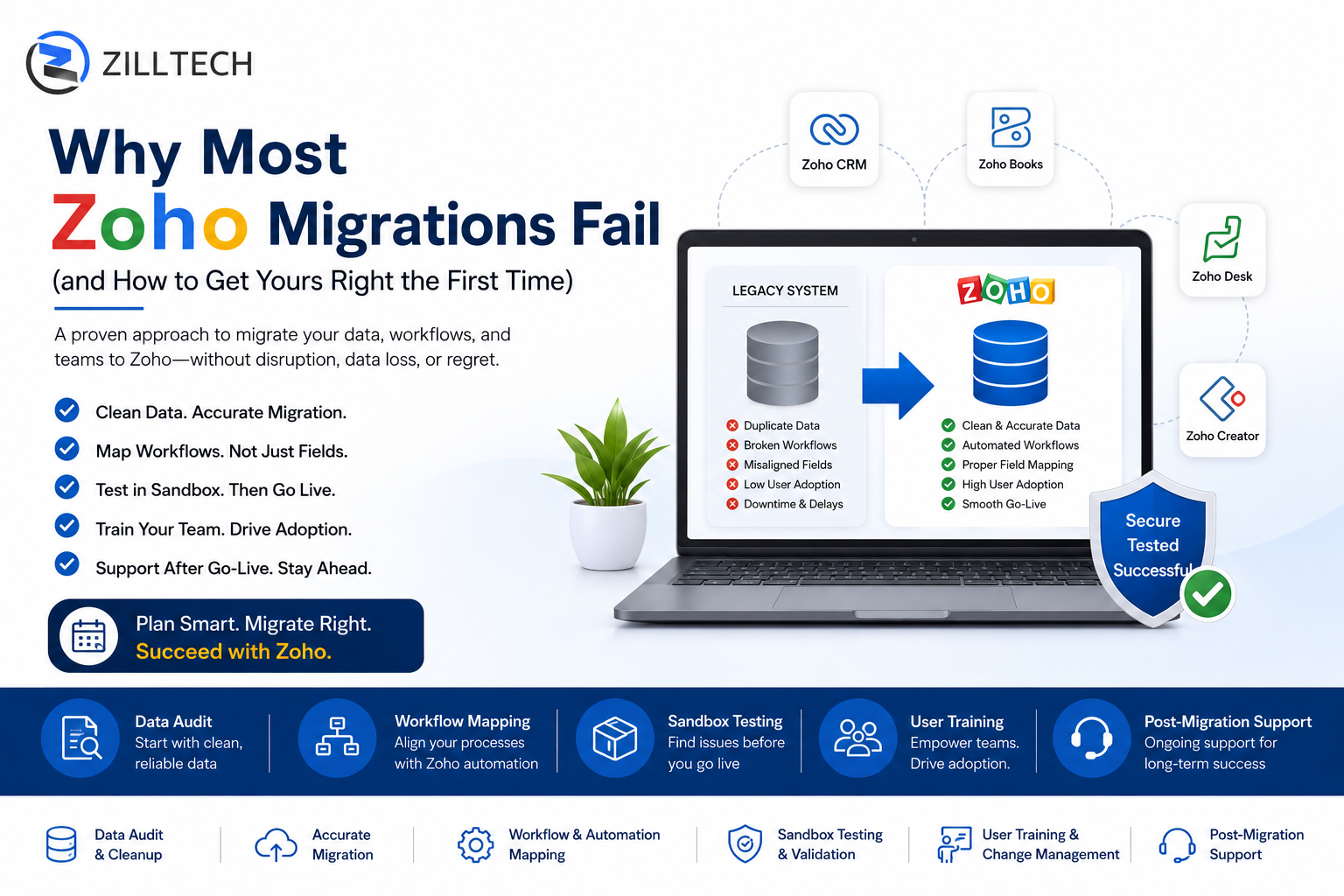
Planning a Zoho Migration?
Avoid costly migration mistakes before they impact your operations.
ZillTech’s Zoho Migration Services help businesses transition with structured planning, clean data preparation, sandbox testing, workflow alignment, and post-launch support.
What “Migration Failure” Actually Looks Like
A failed migration rarely means Zoho simply “doesn’t work.” It usually shows up as smaller, compounding problems that erode trust in the new system:
-
- Duplicate or missing customer records after import
- Broken automations and workflow rules that worked in the old system
- Custom fields that don’t map correctly, leaving data in the wrong place
- Sales or support teams are reverting to spreadsheets because the new system feels incomplete
- Extended downtime during the cutover window
Individually, these issues seem minor. Together, they can derail adoption for months.
The Top Reasons Zoho Migrations Fail
1. No Data Audit Before Migration
Most legacy systems accumulate years of inconsistent data, duplicate contacts, outdated fields, inactive records, and inconsistent formatting. Migrating this data as-is simply moves the mess into Zoho. Without a structured audit and cleanup phase, businesses end up with a new platform that inherits all the old problems.
2. Treating Migration as a “Lift and Shift”
A common mistake is assuming that whatever existed in the old CRM or database should be recreated identically in Zoho. This ignores the fact that Zoho’s modules, automation engine (Deluge), and field structures work differently from most legacy platforms. A direct copy often results in workflows that don’t trigger correctly or fields that don’t map to Zoho’s native structure.
3. Underestimating Custom Field and Module Mapping
Businesses with heavily customized legacy systems often have dozens of custom fields, related lists, and module relationships. Mapping these correctly to Zoho CRM, Zoho Books, or Zoho Creator requires careful planning get it wrong, and critical business logic (like pricing rules or approval chains) can break silently.
4. No Sandbox Testing Before Go-Live
Migrating directly into a live production environment is one of the riskiest approaches. Without a sandbox or staging environment to test data imports, automation rules, and integrations first, errors are only discovered after they’ve already affected real customer data and daily operations.
5. Ignoring User Training and Change Management
Even a technically perfect Zoho migration can fail if the team doesn’t know how to use the new system. Sales reps and support agents who don’t understand the new layout, fields, or workflows often fall back on old habits, such as emails, spreadsheets, or shadow systems, undermining the entire project.
6. No Post-Migration Support Plan
Migration issues don’t always surface on day one. Edge cases, missing automations, or reporting discrepancies often appear over the first few weeks of real usage. Without a support plan in place, these issues pile up, and frustration grows.
Is Your Migration Plan Ready for Go-Live?
Many businesses only discover migration problems after launch—when corrections become expensive and disruptive.
ZillTech’s migration services help reduce risk through structured audits, field mapping, sandbox validation, and phased implementation planning.
Common Migration Mistakes vs. Best Practices
| Common Mistake | Why It Causes Problems | Best Practice |
| Migrating data without cleaning it first | Duplicates and bad data carry over into Zoho | Run a full data audit and cleanup before migration |
| Direct 1:1 field mapping from old system | Zoho’s structure differs, breaking automations | Re-map fields based on Zoho’s native architecture |
| Migrating directly into production | Errors affect live customer data immediately | Test the full migration in a sandbox first |
| Skipping user training | Teams revert to old tools and spreadsheets | Provide role-based training before go-live |
| No rollback or backup plan | Data loss is difficult to reverse | Maintain a full backup of legacy data before cutover |
| No support after go-live | Issues compound over the first few weeks | Plan for post-migration monitoring and fixes |
How to Get Your Zoho Migration Right the First Time
Start with a Data Audit
Before any data moves, review what you actually have. Identify duplicates, outdated records, and fields that are no longer relevant. This is also the right time to decide what not to migrate; not every record from a legacy system needs to make the jump.
Map Your Workflows, Not Just Your Data
Migration isn’t just about moving records; it’s about preserving (or improving) the logic behind how your business operates. Sales pipelines, approval processes, and customer support workflows should be mapped to Zoho’s automation tools, such as Zoho Flow and Deluge scripting, rather than recreated as static copies.
Use a Sandbox Environment
Zoho provides sandbox capabilities that allow you to test data imports, automation rules, and integrations in a safe environment before going live. This step catches the majority of issues before they ever touch real business data. Zoho’s own migration documentation outlines recommended approaches for different data types and modules.
Plan the Cutover Carefully
A phased cutover, migrating in stages rather than all at once, reduces downtime and gives teams time to adjust. Critical modules like contacts, deals, and invoices should be prioritized, with less time-sensitive data migrated afterward.
Train Your Team Before Go-Live
Schedule training sessions tailored to each team’s role in the new system. A sales rep doesn’t need the same walkthrough as a finance user. Clear documentation and a point of contact for questions during the first few weeks make a significant difference in adoption.
Don’t Skip Post-Migration Support
Budget time and resources for the weeks immediately following go-live. This is when most real-world issues surface, and having a plan to address them quickly prevents small problems from becoming reasons teams abandon the new system.
How ZillTech Approaches Zoho Migrations
ZillTech’s Zoho Migration Services are built around the steps outlined above, starting with a full data audit, followed by careful workflow and field mapping, sandbox testing, a phased cutover, and ongoing post-migration support. For businesses also looking to optimize their broader Zoho setup, Zoho Consulting and Customization & Automation services can help ensure the new system is configured to match real business workflows, not just legacy ones.
Frequently Asked Questions
How long does a typical Zoho migration take?
The timeline depends on the size and complexity of the data being migrated, as well as how many custom modules, workflows, and integrations are involved. Smaller migrations can take a few weeks, while larger, multi-department migrations may take several months when done in phases.
Can I migrate from any CRM or system to Zoho?
In most cases, yes. Zoho supports data imports from common formats like CSV and Excel, as well as direct migration tools for popular platforms. For more complex or custom legacy systems, a tailored migration approach using Zoho’s APIs may be required.
Will I lose data during a Zoho migration?
Data loss is preventable with proper planning. Maintaining a full backup of the legacy system before migration, combined with sandbox testing and validation checks after import, significantly reduces the risk of losing or corrupting records.
Do I need to migrate everything at once?
No, and in many cases, a phased migration is safer. Critical data such as active customer records, deals, and financial information can be prioritized first, with historical or less time-sensitive data migrated afterward.
What happens to my existing automations and workflows?
Automations built into a legacy system typically do not transfer automatically. They need to be rebuilt or re-mapped using Zoho’s automation tools, such as workflow rules, Zoho Flow, or Deluge scripts, based on how your business processes actually work.
How do I know if my migration was successful?
A successful migration means data is accurate and complete, automations and workflows function as expected, reports reflect the correct figures, and your team is actively using the new system without falling back to old tools or spreadsheets
Wait Before You Leave
Most Zoho migration issues can be prevented with the right planning.
Get a Free Zoho Migration Readiness Checklist and discover the common mistakes businesses make before going live.


