
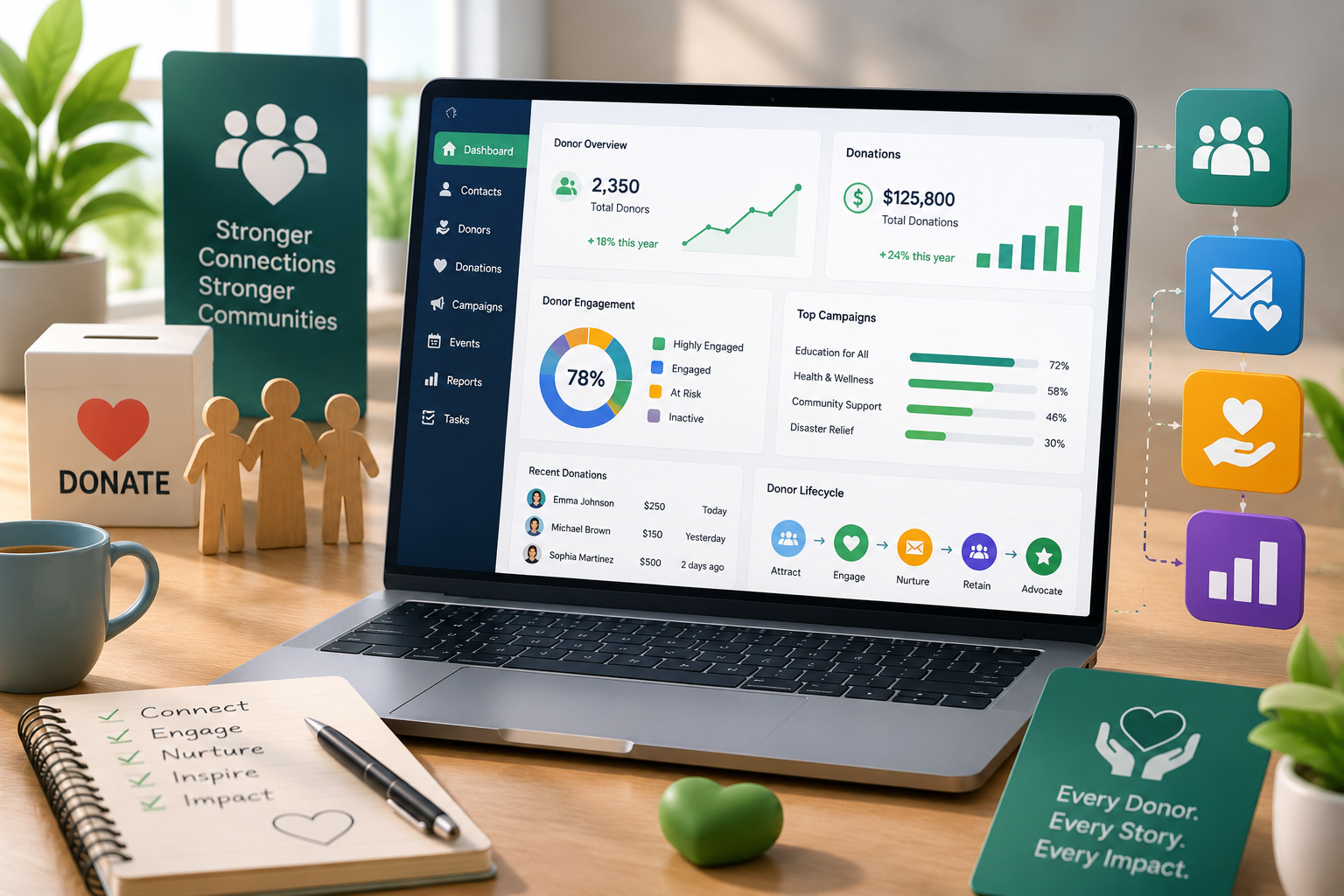
It also offers a steep nonprofit discount through Zoho’s NPO program. It isn’t purpose-built for fundraising the way Bloomerang or Virtuous is, but with the right setup, it becomes a flexible, affordable crm for nonprofits that can run your entire donor lifecycle from first gift to major-donor stewardship.
That’s the short answer. Here’s the longer one, including where Zoho genuinely shines, where it needs help, and how to set it up so it doesn’t become another half-used tool collecting digital dust.
Not Sure If Zoho Fits Your Nonprofit?
Get a free assessment of your current donor workflows and see exactly how Zoho could replace your spreadsheets.
Schedule a Free Consultation Call
Why Nonprofits Struggle Without a Dedicated CRM
Most small and mid-sized nonprofits start the same way: a spreadsheet for donors, a separate tool for email newsletters, sticky notes for pledge reminders, and a volunteer coordinator who “just remembers” who gave what. It works until it doesn’t.
The cost of that gap shows up in the numbers. Donor retention across the sector has hovered in the mid-40s to low-50s (percent) in recent benchmark reports, while first-time donors are retained at a much lower rate, often below 20%. Acquiring a new donor also costs several times more than keeping an existing one. In other words, the nonprofits that win aren’t necessarily raising more new money; they’re losing fewer of the donors they already have.
That’s a systems problem, not a mission problem. A real nonprofit crm software platform fixes it by making sure every donor interaction, a gift, an event RSVP, a thank-you call is logged automatically instead of relying on someone’s memory.
What Makes Zoho a Nonprofit CRM Software Worth Considering
Zoho wasn’t originally built for fundraising, but its CRM has matured into something nonprofits can genuinely run their operations on:
- Unified donor records: every donation, email, call, and event attendance sits on one contact timeline instead of three different tools.
- Custom pipelines for gifts and grants: treat a major gift ask or a grant application like a sales deal, with stages, probability, and follow-up tasks. Zoho Flow / Workflow Rules auto-send thank-you emails, tax receipts, and pledge reminders the moment a gift is logged.
- Zoho Analytics integration: real dashboards for retention rate, average gift size, and campaign ROI instead of manual spreadsheet math.
- Zoho for Nonprofits discount: eligible 501(c)(3) organizations can access Zoho’s nonprofit pricing program, which significantly cuts the cost of Zoho One or CRM licenses.
- Multichannel outreach: Zoho Campaigns and Zoho Social plug straight into CRM records, so a donor’s email opens and social engagement shows up next to their giving history.
The chart below shows why this matters in practical terms, specifically, what happens to donor retention when a nonprofit centralizes data in a CRM versus relying on spreadsheets and disconnected tools.
Donor Retention Rate: CRM-Managed vs. Spreadsheet-Managed Nonprofits
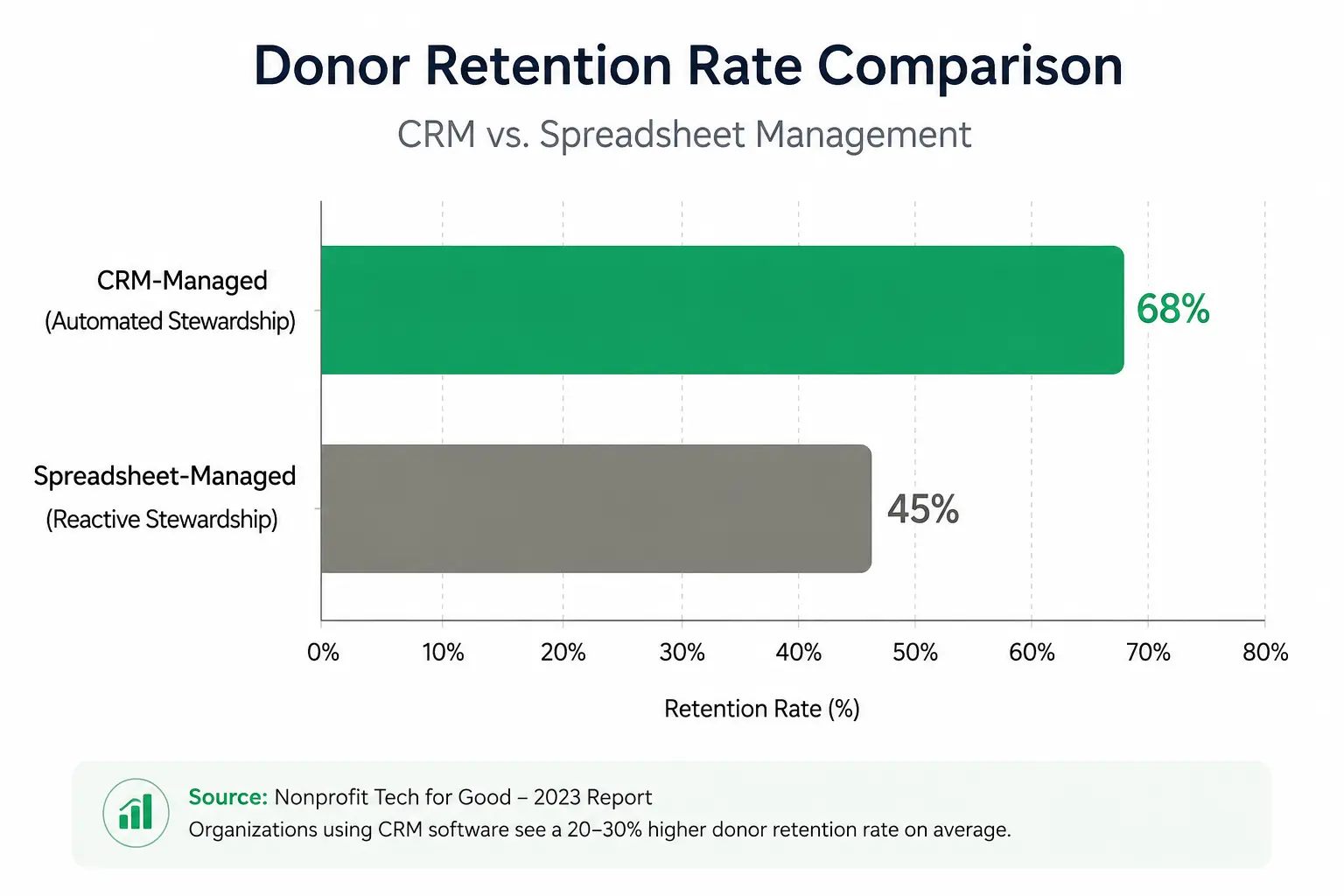
The gap isn’t really about the software itself, it’s about consistency. A CRM makes sure the “thank you within 48 hours” step happens for donor #4 the same way it happens for donor #400. A spreadsheet can’t do that on its own.
Core Modules That Turn Zoho CRM into Donor Management Software
Out of the box, Zoho CRM is built for sales. Turning it into fundraising-ready crm software for nonprofits just means remapping a few modules:
| Standard Zoho CRM Module | Nonprofit Equivalent | What It Tracks |
| Leads | Prospective Donors | New contacts from events, campaigns, referrals |
| Contacts / Accounts | Donors & Organizations | Individual donors, foundations, corporate sponsors |
| Deals / Pipeline | Gifts, Pledges & Grants | Donation stage, ask amount, expected close date |
| Campaigns | Fundraising Campaigns | Appeals, galas, giving-day pushes, ROI |
| Tasks & Workflow Rules | Stewardship Actions | Thank-you calls, receipt emails, renewal reminders |
| Analytics Dashboards | Impact Reporting | Retention rate, LYBUNT/SYBUNT lists, gift trends |
This relabeling is exactly what a Zoho implementation partner typically does in the first few weeks of a nonprofit rollout; it’s a configuration exercise, not custom development, which is part of why Zoho tends to be faster and cheaper to deploy than platforms built to be fundraising-only.
Migrating Donor Data From Spreadsheets or an Old CRM?
Messy exports and duplicate donor records are the #1 reason nonprofit CRM rollouts stall. Let a data migration specialist clean and map it properly the first time.
Is Zoho the Best CRM for Nonprofits? Where It Wins and Where It Doesn’t
Search “best crm for nonprofits” and you’ll find purpose-built platforms like Bloomerang, Virtuous, and Neon One alongside Zoho. Here’s the honest comparison:
Zoho tends to win when:
- Your organization already uses other Zoho apps (Books, Desk, Campaigns) and wants everything under one login.
- Budget matters- Zoho’s nonprofit pricing undercuts most dedicated fundraising CRMs, especially at scale.
- You need CRM + operations (HR, accounting, helpdesk) in one ecosystem, not just fundraising.
A fundraising-specific CRM may win when:
- You need deep, out-of-the-box features like peer-to-peer fundraising pages or advanced moves-management scoring without configuration.
- Your team has no internal (or partner) technical support to set up custom modules.
Most mid-sized nonprofits land on Zoho because the cost and flexibility outweigh missing a few fundraising-specific bells and whistles that can usually be built with automation anyway.
The One Habit That Beats Every CRM Feature
Here’s the part that doesn’t get said enough in software comparisons: the CRM you choose matters less than the discipline it enforces. Fundraising research consistently points to a “first 90 days” window: send a genuine thank-you within 48 hours of a gift, show the donor tangible impact within 30 days, and reach out again within 90 days. Donors who give repeatedly (seven or more times a year) are retained at dramatically higher rates than one-time donors. The difference isn’t small, it’s the difference between a donor base that compounds and one that constantly needs replacing.
A CRM’s real job isn’t storing data. It’s making sure that 48-hour thank-you happens automatically, every single time, even during your busiest campaign week when the team is stretched thin. That’s the single highest-leverage automation you can build in Zoho, a workflow rule that fires a personalized thank-you the moment a gift is logged, no human required to remember it.
Getting Started: A Simple Rollout Checklist
- Define your donor lifecycle stages first: Prospect → First-Time Donor → Repeat Donor → Lapsed → Major Donor – before touching any settings.
- Clean your existing donor data: before import; duplicate or outdated records will quietly sabotage your reporting later.
- Build the 48-hour thank-you workflow: as your first automation – it has the fastest, most visible impact on retention.
- Set up one dashboard: tracking retention rate, average gift size, and campaign ROI so the board sees value in month one, not month twelve.
- Train staff on the relabeled modules: not generic “CRM training” everyone should know that a “Deal” means a gift or grant, not a sale.
How a Zoho Consulting Partner Helps Nonprofits Specifically
Nonprofits usually don’t need custom development; they need someone who’s configured Zoho for fundraising before and knows which sales-oriented defaults to turn off. A partner familiar with nonprofit workflows can set up gift pipelines, receipt automation, and grant tracking correctly the first time, so your team spends its limited hours on donors instead of on CRM troubleshooting.
Ready to Turn Zoho Into Your Nonprofit CRM?
Let’s set up donor pipelines, automated stewardship, and impact dashboards that your whole team will actually use.





