

If you’re trying to figure out the best AI tools to connect with Zoho CRM, here’s the short answer: start with Zia, Zoho’s native AI, because it already sits inside your CRM data and permissions. Then add a specialized tool, Fireflies for meeting notes, Gong or Rafiki for sales-call intelligence, Zoho Flow or Zapier for cross-app automation, only when you have a specific workflow gap that Zia doesn’t cover. The “best” tool isn’t the one with the flashiest AI features. It’s the one that connects deeply enough to write real data back into your Leads, Contacts, and Deals, respects your governance requirements, and produces a measurable improvement in a workflow you can actually point to.
I’ve spent enough time evaluating CRM integrations to know that most buying mistakes happen for the same reason: teams pick a tool off a feature comparison chart without asking whether it writes back to the right fields, whether it respects existing permissions, or whether the vendor’s claims have ever been tested outside a demo. This guide walks through the tools that matter for Zoho CRM in 2026, what each one actually does versus what it claims to do, and a framework for choosing (and piloting) the right combination for your team, the same framework we use with clients when we scope Zoho integration projects at ZillTech.
What Are the Best AI Tools for Zoho CRM Integration?
The right answer depends less on which tool has the most AI features and more on which workflow you’re trying to fix. A team drowning in unlogged meeting notes needs something different than a team that wants AI-assisted lead scoring or a team trying to consolidate three CRMs into one reporting layer. What matters across all of these cases is the same: connection depth, whether the tool writes back to your CRM records, and whether you can govern and measure what it does.
Which AI Tools Are Best for Different Zoho CRM Use Cases?
Here’s how the major options stack up:
| Tool / integration approach | Best use case | Zoho CRM connection method | Core AI capability | Best for | Key limitation |
|---|---|---|---|---|---|
| Zia | Native CRM intelligence | Built into Zoho CRM | Predictions, summaries, enrichment, agents | Teams already centered on Zoho | Plan/feature availability varies |
| Fireflies.ai | Meeting intelligence | Zoho Marketplace app | Recording, transcription, AI notes | Automatic meeting-to-CRM documentation | Requires recording/privacy controls |
| Gong | Revenue intelligence | Zoho Marketplace integration | Conversation analysis and coaching | Larger sales teams | Validate desired CRM write-back behavior |
| Rafiki.ai | Sales-call intelligence | Zoho Marketplace app | Deal risks, BANT, competitor signals | Sales coaching and pipeline review | Marketplace/vendor claims require pilot validation |
| Zoho Flow | AI workflow orchestration | First-party integration platform | Workflow automation with AI actions | Zoho-first organizations | Confirm connectors and limits |
| Zapier + ChatGPT/OpenAI | Cross-platform automation | No-code connector | Drafting, classification, enrichment, routing | Fast prototypes and broad app connections | Requires strong governance and prompt controls |
| Plug&Play AI Email Assistant | Contextual email drafting | Zoho Marketplace app | Follow-up email generation | Teams that need faster outreach | Human review remains essential |
| Yellow.ai / AI call agents | Lead capture and conversational automation | Marketplace integrations | Chatbots, voice, WhatsApp, lead capture | High-volume inbound/outbound workflows | Consent and compliance risks |
It’s worth pausing on the scale of the decision you’re actually making here. Zoho Marketplace reported more than 2,900 extensions in its July 2026 update, which is exactly why picking blind off the catalog doesn’t work. That number tells you an integration exists; it says nothing about whether it delivers real ROI, handles your data securely, or fits your workflow. Marketplace presence is a starting point for research, not a stamp of approval.
My quick recommendation, if you want to skip ahead: Best overall is Zia, since it’s already inside your CRM. Best for meeting notes is Fireflies. Best for enterprise conversation intelligence is Gong. Best for flexible AI automation is Zoho Flow or Zapier, depending on whether you’re staying inside the Zoho ecosystem or connecting broadly across apps.
What Should You Look for in CRM Integration Tools?
Before you evaluate any specific tool, it helps to fix the criteria that actually matter, not the ones vendors want you to focus on:
- Native Zoho CRM connection versus API-based or no-code connection. A native connection tends to be more stable; an API or no-code layer (like Zapier) gives you flexibility but adds a maintenance burden.
- Write-back capability. Can the tool actually create or update records in Leads, Contacts, Deals, Calls, Notes, Tasks, Cases, and your custom fields or does it only read data?
- Data synchronization quality and duplicate-prevention logic. This is where most “integrated” tools quietly fail.
- AI output quality, traceability, approval controls, and error handling. If a prediction or summary is wrong, can you tell why, and can a human catch it before it does damage?
- Data privacy, recording consent, permissions, access scopes, and retention. Especially critical for any tool that records calls or handles customer PII.
- Total cost. Factor in CRM edition requirements, AI credits, automation volume, API usage, implementation time, and ongoing administration not just the sticker price. This is usually where a short Zoho consulting conversation pays for itself, since it’s easy to underestimate the administration overhead until you’re already committed to a tool.
I think of this as a simple scorecard when I’m weighing options:
The 6-point AI CRM integration scorecard:
Integration quality = Connection depth + Write-back value + Data quality + Governance + Reliability + Measurable outcomes
None of these six factors substitutes for the others. A tool with deep connection but no governance is a compliance risk. A tool with great governance but shallow write-back just adds another dashboard nobody checks. The tools worth paying for score reasonably well across all six and the rest of this guide is organized around helping you test for that.
Why Does CRM Software Integration Matter for AI-Powered Sales Teams?
Because most sales teams aren’t actually short on AI tools anymore, they’re short on connected data for those tools to work with. I’ve seen this pattern repeat across teams that adopt AI eagerly and then wonder why the output feels generic or wrong: the AI is only as good as the customer context it can see, and if that context is scattered across three systems and a dozen spreadsheets, no amount of model quality fixes it.
How Much Time Do Sales Teams Lose to Administrative Work?
The scale of the problem is bigger than most people assume. Salesforce’s State of Sales Report 2026 found that surveyed sellers reported spending only 40% of their work time actually selling the rest goes to administrative and non-selling tasks. That’s despite heavy AI adoption: sales teams named AI and AI agents their number-one growth tactic for 2026, 87% of surveyed sales organizations reported using AI somewhere in the sales cycle, and 54% of sellers reported using AI agents specifically.
But adoption alone isn’t solving the underlying problem. 51% of AI-using sales leaders said disconnected systems hinder their AI initiatives, and 74% of surveyed sales leaders said they were focusing on data cleansing as a priority. That last stat is telling, it means a majority of sales leadership already recognizes that messy, fragmented data is the bottleneck, not the AI models themselves.
It’s worth being precise about what this data actually represents: it’s survey evidence from 4,050 sales professionals across 22 countries, not a controlled study or a universal performance guarantee. Use it to understand the scale of the disconnected-data problem industry-wide, not as a promise that fixing your CRM integration will move your specific revenue numbers by a set percentage.
Source: Salesforce, State of Sales Report 2026
Why Is Disconnected CRM Data a Barrier to AI Performance?
AI tools are only as useful as the customer context available to them. In practice, disconnection shows up as:
- Missing or duplicate contact records
- Inconsistent lead source, lifecycle stage, ownership, and deal-stage fields
- Calls, emails, and meeting notes stored outside Zoho CRM entirely
- AI-generated outputs that can’t be linked back to the correct customer record
- Reps juggling multiple tools without one shared source of truth
Salesforce EVP of Sales Adam Alfano put it directly: stand-alone agents without comprehensive customer context tend to fail. I’d frame that as executive opinion, backed up by the report’s own survey finding on disconnected systems, not as some universal law of AI deployment. But it lines up with what shows up in practice: an AI agent that can’t see the full picture of a customer relationship ends up guessing, and guesses erode trust in the tool fast.
What Does an Effective CRM Tech Stack Look Like?
This is where the idea of a deliberate crm tech stack becomes useful instead of abstract. Rather than bolting AI tools onto Zoho CRM one at a time as problems come up, it helps to think in layers:
| CRM tech stack layer | Purpose | Example tools |
|---|---|---|
| System of record | Store customer, lead, deal, and activity data | Zoho CRM |
| Native intelligence | Analyze CRM data and recommend actions | Zia |
| Conversation intelligence | Capture and analyze customer calls and meetings | Fireflies, Gong, Rafiki |
| Automation layer | Connect events, apps, models, and CRM actions | Zoho Flow, Zapier |
| Customer engagement | Email, chat, voice, WhatsApp, SMS, forms | Plug&Play AI Email Assistant, Yellow.ai, Call Agent AI |
| Governance layer | Control access, consent, auditability, and data quality | Zoho permissions, approval workflows, validation rules |
Notice that governance sits at the bottom of this table, not as an afterthought bolted onto the top. In my experience, teams that treat governance as the last layer they’ll get around to are the same teams that end up with duplicate leads, mismatched contact records, and AI summaries nobody trusts six months later. Building this crm tech stack layer by layer, system of record first, then native intelligence, then conversation intelligence and automation, with governance running through all of it, is a far more durable approach than chasing whichever AI tool is trending. If the automation layer is where your stack is thinnest, that’s typically the piece we get called in to build through Zoho customization and automation work.
Is Zia the Best Native AI Option for Zoho CRM?
For most Zoho-first teams, yes! Zia is the logical starting point, precisely because it doesn’t require you to solve a connection or permissions problem before you get value from it. It’s already reading and writing inside the same record structure your reps use every day. The real question isn’t whether Zia is “good enough” in the abstract; it’s whether your specific workflow needs something Zia doesn’t do, which is a much narrower and more useful question to answer.
What Can Zia Do Inside Zoho CRM?
Zoho documents a fairly broad set of native capabilities:
- Lead and deal prediction
- Revenue forecasting
- Churn prediction
- Recommendations and next-best actions
- Data enrichment
- Anomaly detection
- Email intelligence
- Call transcription and analysis
- Voice-of-customer analysis
- Vision/ICR functions
- Generative assistance and custom AI
- AI agents for defined CRM tasks
Source: Zoho CRM: AI in Zoho CRM
That’s a wide enough surface area that a lot of teams evaluating third-party tools should first check whether Zia already covers what they’re looking for, it often does, at least at a basic level. One caveat worth flagging early: Zia isn’t available on every Zoho CRM edition. We’ve broken down exactly what’s included on the free plan versus when you need to upgrade if you’re not sure which tier your organization is on.
How Does Zia Handle Data Permissions and Grounding?
One of Zia’s more important architectural claims is around grounding: Zoho states that Zia’s generative outputs are grounded in existing CRM record data and respect user permissions, meaning users only receive insights based on data they’re already authorized to access.
Source: Zoho: How Zia’s Generative AI Stays Grounded in Your CRM Data
That’s a genuinely useful design choice, but it shouldn’t be mistaken for a complete governance solution. A few things I’d flag before assuming permission inheritance solves everything for you:
- Native permission inheritance is valuable, but it doesn’t eliminate the need for role-based access reviews on your end.
- You still need to assess data retention, regional storage, contractual terms, and any external-model connections Zia or your other tools rely on.
- Never treat AI summaries, predictions, or suggested actions as automatically correct, grounding in your CRM data reduces the risk of hallucination, but it doesn’t guarantee accuracy.
What Does a Real-World Zia Agent Workflow Look Like?
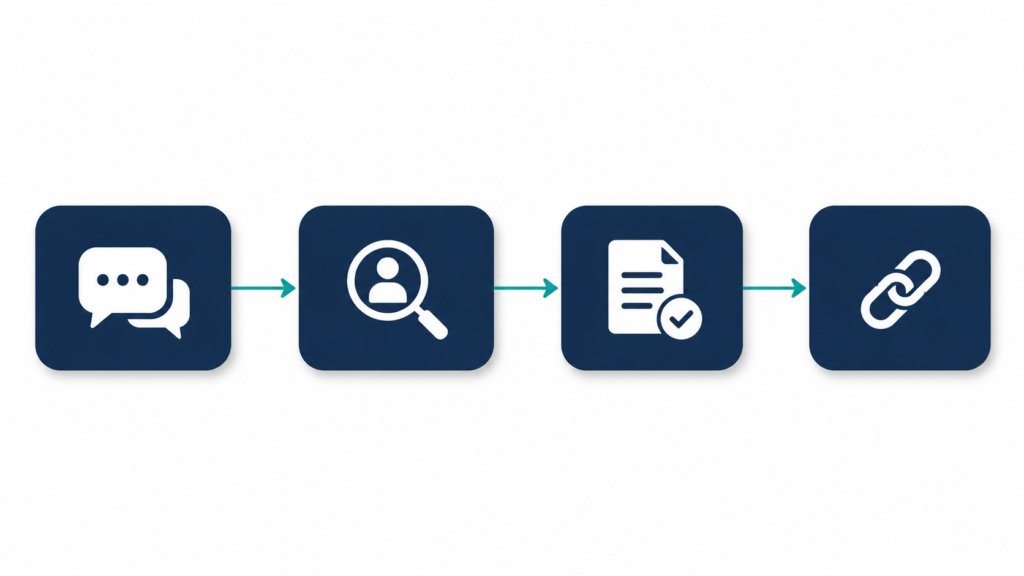
Zoho publishes a documented use case involving a retail point-of-sale software and hardware company that used Zia Agents to automate support-case creation. In that workflow, the agent maps customer issues to the appropriate department, identifies contacts using name, email, or phone information, creates a case in Zoho CRM, and returns the case link.
Source: Zoho CRM use case: Retail POS company automates support case creation with Zia Agents
I’d treat this as exactly what it is: a vendor-documented workflow example. Zoho doesn’t publish independently verified time savings, accuracy rates, or ROI figures for this case study, so it’s useful as a pattern to model your own automation on, identify the customer, match to the right record, create the case, preserve the link, rather than as proof of a specific performance outcome you should expect to replicate.
When Should You Add External AI Tools to Zia?
Zia covers a lot of ground, but it’s not the right tool for everything. It makes sense to bring in third-party tools when you need:
- Advanced meeting recording and transcript management
- Revenue intelligence and call coaching at a level beyond basic transcription
- AI functionality that spans non-Zoho platforms
- Specialized voice, WhatsApp, chatbot, or enrichment capabilities
- More flexible multi-app workflow orchestration
- Custom LLM workflows with specific models, prompts, or data sources
Worth noting: Zoho’s 2026 updates introduced Gemini and Claude LLM support within Zoho CRM, which broadens the model options available to organizations that want additional AI capabilities without rebuilding their entire CRM stack from scratch.
Source: Zoho CRM Q1 2026 Update
That update matters practically, it means “add an external AI tool” doesn’t always have to mean “add an external app.” Sometimes it just means pointing Zia’s existing workflows at a different underlying model.
Which CRM Integration Tools Are Best for Meetings, Calls, and Sales Intelligence?
Once Zia’s native capabilities aren’t enough, conversation intelligence is usually the next gap teams try to close and it’s also where I see the most confusion between what a tool captures and what actually lands in Zoho CRM. Fireflies, Gong, Rafiki, and the AI call-agent category each solve a different piece of that problem, and picking the wrong one usually comes down to matching the tool to your sales motion and team size rather than to a feature list.
How Does Fireflies.ai Connect Meeting Intelligence to Zoho CRM?
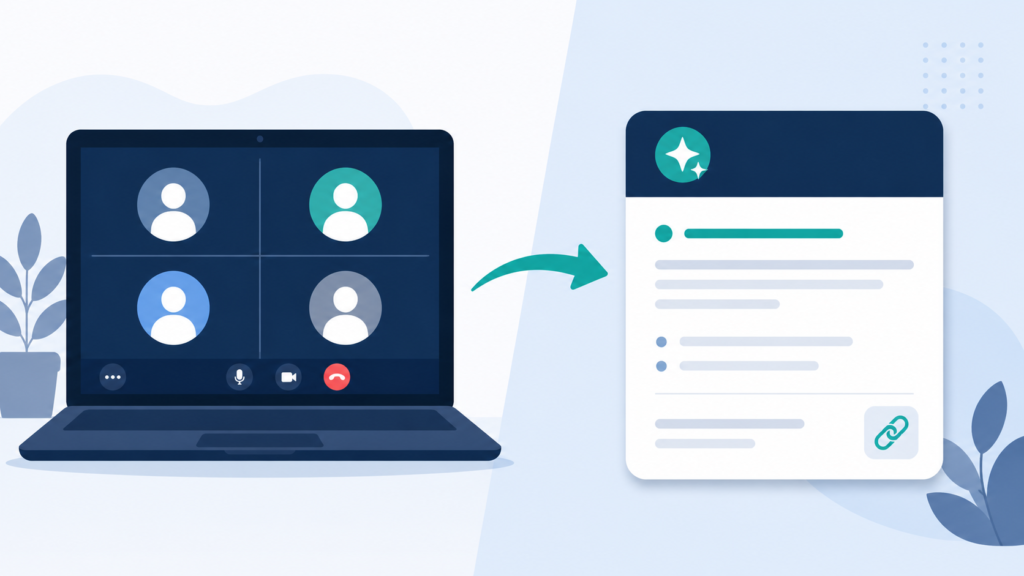
Fireflies is built around a straightforward job: record, transcribe, and analyze customer conversations, then get the output into the CRM automatically. Specifically, it can capture meetings from Zoom, Google Meet, Webex, Microsoft Teams, and other conferencing platforms, and it can automatically log activity, AI Notes, and a transcript link under the related Zoho CRM contact. It detects scheduled calls through a connected Google or Outlook calendar, which is what makes the “automatic” part actually automatic rather than something a rep has to trigger manually.
Source: Fireflies for Zoho CRM
Here’s what that looks like in practice: a sales rep completes a discovery call in Google Meet. Fireflies captures the transcript, produces a summary and action items, and logs the material to the associated Zoho CRM contact. The manager can then review the summary and convert approved action items into CRM tasks. That last step, human review before conversion, is the part teams sometimes skip, and it’s the part I’d argue matters most.
Should Enterprise Teams Use Gong With Zoho CRM?
Gong sits a level up from basic meeting capture. According to its official Marketplace description, Gong’s Zoho CRM integration syncs CRM users, and it lets users see Zoho CRM deal, account, and contact data directly inside Gong, with the stated goal of reducing manual maintenance across both systems.
Source: Gong for Zoho CRM
A couple of things worth confirming before buying into Gong specifically:
- Gong tends to make the most sense for enterprise sales organizations that need revenue intelligence, sales coaching, and manager-level analysis, not necessarily smaller teams looking for simple call logging.
- Buyers should confirm whether the required information flow is CRM-to-Gong, Gong-to-CRM, or bidirectional before buying, since the description above emphasizes visibility of CRM data inside Gong rather than guaranteeing every insight flows back the other way.
- Don’t assume all conversation data or AI findings automatically write back to the Zoho CRM fields you actually want populated, test this directly rather than assuming it from the product page.
Can Rafiki.ai Improve Sales-Call Analysis in Zoho CRM?
Rafiki positions itself more specifically around structured sales-call analysis. Its stated capabilities include call recording, transcription, and analysis; detailed notes from sales conversations; detection of deal risks, pricing and discount discussions, BANT information, next steps, competitors, and customer questions; association of meetings with Zoho deal and account information; and grouping of calls by deal stage to surface stage-specific insights.
Source: Rafiki.ai for Zoho CRM
Here’s how I’d compare the three side by side:
| Need | Fireflies | Gong | Rafiki |
|---|---|---|---|
| Basic recording and transcription | Strong fit | Available within broader platform | Strong fit |
| Automatic CRM notes and transcript links | Strong documented use case | Validate desired behavior | Validate desired behavior |
| Manager coaching and revenue intelligence | Limited compared with specialist platforms | Strong fit | Strong fit |
| Deal-risk and sales-framework analysis | Basic summary focus | Broader enterprise analysis | Explicit BANT, risks, pricing, competitor signals |
| Best audience | Small to mid-sized sales teams | Enterprise revenue organizations | Teams focused on structured sales-call insights |
If you’re a smaller team that just wants meetings reliably logged, Fireflies is usually the least complicated place to start. If you need pipeline-wide coaching and enterprise analytics, Gong is built for that scale. If what you actually want is structured, framework-based analysis of individual calls BANT gaps, competitor mentions, pricing objections- Rafiki is the more purpose-built option of the three.
Are AI Call Agents and Messaging Tools Safe to Connect to Zoho CRM?
A separate category worth understanding is AI call agents and messaging automation, tools like Call Agent AI, Mihu AI, and Yellow.ai. Call Agent AI claims to handle inbound and outbound calls, generate notes, capture outcomes, and update relevant CRM fields. Mihu AI claims to log calls, messages, campaign enrollments, and summaries in Zoho CRM. Yellow.ai’s Zoho CRM integration is designed to push prospect details into CRM Lead records and avoid creating a new lead when an email or phone number already exists, a detail that matters if duplicate leads have been a recurring headache for your team.
Sources: Call Agent AI for Zoho CRM | Mihu AI Zoho Marketplace announcement | Yellow.ai to Zoho CRM
This category carries more compliance weight than meeting-note tools, since it’s often handling live customer interactions and outbound communication a concern we take especially seriously on regulated-industry projects like Zoho CRM for healthcare implementations, where consent and data handling requirements are non-negotiable. Before enabling any of these, I’d work through a short checklist:
- Verify call-recording and transcription consent requirements for your jurisdiction and industry.
- Confirm WhatsApp/template-message approval requirements where relevant.
- Set escalation rules for customer complaints, opt-outs, and ambiguous requests.
- Require human review before enabling autonomous outbound communications.
- Test incorrect contact matching, duplicate lead creation, and inaccurate CRM updates before rolling out broadly.
This same caution applies to broader customer-service automation, including systems that integrate with POS and CRM platforms, like the Zia Agent retail POS support-case workflow covered earlier, where correctly identifying the customer and routing the case is the entire point of the automation, and getting that step wrong undermines everything downstream.
How Can You Integrate CRM and AI Workflows With Zoho Flow or Zapier?
Once you’re connecting Zoho CRM to multiple tools, AI models, marketing platforms, forms, email systems, support desks, you need an orchestration layer instead of building every connection point by hand. This is where Zoho Flow and Zapier come in, and the choice between them usually comes down to how much of your stack is already inside Zoho versus spread across outside platforms.
When Should You Use Zoho Flow for Zoho CRM Automation?
Zoho Flow is Zoho’s own first-party integration platform, and it’s usually the logical first evaluation for businesses already operating in Zoho One or running multiple Zoho applications. Zoho describes Flow as an AI-powered integration platform that supports more than 1,000 cloud and on-premises applications, and it highlights connections to apps including ChatGPT and Zia specifically.
Source: Zoho Flow
For teams building out Zoho CRM automation, Flow tends to be the path of least resistance; it’s designed with Zoho CRM data synchronization in mind, so a lot of the field-mapping and trigger logic that would otherwise require custom development is already handled. If you’re comparing Zoho CRM integration tools broadly, Flow is worth putting at the top of your shortlist before looking outside the Zoho ecosystem, particularly if an integrated CRM software approach that keeps everything under one vendor matters to your team. That said, if your business runs on a wider mix of non-Zoho apps, you may find Flow’s connector library doesn’t cover everything you need, which is where Zapier becomes the more practical integrated CRM solution.
How Does Zapier Connect ChatGPT and Zoho CRM?
Zapier’s strength is breadth. It offers a no-code Zoho CRM and ChatGPT/OpenAI connection, with documented AI actions for extracting, summarizing, and transforming integration data. One specific documented workflow generates AI-powered email drafts for new Zoho CRM leads by combining ChatGPT and Gmail. Zapier also supports a separate Zoho CRM and Azure OpenAI connection for teams standardized on Microsoft’s model infrastructure.
Sources: Zapier: Zoho CRM + ChatGPT/OpenAI integration | Zapier: Zoho CRM + Azure OpenAI integration | Zapier: six Zoho CRM automation examples
In practice, a well-built AI workflow through Zapier tends to follow a consistent shape:
- A lead enters Zoho CRM.
- Automation validates required fields and checks for duplicates.
- AI creates a lead summary, priority classification, or follow-up draft.
- A sales rep reviews and approves the output.
- The approved action is written back to Zoho CRM.
- The workflow logs the result for auditing and performance measurement.
Step 4 is the one I’d never recommend skipping, no matter how good your prompt is. Even well-built AI actions produce drafts that need a human glance before they go out. If AI-drafted outreach is the piece you’re most interested in, it’s worth reading how we approached a similar problem in our Zoho CRM and Mailchimp integration guide; the review-before-send discipline holds regardless of which marketing tool sits on the other end.
What Is the Safest Way to Automate AI Actions in Zoho CRM?
This is where I’d introduce what I think of as the “propose, approve, automate” framework, a way to think about how much autonomy you’re actually comfortable handing an AI workflow at any given stage:
| Maturity stage | What AI does | Human role | Appropriate examples |
|---|---|---|---|
| Stage 1: Propose | Summarizes, classifies, drafts | Human checks every result | Meeting summaries, follow-up emails |
| Stage 2: Assist | Creates recommended tasks or low-risk field suggestions | Human approves exceptions | Lead routing suggestions, task creation |
| Stage 3: Automate | Executes pre-approved, bounded actions | Human monitors dashboards and exceptions | Case categorization, routine notifications |
| Stage 4: Agentic workflows | Coordinates multiple tools and actions | Human governs policies and high-risk outcomes | Support intake, account research, structured routing |
The mistake I see most often is teams jumping straight to Stage 3 or 4 because a demo made it look effortless. Companies shouldn’t start with fully autonomous outbound emails, deal-stage changes, or customer-facing commitments, those are exactly the actions where a wrong AI output does the most damage, and they’re the ones that deserve the most human oversight, not the least.
How Can You Integrate Unbounce With Zoho CRM?
A common practical case is connecting Unbounce landing pages to Zoho CRM for unbounce zoho crm integration, and the same discipline from the framework above applies here. The recommended workflow looks like this:
- Capture lead data in Unbounce landing pages.
- Validate and normalize lead fields before sending data to Zoho CRM.
- Check for existing leads and contacts using email, phone, and company domain where possible.
- Create or update a record rather than blindly creating duplicate leads.
- Trigger AI-assisted lead qualification, lead-source classification, and personalized follow-up drafting.
- Add campaign, page, UTM, and conversion context to Zoho CRM for attribution.
The connection method itself- native connector, Zapier, or custom API depends on what automation platform you’re already using. What matters more than the method is testing field mapping and duplicate rules before launch, since a landing-page integration that creates a fresh lead every time someone resubmits a form will quietly poison your pipeline data within weeks.
How Do You Integrate Multiple CRM Systems Into One Platform?
“One platform” doesn’t have to mean migrating every record into Zoho CRM overnight. In my experience, it more often means building a governed integration layer and a shared reporting model first, and treating a full Zoho migration as a later, optional step once you’ve proven the data flows are trustworthy.
How Do You Integrate Multiple CRM Systems Into One Application Without Losing Data?
If you’re trying to figure out how to integrate multiple CRM systems into one application, the sequence matters as much as the tools you pick:
- Identify the intended system of record for leads, contacts, accounts, deals, activities, and support cases.
- Audit data models and map equivalent fields across systems.
- Standardize lifecycle stages, currencies, ownership, lead sources, and loss reasons.
- Establish identity-resolution rules for emails, phones, accounts, and domains.
- Deduplicate before synchronization not after.
- Set a source-of-truth rule for each object and field.
- Pilot one business unit or object type before full deployment.
- Monitor synchronization failures, API errors, duplicate rates, and field conflicts.
Step 5 is where I’ve seen the most projects go sideways. It’s tempting to sync first and clean up duplicates later, but once two systems are actively writing to each other, every duplicate multiplies instead of staying contained.
Here’s how I’d assign ownership and risk by object type:
| Data object | Recommended source of truth | Synchronization rule | Common risk |
|---|---|---|---|
| Leads | One designated CRM | One-way or controlled bidirectional sync | Duplicate lead creation |
| Contacts | Central CRM or master data platform | Match by verified email/domain | Conflicting ownership |
| Deals | Sales system of record | Restrict updates by stage/owner | Incorrect stage overwrites |
| Activities | CRM plus conversation-intelligence tool | Append-only where possible | Missing or duplicated activities |
| Marketing attribution | Marketing system plus CRM | Preserve UTM and campaign IDs | Loss of source attribution |
How Do You Integrate Multiple CRM Systems Into One Platform?
Zooming out to the platform level, there are really three distinct approaches to answering how to integrate multiple CRM systems into one platform, and they carry very different risk profiles:
| Approach | Best for | Advantages | Risks |
|---|---|---|---|
| Full CRM consolidation | Organizations replacing legacy CRMs | One system of record, simpler reporting | High migration and change-management risk |
| Bidirectional synchronization | Organizations retaining separate business-unit CRMs | Faster transition, less disruption | Conflict resolution and duplicate complexity |
| Integration hub/middleware | Multi-system enterprises | Flexible orchestration and governance | More technical architecture to manage |
My general advice: avoid unrestricted bidirectional synchronization. It looks appealing because it seems to preserve flexibility for everyone, but without field-level ownership and a clear conflict-resolution process, you end up with two systems quietly overwriting each other’s updates, which is worse than having no integration at all, because now nobody trusts either system.
What Are Zoho CRM API Integration Limits and Design Considerations?
Any large-scale Zoho CRM API integration runs into hard technical constraints that are worth knowing before you architect anything:
- API credits and concurrency limits vary by edition.
- Zoho CRM V8 documentation lists concurrency limits ranging from 5 for Free to 25 for Ultimate/CRM Plus.
- COQL supports up to 2,000 records per request and up to 100,000 records through pagination.
- Insert Records supports up to 100 records per API call.
- Bulk Write supports up to 25,000 records per file and uses 500 API credits per job.
Sources: Zoho CRM API limits | Zoho CRM COQL limitations | Zoho CRM Insert Records API | Zoho CRM Bulk Write limitations
If you’re designing around these limits, a short implementation checklist goes a long way:
- Use queues and retries for failed events.
- Use idempotency keys to prevent duplicate writes.
- Batch large record updates rather than firing one API call per record.
- Monitor API credits, request failures, and synchronization lag on an ongoing basis.
- Avoid calling external AI services for every small CRM update; batch or throttle where you can.
- Preserve source record IDs and timestamps for auditability, so you can always trace where a piece of data originated.
Getting this architecture right the first time is worth it; API-limit surprises tend to show up right when a Zoho Analytics & reporting dashboard needs fresh data most, which is usually the worst possible time to discover a throttling issue.
What Are the Best Zoho CRM Integration Services and Implementation Paths?
Not every integration needs a developer, and not every integration should be attempted without one. The dividing line usually comes down to how standard your data model and workflow logic are; the more custom or high-stakes the project, the more it’s worth bringing in Zoho CRM integration services rather than trying to piece it together with off-the-shelf tools.
When Can You Configure Zoho CRM Integrations Without Developers?
No-code or low-code implementation is often the right call when the workflow uses standard CRM objects, approved Marketplace extensions, and simple trigger-action logic. Some examples that fit comfortably in this category:
- Connect Fireflies to calendar and Zoho CRM.
- Build a lead follow-up draft workflow using Zoho Flow or Zapier.
- Send form submissions into Zoho CRM.
- Add notifications for new high-priority leads.
- Create a review queue for AI-generated summaries or email drafts.
Most of what I’ve covered so far in this guide falls into this category, which is good news, because it means the majority of teams can get real value from AI-CRM integration without a custom development budget.
When Should You Hire Zoho CRM Integration Services?
That said, some projects genuinely need specialist support. I’d recommend bringing in dedicated integration services when the project involves:
- Multiple CRM consolidation
- Custom modules or nonstandard data models
- ERP, POS, finance, healthcare, or regulated-system integrations
- High-volume synchronization
- Advanced data deduplication and master-data management
- Custom API middleware
- AI governance, prompt design, audit logging, and enterprise security review
- Custom lead scoring or predictive models
This is also where systems that integrate with POS and CRM platforms tend to land, the kind of project covered earlier in the Zia Agent retail example, where the integration touches regulated or operationally critical systems and the cost of getting it wrong is high enough that specialist architecture pays for itself. If you’re weighing whether your project fits this category, it’s usually worth talking it through with a Zoho consultant before committing to a no-code approach that might not scale.
What Are Zoho CRM Paths Integration and Guided Sales Processes?
One capability that doesn’t get enough attention is zoho crm paths integration, Zoho CRM’s guided selling and process-management functionality. Paired with AI-driven recommendations and workflow automation, it can standardize stages, required actions, approvals, and handoffs across a sales team, which matters a lot for consistency once you have more than a handful of reps.
I’d flag one thing before you build around this: verify the exact feature name, edition availability, and integration requirements in your own Zoho CRM environment before implementation, since Zoho’s guided-process features and naming can shift between editions and updates.
Here’s a practical example of what this looks like in use: at the “Discovery Complete” stage, the system could require a call summary, identified decision-maker, budget range, next meeting date, and AI-generated risk summary before allowing the deal to progress to the next stage. That kind of structured gate, combining a guided path with AI-generated inputs, is a good example of Stage 2 automation from the “propose, approve, automate” framework covered earlier: the AI assists by generating the risk summary, but the human rep still has to supply the qualifying information before the deal can move forward.
How Should You Compare, Test, and Measure Zoho CRM Integration Solutions?
Everything covered so far is only useful if you can turn it into an actual selection and pilot process. This is the section I’d argue matters most, because it’s where most teams shortcut, they pick a tool based on a feature list or a compelling demo, skip the pilot, and only discover the gaps once the tool is already embedded in daily workflows.
What Questions Should You Ask Before Choosing an AI CRM Integration Tool?
Before signing anything, work through a procurement checklist that goes beyond the marketing page:
- Does the integration read from Zoho CRM, write to Zoho CRM, or synchronize both directions?
- Which modules, fields, custom modules, and activities does it support?
- How does it identify the correct lead, contact, account, and deal?
- What happens when the match confidence is low?
- Can administrators configure approvals, field mapping, and error handling?
- What data is shared with the AI provider or external applications?
- Where is data stored, how long is it retained, and who can access it?
- Which CRM edition, API credits, AI credits, and user licenses are required?
- Can the provider demonstrate similar customer implementations?
- Can the tool be tested in a sandbox or controlled pilot?
That second-to-last question, similar customer implementations, is one I’d push on harder than most buyers do. A vendor that can’t point to a comparable use case is asking you to be their proof of concept.
Which Metrics Prove That CRM Integration Is Working?
Vague satisfaction (“the team seems to like it”) isn’t a measurement. Tie every integration to metrics you can actually track:
| Objective | Leading metric | Quality metric | Business outcome metric |
|---|---|---|---|
| Meeting intelligence | Percentage of meetings logged within 24 hours | Correct contact/deal match rate | Rep preparation time and follow-up speed |
| AI email assistance | Draft acceptance rate | Edit rate and compliance review rate | Lead response time and reply rate |
| Data enrichment | Records enriched | Field accuracy and duplicate rate | Better segmentation and routing |
| Lead scoring | Percentage of leads scored | Score-to-conversion correlation | Conversion rate by score band |
| Case automation | Automated case creation rate | Routing accuracy and reopen rate | Case creation time and response time |
| CRM synchronization | Sync completion rate | Conflict/duplicate/error rate | Reporting completeness and trust |
Notice the pattern across every row: a leading metric that tells you the tool is running, a quality metric that tells you whether it’s running correctly, and a business outcome metric that tells you whether it’s actually worth the money. Skipping the middle column is how teams end up with tools that look active on a dashboard while quietly generating bad data underneath.
How Should You Run a 30- to 60-Day Zoho CRM AI Pilot?
Here’s the structured approach I’d recommend before scaling any AI-CRM integration organization-wide:
- Select one high-volume, low-risk workflow.
- Establish a baseline for time, quality, and conversion metrics before you turn anything on.
- Limit the pilot to one sales segment, team, or lead source.
- Require human review for external communications and material CRM changes throughout the pilot.
- Sample AI outputs for accuracy, hallucinations, incorrect contact matching, and missing tasks.
- Compare results with a control group or equivalent baseline.
- Scale only after the tool meets predefined adoption, accuracy, and safety thresholds.
This is really the practical application of everything the Salesforce data pointed to earlier: AI adoption across sales teams is already high, but disconnected data remains a major barrier, according to the State of Sales Report 2026. A measured, baselined pilot is a far more reliable way to prove a tool works than an ungoverned, organization-wide rollout and it gives you the evidence to justify (or reject) the investment before it’s too late to walk back.
Source: Salesforce, State of Sales Report 2026
Which Companies Use Zoho CRM, and What Can You Learn From Their Integrations?
I want to be upfront about something before this last section: I’m not going to hand you an exhaustive list of companies using Zoho CRM, because no credible source publishes one, and any article that claims to is guessing. What I can point you to is where the real, documented examples live, and what those examples actually teach you.
Where Can You Find Verified Examples of Companies Using Zoho CRM?
The most reliable place to look is Zoho’s own customer-success library, rather than any third-party list.
Source: Zoho CRM Customer Success Stories
Worth being careful about here: publicly available customer stories can offer useful examples of implementation approaches, but they shouldn’t be treated as evidence that a specific company currently uses every Zoho CRM feature or AI integration described in that story. A case study captures a moment in time, not a permanent state of the tech stack. Our own Zoho case studies, including donor management automation for a nonprofit and HIPAA-conscious scheduling for a multi-provider clinic, are illustrative scenarios built to show these same implementation patterns in practice, not a claim that a named company runs a specific stack.
What Can Businesses Learn From Documented Zoho CRM Use Cases?
Coming back to the Zia Agent retail POS support-case example from earlier in this guide, there are a few lessons worth pulling out that apply well beyond that one use case:
- AI is most effective when deployed around a precise, repeatable workflow, not a vague goal like “use more AI.”
- Customer identification and correct CRM record matching are essential; nothing downstream works if this step fails.
- Automation should route work, create records, and preserve source context, not just generate an output and disappear.
- The outcome should be measured with operational metrics such as case-creation time, routing accuracy, and reopen rat, the same discipline covered in the metrics table earlier in this guide.
Source: Zoho CRM Zia Agent retail POS use case
What Is the Final Recommendation for Choosing an Integrated CRM Solution?
If you’ve made it this far, here’s the decision matrix I’d actually use to shortcut the process:
| If your primary need is… | Start with… | Add later if needed… |
|---|---|---|
| AI features directly inside Zoho CRM | Zia | Zoho Flow, external model integrations |
| Automatic meeting notes and transcripts in CRM | Fireflies | Rafiki or Gong for more advanced sales analysis |
| Enterprise sales coaching and revenue intelligence | Gong | Custom CRM reporting and workflow automation |
| Call risk, BANT, competitor, and next-step analysis | Rafiki | Zia or Flow for follow-up workflows |
| AI-powered cross-app automation | Zoho Flow | Zapier or custom API architecture |
| Personalized lead follow-up drafts | Zia or Plug&Play AI Email Assistant | Zapier/OpenAI workflow for custom routing |
| Multi-CRM consolidation or high-volume synchronization | Zoho CRM API integration and specialist services | Middleware, master-data management, custom monitoring |
If I had to boil this entire guide down to one takeaway, it’s this: the best AI tool to connect with Zoho CRM is the one that improves a defined business workflow while maintaining data quality, permissions, approval controls, and measurable outcomes. Start with Zia for native CRM intelligence, add a specialized tool only for a clear gap, and validate every integration through a controlled pilot before scaling. Everything else in this guide is really just detail in service of that one principle.
If you’d rather have someone scope this alongside you than build it alone, ZillTech’s Zoho consulting team can help map the right combination of tools to your workflow before you spend a dollar on Marketplace apps or custom development.
Frequently Asked Questions
Is Zia included in every Zoho CRM plan? No. Zia’s availability varies by plan and edition, for example, AI features are not included on Zoho CRM’s free tier. Confirm which tier your organization is on before assuming Zia capabilities are available to your team.
Do Fireflies, Gong, and Rafiki all write data back to Zoho CRM the same way? No. Fireflies has a strong documented pattern of logging AI Notes and transcript links to the related Zoho CRM contact. Gong and Rafiki both connect CRM data to their platforms, but the exact write-back behavior, what gets created or updated in Zoho CRM, and in which direction, should be validated for your specific setup rather than assumed from the product page.
Should I start with Zoho Flow or Zapier for AI automation? If your stack is mostly Zoho applications, Zoho Flow is usually the simpler starting point since it’s built around Zoho CRM data synchronization. If you’re connecting a wider mix of non-Zoho apps, Zapier’s broader connector library and ChatGPT/OpenAI and Azure OpenAI integrations tend to cover more ground.
Do I need a developer to integrate AI tools with Zoho CRM? Not always. Standard workflows using approved Marketplace extensions, Zoho Flow, or Zapier can usually be configured without custom development. Developer or specialist support becomes worthwhile for multi-CRM consolidation, custom modules, regulated-system integrations, or high-volume synchronization.
How long should a Zoho CRM AI pilot run before scaling? A 30- to 60-day pilot on one high-volume, low-risk workflow, with a measured baseline and human review throughout, is a reliable way to prove a tool works before rolling it out organization-wide.
Related reading
- See AI in a live Zoho CRM build: AI call intelligence and lead automation for an insurance agency





