If you sell online across more than one channel, you already know this feeling: a customer orders a product on your website, and twenty minutes later someone buys the last unit on Amazon _ except your Amazon listing still shows three in stock, because nobody’s updated it yet. Now you’re canceling an order, apologizing to a customer, and hoping it doesn’t turn into a bad review.
We’ve talked to enough ecommerce operators to know this isn’t an isolated hiccup. It’s what happens when a growing store is running on a stack of disconnected tools _ a storefront platform, a spreadsheet for inventory, a separate accounting tool, and a CRM (if there’s one at all) that nobody actually updates. Each tool works fine on its own. The problem is that none of them are talking to each other, and you’re the one stuck manually keeping them in sync.
In this post, we want to walk through what’s actually breaking in a typical growing ecommerce operation, what it looks like to fix it properly, and how we approach doing that with Zoho – not as a sales pitch, but as a practical look at the mechanics.
The Real Cost of a Disconnected Ecommerce Stack

When we talk to a store owner who’s hit a growth wall, it’s rarely a traffic or marketing problem. It’s almost always some version of: inventory numbers don’t match across channels, orders get missed or duplicated, and nobody has a clean, real-time picture of what’s actually selling and what’s actually in stock.
If that sounds familiar, here’s what it’s actually costing you:
- Overselling and cancellations. Every time you sell something you don’t actually have, you’re not just losing that sale – you’re damaging trust with a customer who now has to wait for a refund instead of a product.
- Manual reconciliation eating your time. If someone on your team spends part of every week cross-checking inventory between your storefront, your spreadsheet, and your accounting software, that’s hours you’re paying for that add zero value to your customers.
- Slow, error-prone order fulfillment. When order details have to be copied by hand from one system to another, mistakes happen – wrong addresses, wrong quantities, delayed shipments.
- No real visibility into what’s actually working. Without inventory, sales, and financial data living in one place, you’re making restocking and marketing decisions based on partial information, not the full picture.
None of this happens because you’re bad at running your business. It happens because a growing store outgrows spreadsheets and disconnected tools faster than most people expect – and by the time you notice, you’re already firefighting instead of planning.
“Even if we do not talk about 5G (specifically), the security talent in general in the country is very sparse at the moment. We need to get more (security) professionals in the system”
What "Fixing This With Zoho" Actually Means

We want to be upfront about something: this isn’t about replacing your storefront platform or bolting on more software. It’s about connecting the systems you already depend on – inventory, orders, accounting, and customer data – so information updates automatically in one place instead of needing to be entered by hand in five.
Here’s how we typically approach that for a growing ecommerce business.
1. Centralized, Real-Time Inventory Across Every Channel
The first fix, and usually the one with the fastest payoff, is getting your inventory into a single source of truth that every sales channel reads from and writes to. Instead of your Shopify store, your Amazon listings, and your WooCommerce site each keeping their own separate count, they all pull from – and update – the same real number.
We connect your storefronts and marketplaces into Zoho Inventory, so when a unit sells anywhere, the available count updates everywhere, automatically. This is the single change that eliminates most overselling incidents, because the system simply won’t let a channel show stock that isn’t actually there.
2. Orders That Flow Into One Place Instead of Five
Once inventory is unified, the next piece is making sure orders from every channel land in one system instead of requiring someone to log into each platform separately to fulfill them. We set this up so orders from your storefront, marketplaces, and any wholesale or manual sales all flow into a single dashboard, with shipping, tracking, and fulfillment status updated automatically as orders move through the process.
For teams running custom workflows – a particular approval step before a large order ships, for example – this is also where Zoho Creator’s low-code tools can come in, letting you build a specific internal app around exactly how your fulfillment process actually works, without needing a developer for every change.
3. Finances That Match Your Actual Inventory
A lot of growing ecommerce businesses run their books separately from their inventory system, which means every sale has to be manually recorded twice – once in the store, once in accounting. We connect Zoho Books directly to your sales and inventory data, so revenue, cost of goods sold, and stock value update automatically as orders come in, instead of requiring a manual entry at the end of every day or week.
This also means your financial reports actually reflect reality in real time, rather than being accurate only as of the last time someone updated a spreadsheet.
4. A Real Customer View, Not Just a Transaction History
Most ecommerce platforms show you what someone bought. They don’t show you the full relationship – every support ticket, every email exchange, every previous order pattern. We connect your store to Zoho CRM so your team can see the complete picture of a customer, which matters most when something goes wrong and a customer needs a real answer, not a generic order-status lookup.
5. Reporting That Shows You What’s Actually Happening
Once inventory, orders, finances, and customer data are connected, you finally have a foundation for reporting that reflects your actual business instead of a partial slice of it. We build out dashboards in Zoho Analytics covering the things that actually drive decisions – which products are moving, where your margin is thin, which channels are worth doubling down on – pulled directly from your live data rather than assembled by hand once a month.
Why Zoho Customization Is So Important For Any Ecommerce Business

What Actually Changes Once This Is Connected
We’re not going to hand you an invented percentage improvement here – that’s not something we think earns your trust, and it’s not something we’d want to see from a vendor ourselves either.
What we can tell you, based on the pattern we see repeatedly with ecommerce clients: overselling incidents drop sharply once every channel reads from the same real inventory number. The hours someone used to spend reconciling spreadsheets against your storefront get returned to actually running the business. And decisions about restocking, pricing, and where to focus marketing spend start being based on real, current numbers instead of last month’s best guess.
We recently documented a version of exactly this problem in a real client scenario: a direct-to-consumer brand selling across Shopify, Amazon, and WooCommerce that kept overselling because none of its channels were talking to each other. You can see how we unified their inventory and finances with Zoho Inventory and Zoho Books – it’s a good illustration of what this actually looks like in practice, not just in theory.
How to Start, If You’re Tackling This Yourself
If you’re not ready to bring in outside help, here’s the order we’d recommend, based on what tends to have the fastest, most visible payoff:
- Start with inventory synchronization. This is almost always the highest-impact fix, because overselling is the most visible, customer-facing symptom of a disconnected stack.
- Consolidate order management next. Once inventory is unified, get every order landing in one place before you try to automate anything downstream of it.
- Connect your accounting after that. Trying to automate financial syncing before your order and inventory data is clean just means reconciling errors twice.
- Build reporting last. Dashboards are only as good as the data feeding them – this is the payoff step, not Where a Zoho Consultant Actually Adds Value
Where a Zoho Consultant Actually Adds Value
You can build a meaningful amount of this yourself using Zoho’s native tools. Where we typically see teams get stuck is in the connection points – getting a marketplace like Amazon to sync cleanly with Zoho Inventory without creating duplicate records, structuring your chart of accounts so Zoho Books actually reflects how your business runs, or untangling a stack that’s grown organically over a few years into something with too many manual workarounds.
That’s genuinely most of what our Zoho Integration work involves – not flipping a switch, but figuring out exactly how your specific channels, tools, and workflows need to connect, and building it so it holds up under real order volume, not just a demo. And once the systems are connected, our Zoho Analytics & Reporting work is usually what turns that clean, unified data into something your team actually uses to make decisions, not just a dashboard nobody opens. If you sell specifically through ecommerce channels, it’s also worth a look at how we approach Zoho CRM for ecommerce businesses more broadly.
Where to Go From Here
If your ecommerce operation currently runs on a mix of tools that don’t talk to each other, the fix usually isn’t a full platform migration – it’s connecting the systems you already have, in the right order, so information flows automatically instead of depending on someone remembering to update five different places. Start with inventory. Build from there.
And if you’d rather have someone look at your specific stack and tell you honestly where the disconnects are costing you the most, that’s exactly the kind of conversation we’re happy to have – no obligation, just a real look at what’s actually happening across your channels right now.
From Overselling to Real‑Time Stock: How a DTC Brand Unified Shopify, Amazon, and WooCommerce with Zoho Inventory and Zoho Books
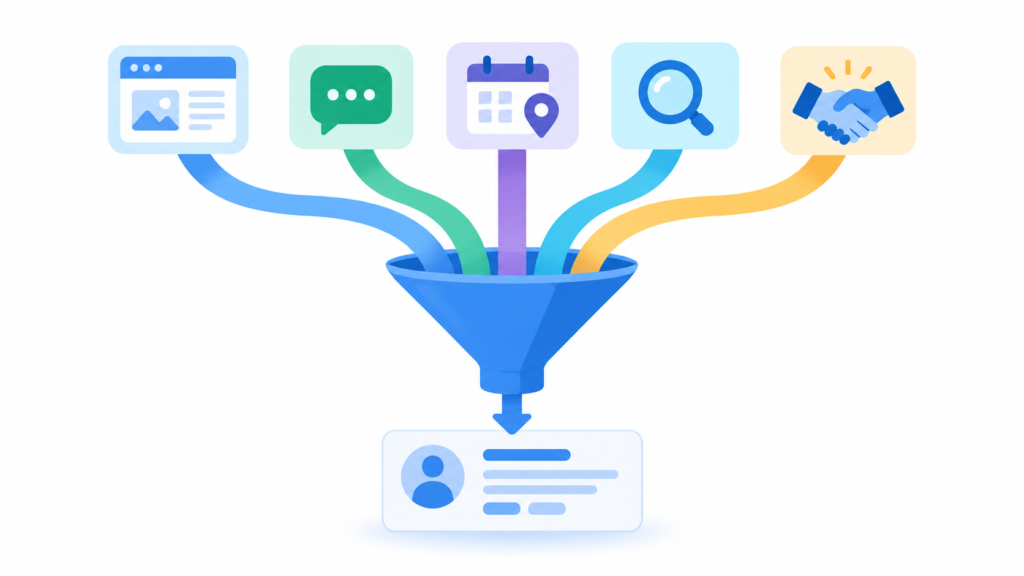
The first fix is almost always the simplest one: making sure a lead never sits unclaimed. When someone fills out a form on your website, sends an email to a shared inbox, or gets added manually, the system should immediately capture that lead as a record — not wait for someone to notice it and enter it by hand.
We connect your web forms, inbound email, and any other lead sources directly into Zoho CRM, so every lead becomes a record the moment it exists. This alone eliminates one of the most common ways deals get lost before your team even has a chance to work them.

Inventory Management
An online fashion store could set up a system that notifies inventory managers when stock reaches a critical level for timely replenishment. Additionally, this could automate purchase order generation according to demand trends with no manual assistance needed
Customized Reports
Merchants who conduct business through ecommerce can generate metrics-specific custom reports, which may detail sales by product category, customer profiles, or even seasonal trends. This helps marketers formulate a marketing plan and organize stock properly.
Elevate Your Ecommerce Business with Zoho’s Tailored Solutions
In summary, Zoho’s platform is not just a CRM, it is a comprehensive tool that allows e-commerce businesses to tailor their operations uniquely to their specific environment. By leveraging custom modules, personalized dashboards, and automated workflows, these companies can enhance their operational effectiveness and significantly improve the overall customer experience. As a result, Zoho empowers e-commerce businesses to achieve sustained growth, operational resilience, and exceptional customer satisfaction in an increasingly competitive market.
FAQS:
- How does Zoho Commerce help streamline inventory management?
- Zoho Commerce provides real-time stock tracking, automated reordering, and low-stock alerts to prevent stock outs. It also integrates with suppliers, ensuring seamless inventory replenishment.
- Can Zoho Commerce automate customer interactions?
- Yes, Zoho Commerce enables automated workflows for order confirmations, shipping updates, abandoned cart reminders, and personalized follow-ups, improving customer engagement and retention.
- What customization options does Zoho offer for e-commerce businesses?
- Zoho allows businesses to create custom modules, personalized dashboards, and automated reports tailored to their needs, ensuring better decision-making and operational efficiency.