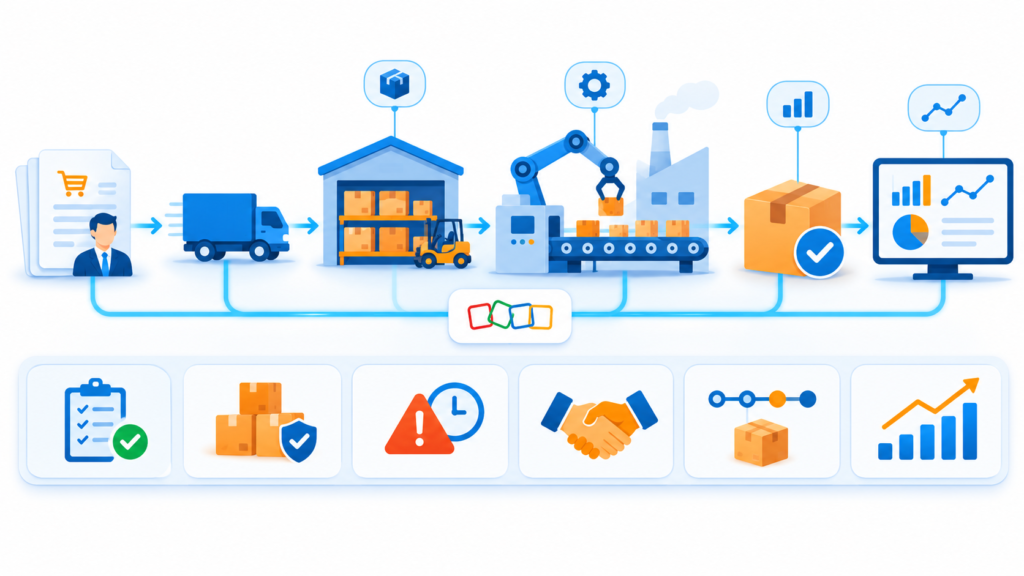

This is an illustrative scenario based on common scheduling and invoicing challenges faced by growing field service companies. It demonstrates how ZillTech’s Zoho team uses Zoho Consulting, Implementation, Customization & Automation, Zoho Integration and Analytics & Reporting services to connect service requests, technician jobs, invoices and customer updates in one workflow. Company details are representative of a typical client profile and not an actual ZillTech engagement.
Industry: Field Service (HVAC, Plumbing and Electrical)
Services Highlighted: Zoho Consulting, Zoho Implementation, Customization & Automation, Zoho Integration, Zoho Analytics & Reporting
Tools Used: Zoho CRM, Zoho Creator, Zoho Books, Zoho Flow, Zoho Analytics
The Business Profile
The company was a growing field service business with a small office team, a dispatcher, a billing clerk, a group of technicians in the field and an owner who still approved most quotes. Service requests arrived by phone, text and web form. The dispatcher kept the schedule on a shared calendar and a whiteboard. Technicians wrote job notes on paper or sent photos by text. When a job was finished, the paperwork came back to the office, and the billing clerk typed it into the accounting system.
Everyone knew their own part well. Nobody could see the whole job. When a customer called to ask whether a technician was on the way, or whether an invoice had been sent, the answer meant calling the field and checking two files.
The firm didn’t need a bigger team. It needed requests, jobs, invoices and customer updates connected, with clear ownership of every step between a service call and money in the bank.
The Challenge
Requests Scattered Across Channels: Calls, texts and web forms were written down in different places. Some requests were answered late, and some were never logged at all.
Schedule Kept on a Whiteboard: The dispatcher held most of the schedule in their head. Double bookings and missed appointments happened when someone was away.
Job History Hard to Find: Past repairs, photos and equipment details were scattered across texts and paper notes. When a problem returned, technicians arrived without knowing what had been done before.
Invoices Sent Days After the Job: Paperwork had to come back to the office before the billing clerk could create an invoice. Parts and labor were sometimes missed, and cash arrived later than it needed to.
Customers Left Guessing: Customers had no update between booking and the invoice. They called the office to ask when the technician would arrive and whether the job was done.
Our Approach
Before changing any system, ZillTech’s Zoho consulting team met with the dispatcher, the billing clerk, two senior technicians and the owner. The goal was not to replace what worked. It was to remove retyping between the field and the office and make every handoff visible.
Discovery Before Technology
We mapped the full path from a service request to a paid invoice, and marked every point where information was retyped, delayed or lost. The findings were written in plain language and sorted by impact, so leadership could choose what to fix first. The biggest gaps turned out to be the moment a job was finished and the time it took for that information to reach the billing clerk.
Clean Property and Tenant Data First
A new system only spreads bad data faster. Before setting anything up, we agreed on one rule: every customer, service location and piece of equipment is created once, in Zoho CRM, and every other tool follows it. Duplicate customers from old spreadsheets were reviewed and merged, address and naming standards were written down, and required fields were set so new records arrive complete.
Implementing Zoho CRM
Through our Zoho implementation work, ZillTech set up Zoho CRM to hold customers, service locations, equipment and quotes. A request pipeline now follows each inquiry from first contact to quote, approval and scheduled job. Requests from the web form and the office are captured in one place, so nothing sits in an inbox. Each customer record shows the full job history, so anyone can answer a question in seconds.
A Custom Maintenance App in Zoho Creator
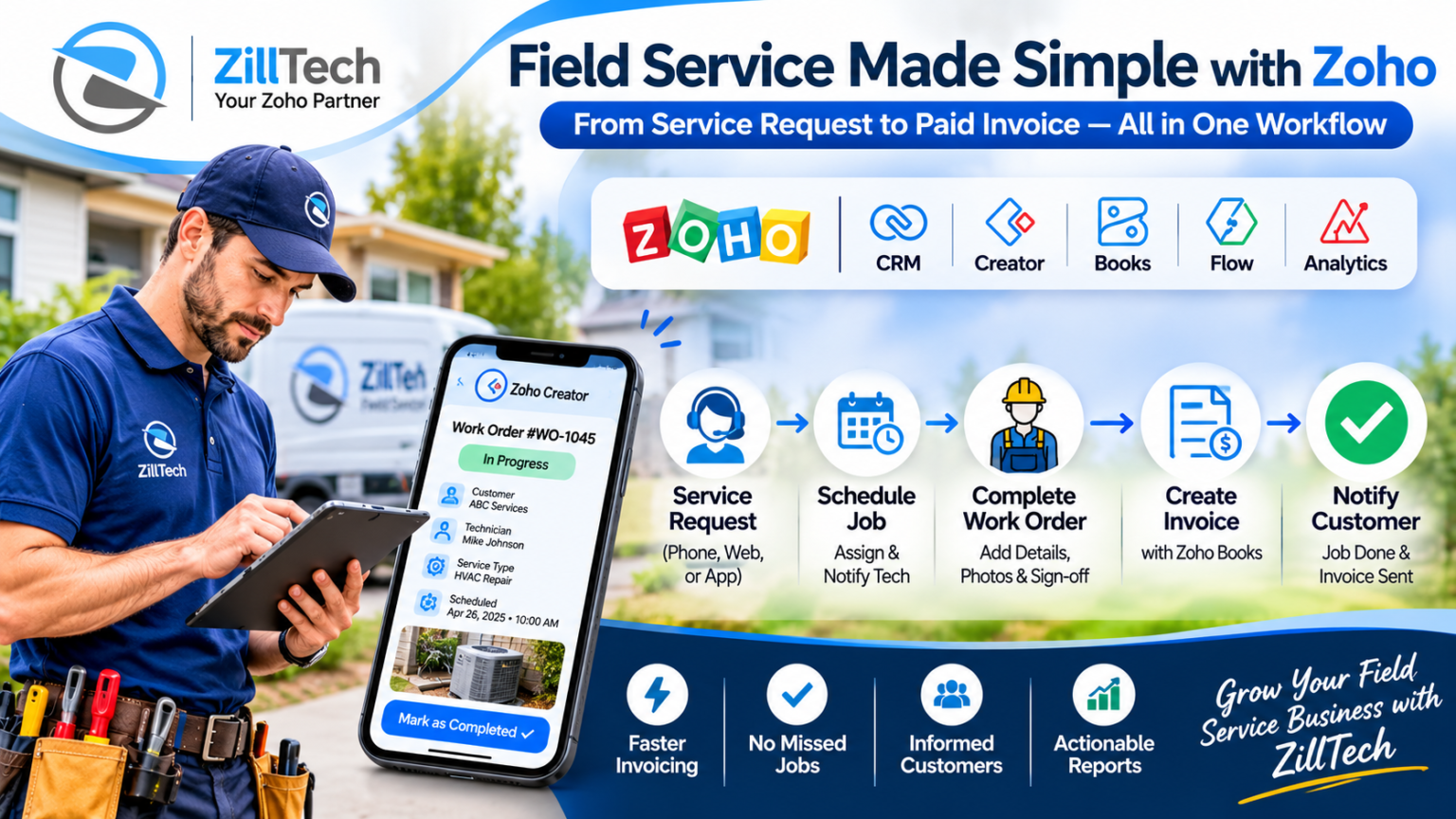
The field work was the one process no standard CRM module matched exactly, so ZillTech built a small app in Zoho Creator. The dispatcher assigns a technician and a time slot, and the technician sees the day’s jobs on a phone. Each job moves through clear stages from scheduled to on the way, in progress and completed. Technicians record the work done, the parts used and the time spent, attach photos, and capture the customer’s sign-off before closing the job. The app connects back to Zoho CRM so a customer’s record shows their open and past jobs. Every field and stage was documented, so the team knows what each one does. If your process needs this kind of work, see our Zoho Customization & Automation service.
Connecting Job Completion to Invoicing and Customer Updates
This was the step that changed the day-to-day most. When a technician marks a job completed and captures the customer’s sign-off, a draft invoice is created in Zoho Books from the labor and parts recorded on the work order. The billing clerk reviews it and sends it, instead of retyping it from paper. When the invoice is paid in Zoho Books, the job record in the CRM is updated, so the office can see which jobs are still waiting for payment.
The same flow keeps customers informed. Through our Zoho integration work, ZillTech used Zoho Flow to send a confirmation when a job is booked, a message when the technician is on the way, and a thank-you with the invoice when the job is complete. Messages go out by email, and by text through a connected SMS provider where the customer has agreed to receive them. If a connection fails, a named person is alerted so nothing goes missing quietly. For a similar finance connection, read our case study on connecting Zoho CRM and Zoho Books.
Automating the Handoffs
When a new request arrives, the dispatcher is notified and the customer receives an acknowledgment. When a quote is approved, the job is created and ready to schedule. When a technician finishes a job and the invoice is sent, the office is reminded to follow up if payment has not arrived after a set number of days. People still make the decisions. The system just removes the waiting and the retyping.
Reporting, Documentation and Handover
Dashboards in Zoho Analytics now show jobs by technician, completed jobs waiting to be invoiced, average days from job completion to invoice, and repeat visits by customer, built on definitions that the dispatcher, the billing clerk and the owner agreed together. A similar approach to reporting is covered in our Zoho Analytics & Reporting work. ZillTech then wrote simple documentation and trained an in-house administrator, so the firm doesn’t depend on an outside developer for everyday changes.
Why It Mattered
For a field service business, trust is built on small things: a technician who arrives when expected, a customer who knows what was done, an invoice that arrives while the job is still fresh. Here, the firm didn’t change how it serves customers. It changed how its team shares information. Requests, jobs, invoices and updates now sit in one connected system, so every job has an owner and every finished job reaches the customer’s inbox without waiting for paperwork.
Why ZillTech
As an Authorized Zoho Partner, ZillTech doesn’t push a rebuild for its own sake. We start by learning how your jobs, technicians and billing actually run, then fix what slows your team down. We add automation only where it helps, and we document everything so your own team can manage it afterwards. Our Zoho CRM consultants in Texas are also available for local support.
See how we approach related work in Zoho Implementation, and browse all case studies.
Not sure which Zoho apps fit your scheduling and invoicing process? Try our free Zoho App Finder, or schedule a free consultation and we’ll review your workflow first.

The Results: Faster Invoicing, Fewer Missed Jobs and Customers Who Stay Informed
Requests Logged Once: Every request is captured in one place, so none are lost and the dispatcher can see what is waiting.
A Schedule Everyone Can See: Technicians see their jobs on a phone, and the dispatcher sees the day at a glance, so double bookings are easier to catch.
Job History at Hand: Past repairs, photos and equipment details are stored with the customer, so technicians arrive knowing what was done before.
Invoices Created From the Job: A completed job produces a draft invoice from the recorded labor and parts, so billing no longer waits for paperwork to come back to the office.
Customers Kept Informed: Booking confirmations, on-the-way notices and invoice messages go out automatically, so fewer customers need to call the office to ask.