
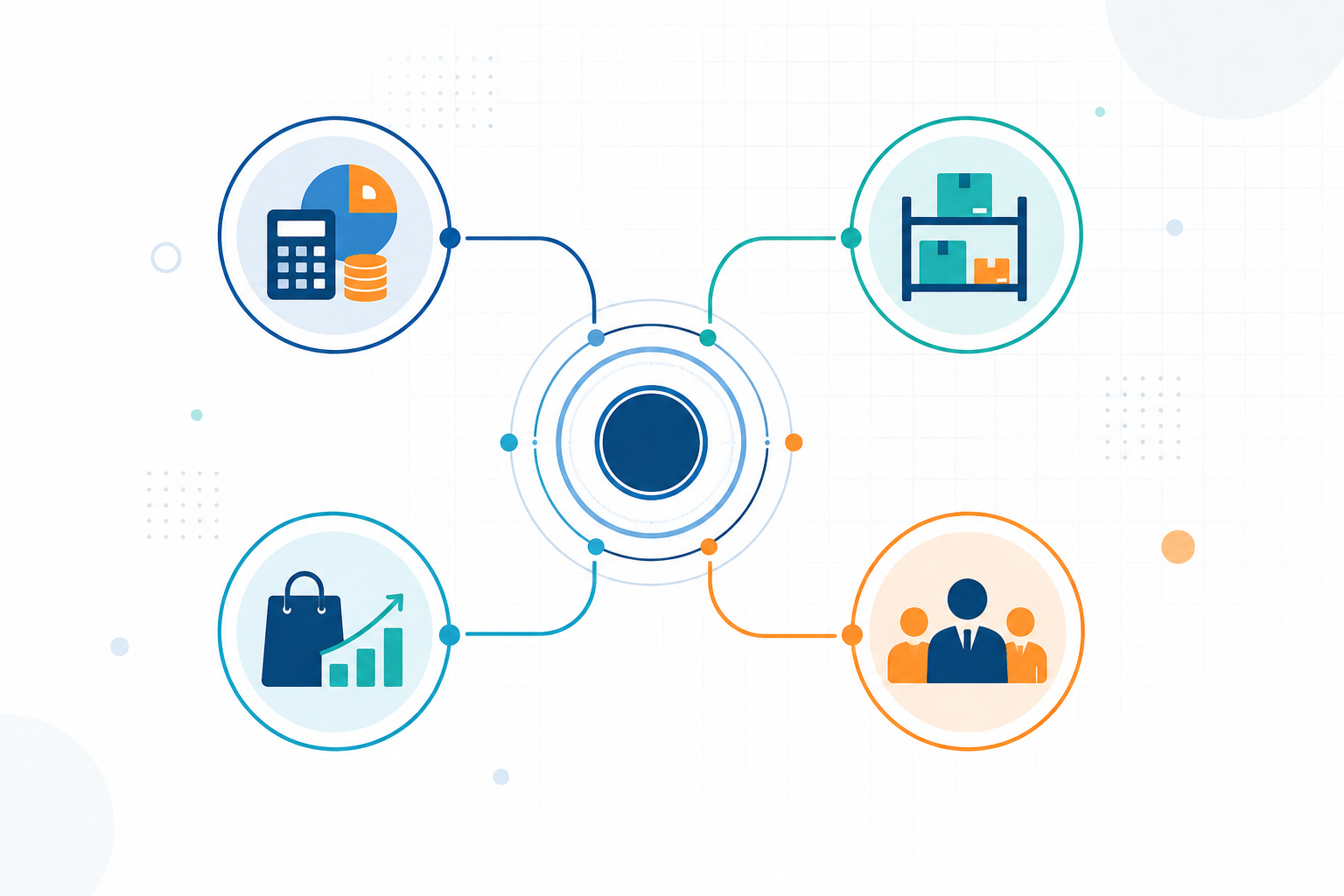
If you’re asking “what is Zoho ERP,” here’s the short answer: it’s Zoho’s dedicated enterprise resource planning product, launched for the Indian market in January 2026, and it’s a distinct offering from Zoho One. It connects finance, supply chain, billing, people operations, commerce, and AI-enabled workflows under one system. I want to flag that upfront because I’ve seen a fair amount of confusion online about whether Zoho ERP is just a repackaged Zoho One, it isn’t, and that distinction matters for how you budget and plan an implementation.
Before we go further, a quick availability note: Zoho ERP’s official pages are India-specific right now, and the international rollout is described as phased based on Zoho’s own blog post on ERP software for India, a point also picked up in Moneycontrol’s coverage of the launch as an AI-native ERP platform targeting Indian enterprises. If you’re evaluating this outside India, treat everything in this guide as a starting point for a conversation with Zoho, not a confirmed regional spec sheet.
In this guide, I’ll walk through what Zoho ERP actually does, who it fits, what it costs, how it compares to alternatives, and how implementation typically plays out, pulling directly from Zoho’s own product, pricing, and demo documentation rather than marketing generalities. If your business is already weighing this against a broader Zoho rollout, our team at ZillTech works through exactly this kind of evaluation as part of Zoho Consulting & Strategy engagements, so I’ll flag where that kind of outside review tends to matter most.
What Is Zoho ERP?
This section is here to answer the most basic and most searched question directly: what Zoho ERP is, and just as importantly, what it isn’t.
How does the Zoho ERP system connect business operations?
Think of an ERP less as a bundle of apps and more as the connective tissue between departments that otherwise operate in silos. Zoho structures this around actual business processes rather than a generic feature list, and I think that’s the right way to evaluate any ERP, including this one. Specifically, Zoho identifies workflows including order-to-cash, procure-to-pay, hire-to-retire, travel-expense-to-reimbursement, and bill-to-payment.
That framing is useful because it tells you what to test in a demo: not “does it have an inventory module,” but “does inventory data flow into invoicing without manual re-entry, and does that invoice flow into the general ledger automatically?”
Is Zoho ERP the same as Zoho One?
No! and this is the single most common point of confusion I run into when people research this product. Zoho’s ERP pricing FAQ confirms it is sold separately from Zoho One.
Why this matters: if you already have a Zoho One subscription, perhaps built around Zoho CRM or other core apps, don’t assume ERP functionality is included. Before you commit to anything, compare:
- Product scope (which modules are actually in each)
- Licensing structure (per-user vs. per-app vs. bundled)
- Integration depth between Zoho ERP and any Zoho One apps you already use
- Deployment readiness for your specific workflows
- Total cost once both are accounted for separately
I’d treat this as step one of due diligence, it’s an easy assumption to get wrong, and it can throw off a budget significantly if you find out mid-negotiation that ERP is a separate line item.
Who is ERP software Zoho designed for?
Zoho’s official verticals for this product include manufacturing, distribution, retail, and nonprofits.
That said, I’d add a qualifier here that Zoho’s marketing pages don’t spell out as clearly: fit within those verticals still depends heavily on your specific transaction volume, workflow complexity, compliance obligations, number of locations, and integration requirements. A single-location retailer with straightforward SKUs and a multi-warehouse distributor with batch tracking and complex procurement rules are both “retail” or “distribution” in name, but they’ll stress-test this system very differently, we see the same pattern play out on the CRM side across our manufacturing and logistics client work. Don’t let vertical-fit marketing substitute for actually mapping your own processes against what the platform offers.
What Problems Can Zoho ERP Solve?
Most ERP marketing leans on vague promises like “centralization” and “improved visibility” without explaining what that actually looks like day-to-day. I want to be more concrete here, because the real value of an ERP shows up in specific, painful workflow breakdowns, the kind you’ve probably already lived through if you’re reading this.
How does Zoho ERP reduce disconnected systems and manual work?
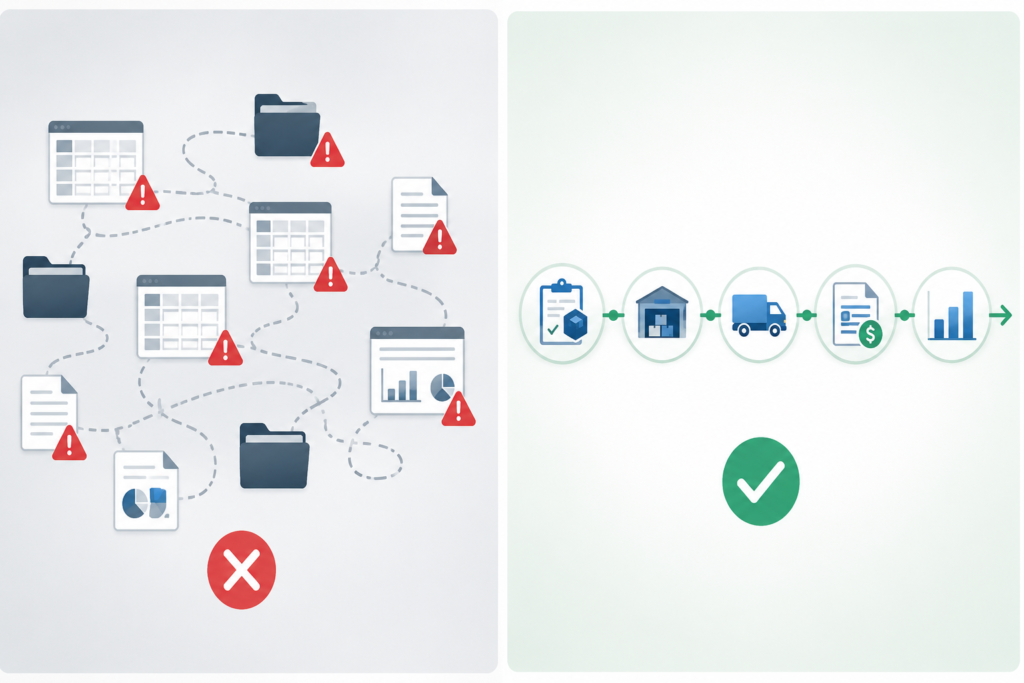
The core idea behind Zoho ERP and behind most modern ERPs, honestly, is the “single source of truth.” In practice, that means a transaction touches multiple departments without anyone re-keying data.
Here’s a simple example to make that concrete: a sales order comes in, stock gets allocated against it, an invoice is generated, payment gets reconciled against that invoice, and a dashboard somewhere updates to reflect the new revenue and inventory position. If that whole chain runs through one connected system, everyone’s numbers match by default. If it runs through five disconnected tools, you get version-control problems, double entry, and delayed reporting, the stuff that eats hours every week and quietly erodes trust in your own numbers.
This is where handoffs between departments tend to break down in disconnected setups:
| Business Problem | ERP Workflow | Measurable Outcome | Data Owner |
|---|---|---|---|
| Sales and finance use separate records | Order-to-cash flows through one system | Fewer invoicing errors, faster reconciliation | Finance / Sales |
| Inventory counts don't match warehouse reality | Stock allocation tied to sales orders in real time | Reduced stockouts and overselling | Operations |
| Manual approval chains slow purchasing | Procure-to-pay routes automatically | Faster purchase cycle times | Procurement |
| Reporting requires manual data pulls | Dashboards update from live transactional data | Leadership sees current numbers, not last week's | Finance / Leadership |
It’s a similar principle to what we walk clients through on the CRM side, our piece on Zoho CRM workflow rules covers the same “if-then” automation logic that underpins ERP process handoffs.
How can Zoho ERP improve financial control and compliance?
On the finance side, Zoho’s official feature list for this product includes chart of accounts, journals, budgets, bank reconciliation, GST tracking, returns, and payments, e-invoicing, and e-way bills.
That’s a fairly complete accounting and compliance stack on paper. But I want to be direct about a caveat that’s easy to gloss over in vendor materials: having GST and e-invoicing features built into the software does not mean compliance is automatic or guaranteed. Tax rules, filing obligations, and audit requirements are ultimately your responsibility (or your accountant’s), and software is a tool for managing that workload, not a substitute for validating your specific tax configuration with a qualified professional.
How can it strengthen inventory, procurement, and fulfillment?
This is usually where the operational payoff of an ERP is most visible, especially for distribution-heavy businesses. Zoho lists supplier onboarding and scoring, RFx, purchase requests and orders, replenishment rules, warehouse bins, wave picking, batch and serial tracking, quality inspections, and carrier integrations as part of this module set.
A practical example: imagine a distributor selling a fast-moving SKU. Without automated replenishment rules, someone has to notice stock is running low and manually place a purchase order, exactly the kind of task that slips when you’re juggling hundreds of SKUs. With replenishment rules triggering automatically once stock drops below a defined threshold, the system flags the reorder before you’re out of stock, not after a customer complains.
Which Zoho ERP Features Matter Most?
Feature lists on most competitor pages read like a table of contents, a stack of module names with no indication of how they connect. I want to tie each feature area to a real operational question worth asking, because that’s what determines whether this system fits your business.

Core financials, spend, and billing
At the center of Zoho ERP sits its accounting engine: accounting controls, payables and receivables, expense reimbursement, budgeting, financial close, and billing-to-payment workflows. What makes this more than a standalone accounting tool, according to Zoho, is that billing, spend, supply chain, and core financials are natively connected rather than bolted together through separate integrations.
That native connection is worth pressure-testing in a demo. Ask specifically: when an expense is submitted for reimbursement, does it flow into the budget and financial close process without a manual export/import step?
Supply chain, inventory, procurement, and warehouse management
I mentioned order-to-cash and procure-to-pay earlier as end-to-end processes rather than isolated features. Here’s a short list of operational questions worth testing directly against your own data during a demo:
| Capability | Operational Question to Test in a Demo |
|---|---|
| Multi-warehouse support | Can the system manage multiple warehouses with accurate, location-specific stock counts? |
| Batch/serial tracking | Do serial or batch records actually support full traceability back to a purchase order? |
| Approval routing | Can purchase approvals follow dollar-value or department-specific thresholds automatically? |
| Fulfillment | Does wave picking or bin logic reduce actual warehouse walking time? |
Manufacturing operations
For manufacturers specifically, Zoho lists manufacturing orders, shop-floor production tracking, work centers, work schedules, cost templates, and checklist queues as part of this module.
If you’re in manufacturing, validate specifically: bill of materials complexity, routing logic across multiple work centers, production planning against real capacity constraints, quality control checkpoints, traceability requirements, and whether actual-versus-planned cost reporting is granular enough to catch overruns early. This is the same level of process-mapping we do for manufacturing clients evaluating Zoho CRM for manufacturing, an ERP evaluation just extends that mapping further into production and finance.
People operations, payroll, commerce, and customer workflows
This is an area where I’d urge some caution. The idea of employee data, approval workflows, payroll-related processes, customer records, and commerce activity living in one connected system is appealing, but Zoho’s documentation doesn’t spell out full payroll jurisdiction coverage or commerce integration depth in the same detail as the finance and supply chain modules. Don’t take “payroll” or “commerce” as a checkbox feature, ask which country-specific payroll rules are supported, and confirm which commerce platforms integrate natively versus through a third-party connector.
Reporting, automation, and Zoho ERP solutions with AI
On the reporting side, expect dashboards, alerts, automated approvals, custom workflows, and role-based reporting. The more interesting part is AI: Zoho describes its Zia AI layer as offering forecasting, anomaly alerts, agentic automation, and generative intelligence within the ERP.
I want to be careful with how I frame this, because “AI-powered ERP” has become one of the most overused phrases in this category. What Zoho describes here is a vendor-stated capability set, not independently verified performance. Test forecasting accuracy and anomaly detection reliability directly with your own transaction data during a trial. If custom logic beyond the default workflows is something you need, that’s the kind of Deluge scripting work covered under Zoho Customization & Automation.
Is Zoho ERP Right for Small Businesses?
This is one of the highest-intent questions in this topic, and I don’t think it deserves a yes/no answer. Whether Zoho ERP fits a small or mid-sized business depends on specific, checkable signals, not company size alone.
When is Zoho ERP a strong fit for a small or mid-sized business?
I’d say Zoho ERP starts to make sense once you’re seeing a few of these signals at the same time:
- Multiple departments need to work off shared, real-time data rather than their own spreadsheets
- Inventory, purchasing, billing, and finance need to connect instead of operating as separate manual processes
- Manual reporting is causing delays, discrepancies, or arguments about “whose numbers are right”
- You’re expanding into multiple locations or warehouses and tracking that manually is becoming unmanageable
- Leadership needs live operational and financial visibility rather than a report that’s a week old
If you’re nodding along to two or three of these, it’s worth a serious look. If your pain points are really about lead follow-up and sales pipeline rather than back-office operations, it’s worth reading our breakdown of Zoho CRM for small businesses first, a full ERP may be more than you need at this stage.
When might Zoho ERP not be the best fit?
- Very simple, low-transaction-volume businesses. Dedicated accounting software, a CRM, or standalone inventory software may cover your needs without the overhead of a full ERP implementation.
- Highly specialized operations. You may need custom development work, which adds cost and time beyond a generic ERP evaluation.
- Businesses outside India. Confirm product availability, local compliance coverage, and support options directly with Zoho before you go further.
What should a business assess before choosing Zoho ERP software?
| Assessment Factor | What to Check |
|---|---|
| Business size | Number of users needing system access, including employee-level access |
| Transaction volume | Whether your annual volume fits within plan-level transaction caps |
| Number of locations | Whether multi-location tracking is core or a nice-to-have |
| Warehouse complexity | Batch/serial tracking, multiple warehouses, picking workflows |
| Industry workflows | Manufacturing, distribution, retail, or nonprofit-specific processes |
| Integrations | Which existing tools (CRM, commerce platforms, payment gateways) must connect |
| Internal project capacity | Whether you have staff time to dedicate to implementation |
| Compliance requirements | GST, e-invoicing, e-way bills, and any industry-specific regulations |
| Customization governance | Who owns decisions about custom fields, workflows, and code-level changes |
I’d specifically flag the transaction caps as something concrete to check early, it’s an easy detail to overlook until you’re mid-implementation and realize you’re going to blow past your plan’s allowance.
How Much Does Zoho ERP Cost?
This is the section most competitor content gets wrong, either omitting pricing entirely or presenting it without the context needed to actually budget for it.
What are the published Zoho ERP plans and prices?
Based on Zoho’s official pricing page:
| Plan | Annual billing (per user/mo) | Monthly billing (per user/mo) | Employee access | User minimum | Transaction allowance |
|---|---|---|---|---|---|
| Standard | ₹999 | ₹1,399 | ₹249/mo (annual) or ₹299/mo (monthly) | 5 users | 100,000 / year |
| Premium | ₹2,499 | ₹2,999 | Same employee-access tiers apply | Not specified as different | 300,000 / year |
A few things worth calling out:
- The five-user minimum on Standard matters. Even if you only need three or four admin-level licenses, you’ll be billed for five.
- Employee access is a separate, cheaper tier from full user licenses, useful for broader visibility across staff without paying full admin-level pricing for everyone.
- Transaction caps are a real ceiling. If your business processes more than 100,000 transactions annually, Standard won’t cover you.
What additional Zoho ERP implementation costs should buyers budget for?
Subscription cost is only one line item. Zoho’s own pricing documentation confirms additional locations, document autoscan, and API capacity are all priced separately.
Build a total-cost-of-ownership checklist covering: license tier cost, employee-access licenses, extra location fees, additional API capacity, document autoscan add-ons, third-party integration costs, data cleanup and migration work, implementation partner fees, internal staff training time, user acceptance testing, and internal project management time.
How can a business estimate its first-year ERP budget?
Here’s an illustrative formula template you can plug your own numbers into:
First-year estimate = (Admin users × plan price × 12) + (Employee users × employee price × 12) + Add-ons (locations, API, autoscan) + Implementation/partner services + Internal implementation effort
This is a framework, not a promised outcome. Before finalizing a budget, request a written scope from Zoho or an implementation partner and confirm your transaction and usage requirements explicitly. If you’d rather have that scoping conversation with someone who’s done it before, that’s exactly what our Zoho Consulting work involves.
How Does Zoho ERP Compare With Zoho One and Other ERP Options?
Zoho ERP vs Zoho One: what is the practical difference?
| Question to Ask | Zoho ERP | Zoho One | Why It Matters |
|---|---|---|---|
| Is this a dedicated ERP product? | Yes | No — a broader suite of individual Zoho apps | Determines whether ERP-specific workflows are natively supported |
| How is it licensed? | Separate subscription | Bundled app suite licensing | Confirms ERP isn't already covered under an existing Zoho One plan |
| What's the target workflow? | End-to-end operational processes | App-by-app usage across sales, support, HR | Zoho One apps may need more manual connection between processes |
| What's the purchase decision? | Requires its own evaluation and budget | Often bought for broad app access | Treat these as two separate purchase decisions |
Zoho ERP vs NetSuite, SAP Business One, Odoo, and Microsoft Dynamics 365 Business Central
I’m not going to hand you a “which one wins” verdict, because feature and pricing details in this category change often enough that a ranking written today could be stale in months. What I can give you is a structured evaluation framework:
| Comparison Field | What to Investigate |
|---|---|
| Geographic availability and local compliance | Does the vendor support your country's tax and regulatory requirements natively? |
| Product maturity | How long has this specific ERP product been in market? |
| Target business complexity | Small/mid-market or enterprise-scale? |
| Manufacturing/distribution depth | Does it handle your bill-of-materials and routing complexity? |
| Customization approach | Low-code configuration vs. full custom development? |
| Integration ecosystem | Which existing tools connect natively? |
| Implementation model | In-house, vendor-led, or third-party partner-led? |
| Pricing transparency | Published pricing, or sales-quote only? |
| AI claims and proof to request | What can the vendor show with your own data? |
A quick disclosure: feature sets and pricing across all of these platforms, including Zoho ERP change frequently. Verify current details with each vendor directly. For a related comparison on the CRM side, our piece on Zoho CRM vs Salesforce walks through the same kind of vendor-to-vendor evaluation.
What questions should buyers ask during an ERP demo?
According to Zoho’s demo request documentation, their discovery process walks through current systems, existing workflows, operational bottlenecks, desired improvements, complex use cases, industry-specific requirements, integration needs, implementation timeline, customization needs, pricing, and ROI. I’d use that same list as your demo prep checklist regardless of vendor.
How Does Zoho ERP Implementation Work?
What are the key stages of Zoho ERP implementation?
Zoho provides an ERP implementation guide built around a seven-stage lifecycle:
- Business-process mapping
- Requirements and scope definition
- Data cleanup and migration planning
- Configuration and approved customization
- Integration setup
- Testing, training, and change management
- Go-live support and continuous improvement
Stage seven is the one most commonly treated as optional. Go-live is not the end of the project, it’s where you find out what you missed in testing.
How should businesses migrate data into the Zoho ERP system?
A proper migration covers: master-data cleanup, chart-of-accounts mapping, customer and vendor record migration, inventory opening balances, rules for handling historical transactions, permissions setup, and reconciliation testing.
Zoho’s help documentation includes step-by-step migration instructions, but I’d flag an important distinction: documentation guides you through the mechanics of moving data, it does not own responsibility for data quality or validation. That sits with your organization or your implementation partner, which is the core of what our Zoho Migration work is built around.
What implementation mistakes should businesses avoid?
- Weak or vague requirements
- Migrating dirty data
- Over-customization
- Skipping user training
- Unclear process ownership
- Untested integrations
- Treating go-live as the finish line
On implementation partners: Zoho states that partners can assist from custom coding through full-scale implementation. Before engaging a partner, define clear governance around deliverables, data ownership, post-go-live support, and change-control processes, vague partner agreements are one of the more common sources of implementation cost overruns. Our own case studies on donor management for a nonprofit and bid-to-invoice visibility for a general contracting firm show what that governance looks like in practice on the Zoho implementation side.
How Can Businesses Evaluate Security, Integrations, and Scalability?
What security controls should a buyer validate?
Zoho documents SSO and MFA support for Zoho ERP accounts. Beyond that, treat this as a standard due-diligence checklist: access roles, audit logs, encryption, data residency, backup and recovery, vendor security documentation, regulatory needs, and contract terms.
Which integrations can support an end-to-end workflow?
Based on Zoho’s plan and feature documentation, officially named integrations include Zoho CRM, Zoho Analytics, Zoho People, Zoho Projects, Shopify, WooCommerce, Amazon, payment gateways, banks, shipping services, Twilio, and WhatsApp Business.
A listed integration doesn’t automatically mean zero-configuration deployment. Validate workflow depth, data sync direction, API limits, error handling, and ongoing maintenance, this is the same due diligence we apply under Zoho Integration Services when connecting Zoho to third-party platforms like QuickBooks or Xero.
Can Zoho ERP scale as the business grows?
Scalability isn’t about whether the software can theoretically handle growth, it’s about whether growth stays affordable and manageable across users, locations, transaction volume, modules, integrations, and governance complexity. We already know the plan transaction limits 100,000/year on Standard, 300,000/year on Premium, along with paid add-ons for extra locations and API capacity. If scalability at high volumes is central to your decision, that’s a conversation to have directly with Zoho or a certified partner, backed by your own growth projections. Real-time visibility into that growth is where Zoho Analytics & Reporting tends to come in.
What Are the Most Common Zoho ERP Questions?
Is Zoho ERP available outside India?
Zoho ERP launched in India in January 2026. At Zoholics 2026 in Houston, Zoho announced a planned US release for Q4 2026. If you’re reading this in the US or UK, check Zoho’s current announcements directly, as this has likely moved from “future plans” to “available or imminent” since this guide was last updated.
What industries can use Zoho ERP?
Manufacturing, distribution, retail, and nonprofits are Zoho’s officially named verticals, validate process fit within your specific vertical before assuming a match.
Does Zoho ERP include AI?
Yes, via the Zia AI layer, forecasting, anomaly alerts, agentic automation, and generative intelligence. Test accuracy and control reliability with your own data.
If you’re weighing Zoho ERP against a lighter-weight setup, or want a second opinion on whether your business actually needs full ERP versus a well-configured CRM and analytics stack, that’s a conversation worth having before you commit to a plan, reach out to our team for a scoping conversation.





