Are you struggling to reach your customers across different platforms?
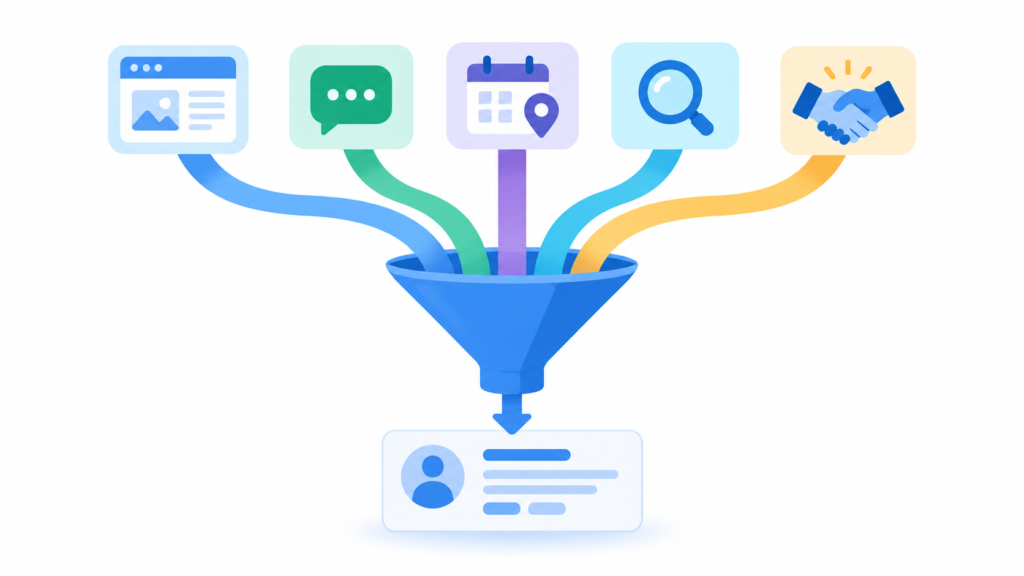
You’re not alone. Most businesses use multiple channels to market their products. But managing each one separately takes time and causes confusion. That’s where Zoho helps. With the right tools and setup, you can build a strong multi-channel marketing system.
Let’s explore how to do it.
The Multichannel Dilemma: Siloed vs. Integrated Marketing
Siloed Chaos (Time Wasted)
Integrated Zoho Efficiency
What is Multichannel Marketing?

Multichannel marketing means interacting with customers using different communication channels. These channels include websites, email, social media, and mobile apps. When you use multiple channels, you meet customers where they prefer to spend time.
However, running disjointed campaigns often leads to mixed messaging. To maximize your reach across these platforms, executing a structured Zoho implementation ensures all data channels sync back smoothly into a unified source of truth.
| Marketing Channel | Primary Core Objective | Key Connected Zoho Tool |
|---|---|---|
| Email Marketing | Nurturing existing leads and retention | Zoho Campaigns |
| Social Media | Brand awareness & community engagement | Zoho Social |
| Website Leads | Inbound traffic capture and behavioral tracking | Zoho Marketing Automation |
Why Choose Zoho for Your Marketing Campaigns?
The Zoho ecosystem connects your sales, marketing, and customer support. Instead of buying separate software for emails, social media tracking, and web analytics, Zoho provides everything in one place.
This deep connectivity prevents silos. Whether you are running a small startup or scaling operations, organizing your stack around a reliable CRM pipeline stops data loss. If you are comparing platform options, reviewing Zoho CRM vs Salesforce highlights why Zoho is a practical, cost-effective choice for growing businesses.
Want to Align Your Marketing Channels Automatically?
Stop jumping between tabs. Connect your social media, web forms, and email platforms under a single system built for growth.
Key Zoho Tools for Multichannel Success
1. Zoho CRM: The Central System
Every piece of marketing data should live inside your CRM system. When a prospect clicks an email link or fills out a form, Zoho CRM logs that specific interaction immediately. This allows your sales reps to see exactly what marketing messages caught the client’s eye before hopping onto a call.
By leveraging advanced business process automation with Zoho, you can trigger instant alerts for reps the moment high-value prospects interact across multiple channels.
2. Zoho Marketing Automation
This software maps your entire customer journey. It tracks user behavior across websites, social accounts, and web applications. You can set up automated triggers based on customer actions. For instance, if a user visits your pricing webpage twice, the platform can automatically email them a custom case study.
3. Zoho Social
Managing LinkedIn, X, Facebook, and Instagram concurrently can feel chaotic. Zoho Social allows you to schedule content, monitor comments, and view engagement metrics inside a unified interface. It acts as an operational hub, keeping your online messaging consistent without wasting hours on manual postings.
Best Practices for Building an Integrated Campaign
- Keep Messaging Consistent: Make sure your brand’s core voice remains identical across emails, web text, and social platforms.
- Clean Your Data Regularly: Bad contact lists waste time and advertising budget. Maintain a clean pipeline to ensure accurate metrics.
- Review Central Reports: Dive into multi-channel reporting dashboards to quickly identify which specific platforms bring in the highest revenue.
For more details on connecting separate pipelines, check out our comprehensive ultimate Zoho CRM implementation guide to build your roadmap seamlessly.
Ready to Maximize Your ROI?
Let our Zoho specialists integrate your platforms, clear out tracking confusion, and put your lead workflows on autopilot.