
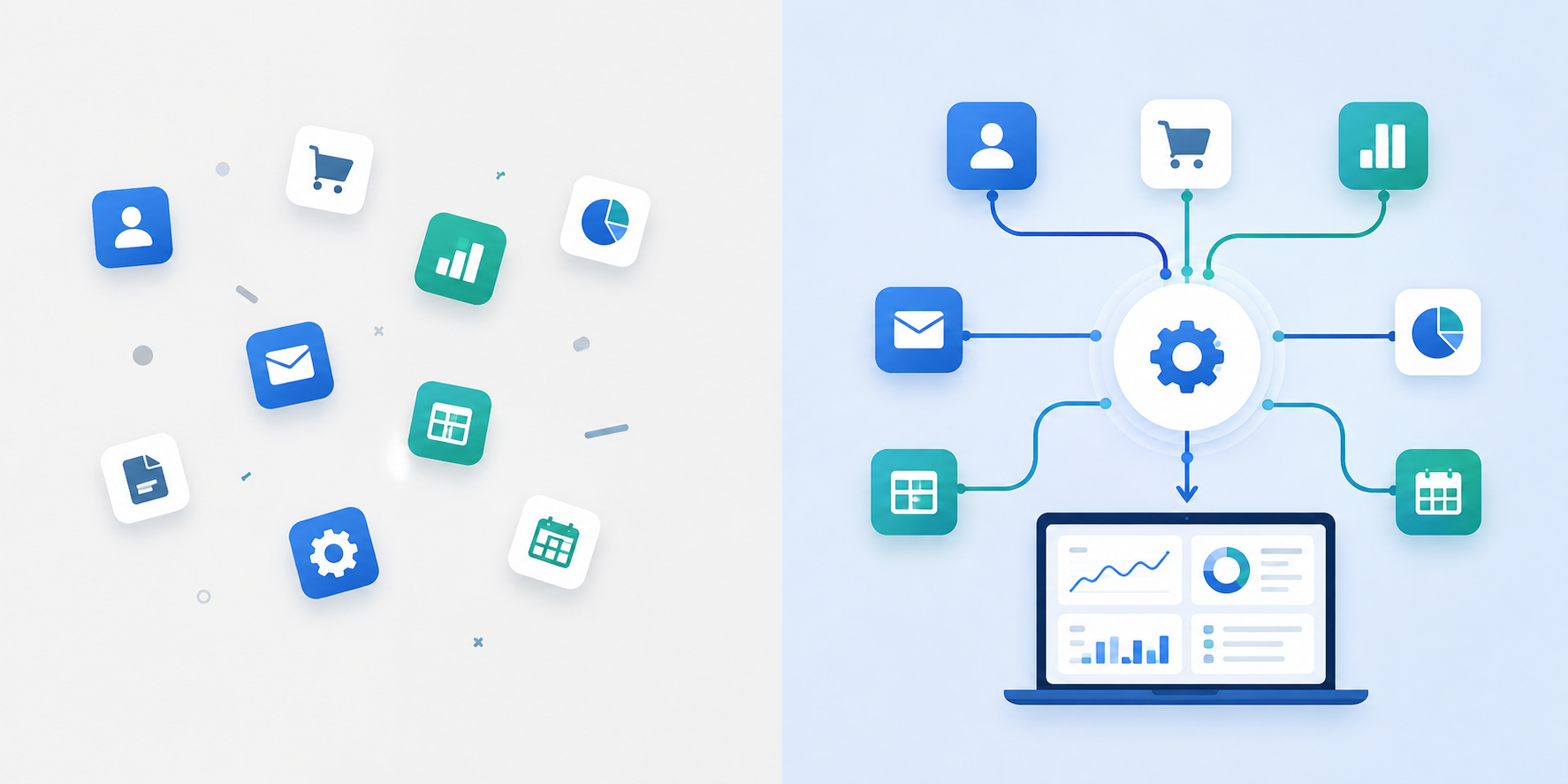
If you’re trying to decide whether to hire a Zoho One consultant, here’s the short answer: you need one if your business has more than a handful of users, more than one or two core apps to configure, messy or legacy data to migrate, or any meaningful integration and automation work ahead of you. If your setup is small and clean, you can likely handle it in-house. The rest of this guide will help you figure out exactly where your business falls on that spectrum and, if you do need outside help, how to find someone who will actually deliver instead of just configuring a few apps and disappearing.
I’ve spent the last several years working alongside businesses as they’ve moved onto Zoho One, and the pattern I see over and over is this: companies assume “Zoho One consulting” means someone flips switches inside the software. It doesn’t. Or at least, it shouldn’t. A good Zoho One consultant is translating how your business actually runs into a connected, secure system, not just installing apps because they’re included in the license.
That distinction matters more than most buyers realize before they’ve been burned by it once. So before we get into how to vet a consultant, how much this costs, or what red flags to watch for, let’s establish what Zoho One consulting is actually supposed to look like when it’s done right.
What Is Zoho One Consulting and What Should a Consultant Actually Deliver?
Zoho One consulting isn’t app installation with a support contract attached. It’s the work of figuring out how your business operates — sales handoffs, invoicing triggers, support escalations, reporting needs and then building that logic into the Zoho One ecosystem so it runs the way your team actually works, not the way the software defaults to.
What does a Zoho One consultant do beyond app configuration?
There’s a real difference between these four things, and I’d encourage you to separate them clearly before you talk to anyone:
- Configuring an individual Zoho app: turning on Zoho CRM or Zoho Books and setting basic fields.
- Implementing connected cross-functional workflows: making sure a closed deal in CRM actually triggers an invoice in Books and a project kickoff in Projects, without someone manually re-entering data three times.
- Customizing Zoho One around your real operating model: building the permissions, approval chains, and automations that reflect how your specific business runs, not a generic template.
- Providing ongoing optimization after go-live: because the first release is a starting point, not a finish line.
A consultant who’s only doing the first of these isn’t really consulting, they’re doing setup. The role, done properly, spans discovery, solution design, configuration, data migration, integrations, customization and automation, dashboards, training, documentation, and support. If any of those pieces are missing from a proposal, that’s worth flagging early, and I’ll get into exactly how to spot that later in this guide.
It’s also worth checking who you’re actually working with. Zoho’s own partner directory notes that accredited partners can help customers implement, customize, and support their Zoho journey, a useful baseline to hold any consultant against (Zoho Partner Directory).
Which Zoho One consulting services should be included in a serious project?
I use a checklist like this whenever I’m scoping out what a project should cover, it’s a good gut-check for whether a proposal is complete or has quiet gaps in it.Choosing the right project management platform is equally important for consultants who need to manage multiple client projects, track deadlines, and coordinate team responsibilities. Explore this guide to the best project management software for consultants in 2026 to find a solution that fits your business workflow.
| Service area | What it should include | What the client should receive |
|---|---|---|
| Business-process discovery | Workflow interviews, pain-point analysis, current-system review | Process map and requirements document |
| Solution architecture | Recommended app stack, data model, user roles, integration plan | Approved solution design |
| Zoho One setup | CRM, Books, Desk, Projects, People, Analytics, or relevant app configuration | Configured apps and role-based access |
| Data migration | Data cleanup, field mapping, duplicate handling, test import, validation | Migration report and sign-off |
| Customization and automation | Workflows, blueprints, Zoho Flow, Deluge, approvals, notifications | Automation inventory and documentation |
| Integrations | APIs, native connectors, third-party tools, middleware where needed | Integration specifications and testing results |
| Training and adoption | User training, admin enablement, SOPs, launch support | Training material, recordings, and SOPs |
| Ongoing support | Issue resolution, improvement roadmap, health checks, enhancement requests | Support plan and service expectations |
Zoho’s own consulting-partner positioning backs this up, it frames a partner’s value around strategy, implementation, customization, integration, training, and support, not just app setup (Zoho Consulting Partner Program; Zoho Partner Program).Choosing the right tools is an important part of successful project delivery. Consultants should evaluate project management software based on task tracking, resource allocation, collaboration, reporting, and integration requirements. Explore our guide to the best project management software for consultants in 2026 to understand which platform fits your consulting workflow
Why does process design matter more than deploying every Zoho One app?
This is probably the single biggest mindset shift I try to get clients to make early: Zoho One is a large, genuinely impressive ecosystem, but the goal isn’t to deploy everything in it. The goal is to implement the apps and workflows that solve the operational problems you actually have.
A workflow-first approach looks something like this in practice:
- A lead gets captured in Zoho CRM.
- A qualified deal triggers a quotation and an approval step.
- A closed deal automatically creates finance and onboarding actions.
- Zoho Desk or Zoho Projects takes over for post-sale delivery.
- Zoho Analytics pulls all of it together into a single view for leadership reporting.
That’s a fundamentally different starting point than buying the software first and figuring out requirements later, which, in my experience, is exactly how “Zoho One setup” projects go sideways. You end up with a dozen apps half-configured and no one entirely sure which one owns which piece of the process.
This is also where a lot of guidance out there falls short: it’s easy to say “a consultant identifies the right apps and workflows,” but much harder to explain how you, as the buyer, actually verify that a consultant is capable of disciplined process discovery rather than just guessing at a sensible-sounding app stack. We’ll get into exactly how to test for that a bit later in this guide.
Do You Need Zoho One Consulting or Can You Set It Up In-House?
Not every business needs a consultant for this. I know that’s not what most agencies will tell you, but it’s the honest answer, and it’s worth being upfront about before we get into when you actually should hire one.
When is a DIY Zoho One setup realistic?
Self-setup can genuinely work if your situation looks like this:
- You have a small number of users.
- You only need one or two core apps.
- Your data is clean and limited in volume.
- You have few or no external integrations.
- Your sales, invoicing, or support processes are fairly standard.
- Someone internally is willing and able to learn the admin side.
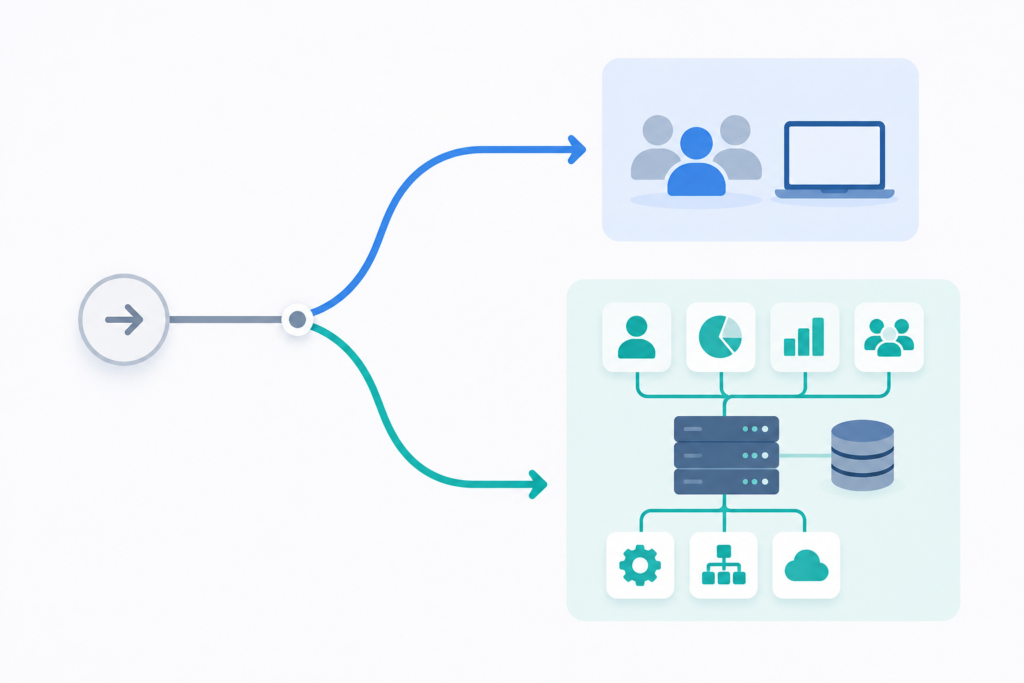
A lean starting configuration in this scenario might just be Zoho CRM for leads and deal tracking, Zoho Books or Zoho Invoice for invoicing, and Zoho Desk for customer support. That’s a perfectly reasonable in-house project for a small team with straightforward needs you don’t need to pay someone to click through setup wizards you could work through yourself over a couple of weeks.
Where I think a lot of small-business guidance falls short is that it stops at “here’s a lean setup” without actually helping you decide whether DIY is the right call for your business in the first place. That’s what the next section is for.
When should you hire a Zoho One implementation consultant?
The honest answer is: it depends on how many of these conditions apply to you. I’d use something like this matrix to self-assess before you even start talking to consultants.
| Business condition | DIY / guided setup | Consultant-led setup |
|---|---|---|
| Number of users | Small and limited team | Multiple departments or locations |
| App scope | One to three standard apps | CRM, finance, support, HR, projects, analytics, and more |
| Data migration | Small, clean contact or customer list | Large, inconsistent, duplicate-heavy, or legacy data |
| Integrations | None or standard native integrations | ERP, accounting, e-commerce, telephony, marketing, APIs, or custom systems |
| Automation | Basic notifications | Cross-department approvals, workflows, custom functions, or complex automation |
| Security | Basic user access | Granular permissions, security policies, audit needs, or multiple admin roles |
| Internal expertise | Dedicated capable administrator | No internal solution owner or limited technical capacity |
| Change impact | Minor workflow changes | Business-wide process redesign and user-adoption work |
Generally speaking, a full Zoho One implementation earns its cost where poor data quality, workflow complexity, integration dependencies, security requirements, and adoption risk are all stacking up at once. One of those factors alone might not tip the scale, several of them together usually do.
This lines up with Zoho’s own implementation guidance for partners, which stresses understanding goals and pain points, creating a process flow, and establishing a rollout plan, setting user roles, training users, tracking adoption, gathering feedback, and continuously improving the system (Zoho One Partner Implementation Guide). That’s a lot more than app configuration, it’s the kind of structured process that’s genuinely hard to run well without dedicated experience, especially the first time through.
What is the best engagement model for your stage?
Even once you’ve decided you want outside help, “hire a consultant” isn’t a single decision, there are a few different shapes that engagement can take, and picking the wrong one is its own source of frustration.
- Strategy or architecture audit: the right fit if you already have Zoho One but don’t have a clear roadmap for where it should go next.
- Scoped implementation project: the right fit if you’re launching key apps, migrating data, and connecting core workflows for the first time.
- Ongoing consulting and optimization retainer; the right fit if you’re a growing team that keeps adding departments, automations, integrations, or reporting needs over time.
Which one makes sense for you comes down to how clear your scope already is, how much internal capacity you have to run point on the project, how urgent the need is, and who’s going to own the system long-term once the consultant’s engagement ends. I’d push back on any consultant who tries to sell you a full implementation project when what you actually need is a focused audit, that mismatch is one of the more common ways these projects go over-budget for no real benefit.
How Do You Choose the Right Zoho One Consultant?
This is the section I’d tell you to bookmark, because it’s where most buyers either protect themselves or get burned. Verifying partner status is step one, but it’s nowhere near the whole picture, experience, proposal quality, and an eye for red flags matter just as much, if not more.
How can you verify a Zoho One consultant’s partner status?
Before you sign anything, check the consultant or agency against Zoho’s official partner directory. Zoho organizes partners into tiers:
- Authorized
- Advanced
- Premium
Zoho states that Authorized Partners must meet revenue, certification, and implementation-success criteria within six months of joining the program (Zoho Partner Tiers), so the tier someone holds does tell you something about their track record. Zoho also advises searching the official partner directory and contacting Zoho when a claimed partner does not appear there (Zoho Partner Directory).
That said, I wouldn’t treat partner tier as the deciding factor on its own. It’s a useful due-diligence signal, a floor, not a ceiling. It doesn’t substitute for relevant experience, quality of discovery work, documentation practices, real client references, and post-launch support capability. I’ve seen “Premium” partners run shallow discovery processes, and smaller Authorized partners do genuinely thoughtful, thorough work. Tier tells you they’ve cleared Zoho’s bar; it doesn’t tell you they’re right for your project.
What experience should a Zoho One consultant prove before you hire them?
“Zoho expert” is a label almost anyone can put on a website. What actually matters is proof of a repeatable delivery process. Before hiring, ask for evidence of:
- Comparable industry or operational complexity to yours.
- Similar Zoho app combinations to what you’re planning to use.
- Real data-migration experience, not just app configuration.
- Integration and API capability, if you need it.
- Automation knowledge specifically with Zoho Flow and Deluge.
- Security, user-role, and access-policy planning.
- Training and post-launch support, not just go-live.
- Documented case studies, not just logos on a website or generic testimonials.
If confidentiality prevents them from naming clients, that’s fine, ask for anonymized examples instead. A consultant with real experience should be able to walk you through a project’s shape (industry, app stack, complexity, outcome) without naming names. If they can’t produce anything beyond “we’ve done a lot of Zoho work,” that’s a gap worth noting.
What should a strong Zoho One consulting proposal include?
The proposal itself tells you a lot about how the project will actually go. Here’s what I’d compare good and bad proposals against:
| Proposal component | What good looks like | Red flag |
|---|---|---|
| Discovery scope | Workshops, stakeholder interviews, process mapping, requirements validation | “We will configure apps based on a quick call” |
| App scope | Clearly named apps, modules, users, processes, and exclusions | “Full Zoho One setup” without defining scope |
| Data migration | Data source, mapping, cleansing responsibility, trial migration, validation | No migration plan or unclear ownership |
| Integrations | Named systems, method, data direction, error handling, limitations | Vague promise to “integrate everything” |
| Automation | Workflow list, approvals, notifications, custom-code boundaries | No technical scope or documentation commitment |
| Testing | Test cases, user acceptance testing, defect process, sign-off criteria | Immediate go-live after configuration |
| Training | User groups, sessions, admin enablement, materials, recordings | One generic demonstration only |
| Documentation | SOPs, configuration records, automation and integration inventory | Consultant retains all operational knowledge |
| Support | Duration, response times, channels, change-request process | No post-go-live plan |
| Commercial terms | Price model, assumptions, exclusions, payment stages, change control | Low headline price with unclear exclusions |
A generic five-phase implementation pitch sounds reassuring on paper, but it doesn’t actually tell you how to evaluate whether a specific proposal’s scope is complete or where it’s leaving gaps for you to discover later. That’s exactly why I’d use a table like the one above line-by-line against any proposal you receive, rather than taking “yes, we cover that” at face value. If you want a sense of how granular this scoping should get in practice, our own breakdown of common Zoho CRM setup mistakes walks through where thin proposals tend to fall apart.
Which red flags should you watch for when hiring a Zoho One consultant?
A few patterns I’d treat as immediate causes for concern:
- The consultant recommends all Zoho One apps before they’ve understood your business.
- There’s no documented discovery or process-mapping stage in the proposal.
- They promise a universal cost reduction or ROI figure without any baseline data or stated assumptions.
- Data migration, permissions, security, training, testing, and documentation aren’t explicitly included.
- They can’t explain how custom Deluge functions will be maintained after launch.
- There’s no named client-side administrator or ownership plan once the project wraps up.
- Ongoing support is vague, unpriced, or entirely dependent on the consultant staying involved forever.
- The scope is described only as “Zoho One implementation” with no defined workflows, deliverables, or acceptance criteria.
One more thing worth stating plainly: there’s no authoritative, universal benchmark for what a Zoho One implementation “should” cost, how long it “should” take, or what ROI you “should” expect, because complexity varies so much by app count, user count, data condition, integrations, geography, and adoption requirements. Be skeptical of anyone offering generic cost or ROI promises without first understanding your specific situation (Aaxonix).
What Does a Successful Zoho One Implementation Process Look Like?
Once you’ve picked a consultant, it helps to know what the actual project should look like from the inside, partly so you know what to expect, and partly so you can tell early if things are veering off track.
What happens during Zoho One discovery and solution design?
This is the phase that gets skipped most often when things go wrong, and it’s the one I’d push back hardest on if a consultant tries to shortcut it. A proper discovery and design phase covers:
- A current technology-stack audit.
- Stakeholder interviews across the departments that will actually use the system.
- Current-state and future-state process mapping.
- Analysis of pain points, bottlenecks, duplication, and manual work.
- Prioritization of which apps and modules actually matter first.
- An inventory of all your data sources.
- Integration requirements.
- User roles, approval rules, reporting needs, and how success will be measured.
By the end of this phase, you should have concrete deliverables in hand, not just a verbal summary. That means a requirements document, a future-state workflow diagram, an app-scope plan, an implementation roadmap, a risk register, and a prioritized backlog. If a consultant moves straight from a kickoff call into app configuration without producing anything like this, that’s the discovery-stage red flag from the previous section showing up in real time. Our own Zoho CRM implementation roadmap walks through what this discovery-to-rollout sequence looks like in practice.
This matches how Zoho’s own partner implementation guide frames the early stage of a project, understanding goals and pain points first, then building a process flow and rollout plan from that understanding, rather than starting from the software (Zoho One Partner Implementation Guide).
How should a consultant manage setup, migration, and integrations?
Once the design work is done, the build phase should follow a fairly disciplined sequence:
- Organization setup and app configuration.
- Role-based permissions, built around the roles defined during discovery.
- Data standardization and clear decisions on how duplicate records get handled.
- Field and module mapping between old systems and Zoho.
- A test migration before any final import — never a straight cutover on the first attempt.
- Native integration assessment before anyone jumps to custom development.
- Zoho Flow for cross-app automation where a standard workflow fits.
- Deluge or custom API development reserved for cases where a standard capability genuinely can’t meet the requirement.
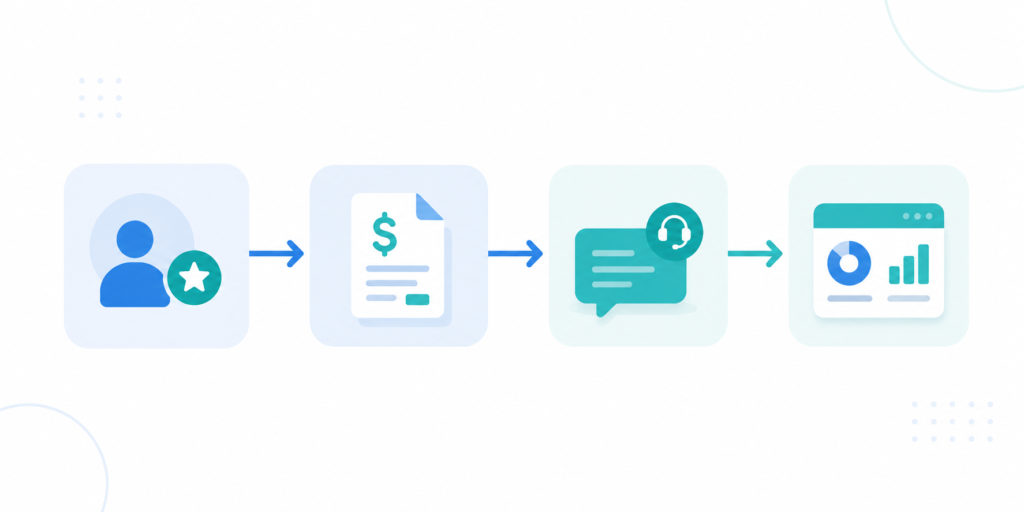
A practical example of how this comes together: CRM customer and deal data feeds directly into Zoho Books for invoicing, finance status updates become visible to account managers without anyone re-entering data, Zoho Desk tickets get automatically associated with the right customer records, and Zoho Analytics pulls sales, finance, and support data together into one place for management reporting. That’s the kind of connected system a workflow-first approach is actually building toward — not five separate apps that happen to share a login.
I’d flag one thing here specifically: native integrations should always be evaluated before custom development gets proposed. Custom Deluge functions and API work, the kind covered in our Zoho API documentation guide, are powerful, but they’re also the part of a system most likely to become unmaintainable if it’s not documented properly. That’s exactly why the red flags above call out asking how custom functions will be maintained long-term. If your rollout involves multi-step approval logic, it’s also worth understanding how Zoho CRM’s blueprint functionality can enforce those stages before anyone builds custom code to do it manually.
How should testing, training, and go-live be handled?
Before anything goes live, there should be a real user acceptance testing phase, not a quick click-through by the consultant alone. That means:
- Validating key workflows end-to-end.
- Testing permissions by role, not just by admin account.
- Testing integrations, error handling, notifications, and reporting.
- Using realistic sample data and actual business scenarios, not placeholder test records.
Training and adoption then need to be handled deliberately:
- Role-specific training for sales, finance, support, operations, and administrators, not one generic all-hands demo.
- Recorded training sessions, quick-reference guides, SOPs, and some form of office-hours support for the first few weeks.
- A named internal owner responsible for ongoing configuration and data governance once the consultant steps back.
It’s worth internalizing this: go-live is the start of optimization, not the finish line. Zoho’s own guidance backs this up, framing the post-launch period around setting up roles, training users, monitoring adoption, gathering feedback, and continuous improvement rather than treating launch as project completion (Zoho One Partner Implementation Guide). Any consultant who treats go-live as the finish line, and disappears shortly after, is setting you up for exactly the kind of adoption problems we’ll cover in a later section.
How Much Does Zoho One Consulting Cost and What Determines the Budget?
This is probably the question I get asked first, and it’s also the one I’m least willing to answer with a single number, for reasons I’ll get into. What I can do is break down what actually goes into that number, so you can evaluate a quote intelligently instead of just reacting to whether it feels high or low.
What is included in Zoho One implementation cost?
A consulting budget typically covers some combination of:
- Discovery workshops and requirements documentation.
- App and module configuration.
- Data cleanup and migration.
- Automation and custom development.
- Integrations.
- User-permission and security design.
- Testing and go-live support.
- Training, documentation, and ongoing support.
Here’s a distinction I think gets glossed over a lot: your Zoho One subscription cost is completely separate from implementation and consulting services. The license fee pays for access to the software. It has nothing to do with the labor of discovery, configuration, migration, automation, and training that turns that software into something your team can actually run the business on. Any pricing conversation that doesn’t clearly separate those two things is one I’d ask more questions about.
Which factors increase Zoho One implementation cost?
The honest driver of cost is complexity, not app count alone. Here’s how that plays out across the main variables:
| Cost driver | Lower complexity | Higher complexity |
|---|---|---|
| App rollout | One or two core apps | Multi-department Zoho One ecosystem |
| Users | Small team with simple roles | Multiple departments, locations, and layered permissions |
| Data migration | Clean spreadsheet import | Legacy CRM/ERP migration, duplicates, custom fields, and historical records |
| Integration | Native Zoho connector | Third-party APIs, custom middleware, e-commerce, telephony, or ERP |
| Automation | Standard workflows | Multi-app approvals, custom Deluge, exception handling, and audit needs |
| Reporting | Standard dashboards | Executive dashboards, multiple data sources, advanced analytics |
| Training | Basic demonstrations | Role-based training, admin enablement, SOPs, and change-management support |
| Support | Short hypercare period | Long-term administration, optimization, and enhancement roadmap |
Here’s the practical takeaway I’d leave you with: the cheapest proposal on the table may simply be excluding work you’ll need for adoption, documentation, data quality, or long-term maintainability. It’s not necessarily a better deal — it might just be a narrower scope wearing a lower price tag. Compare scope before comparing price. If two proposals are priced very differently, the first thing to check isn’t who’s cheaper — it’s what’s actually included in each one.
How should buyers compare consulting pricing models?
You’ll generally run into one of these structures:
- Fixed-price scoped project: works well once discovery has defined a clear, bounded scope.
- Time-and-materials engagement: better suited to projects where scope is still evolving or hard to pin down upfront.
- Retained consulting and support: makes sense for ongoing optimization rather than a one-time build.
- Hybrid model: fixed pricing for discovery, variable pricing for the build and optimization phases that follow.
Whichever model you’re offered, get the assumptions, exclusions, deliverable ownership, change-control rules, and post-launch support pricing in writing before you sign. Verbal reassurances about “we’ll figure that out as we go” have a way of becoming disputes once the invoice arrives.
I’d also caution against publishing or accepting any “average Zoho One implementation cost” figure as a benchmark. Third-party cost ranges floating around online vary so widely that they’re not reliable as a market standard, there simply isn’t a transparent, current, authoritative methodology behind most of them (Aaxonix). A detailed scope from a consultant who’s actually done discovery on your business, you can request one here, will tell you far more than any generic price range would.
How Can You Reduce Security, Migration, and Adoption Risks?
This is the section most guides skip entirely, and I think it’s the most important one. A technically clean implementation can still fail if security is an afterthought, migration is rushed, or nobody actually adopts the new workflows. Let’s take each of those in turn.
How should a Zoho One consultant plan roles, permissions, and security?
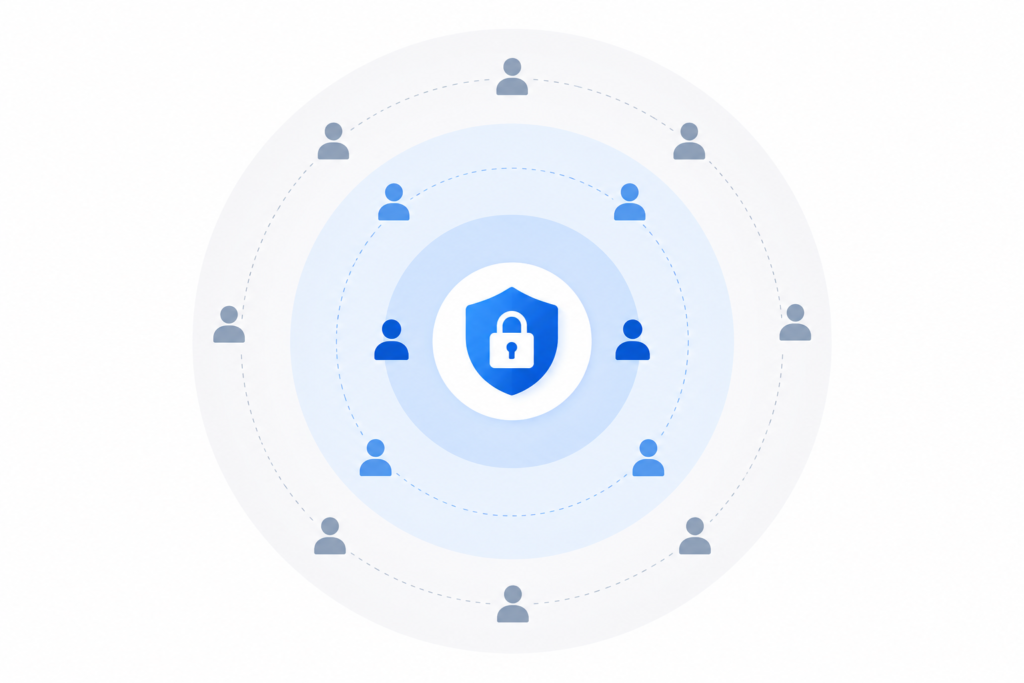
Security planning should be treated as core scope, not a checkbox at the end. That means covering:
- The principle of least privilege, people get access to what they need, not everything by default.
- Role-based access mapped to department and responsibility.
- Multi-factor authentication.
- Session and sign-in policy settings.
- Admin-role separation, so one person isn’t holding every key.
- Activity and audit logging.
- Device and access-policy considerations where relevant to your business.
- Clear ownership of the Zoho organization account, administrator credentials, and recovery procedures.
Zoho One itself provides the tools for a lot of this, password and session settings, MFA, sign-in and access policies, activity logs, reporting, and user/group controls are all built into the platform’s admin layer (Zoho One Security and Admin Actions). Zoho has also introduced a dedicated Security Admin role specifically for managing an organization’s security needs (Zoho Security Admin Documentation). A consultant who knows the platform well should be actively configuring these, not leaving them at default settings and hoping for the best.
One question I’d make sure gets answered explicitly before go-live: who actually owns the admin credentials once the project wraps up — you, or the consultant? I’ve seen this become a real problem when a client-side team doesn’t have full account ownership and needs something changed after the consultant has moved on.
How can businesses reduce data-migration risk?
Migration is where a lot of quiet damage happens, because bad data doesn’t announce itself, it just sits there making reports wrong. A disciplined migration process should:
- Inventory all source systems first.
- Define a single source of truth before moving anything.
- Clean records before migration, not after.
- Standardize names, statuses, fields, and record ownership.
- Make an explicit decision on how duplicates and incomplete data get handled.
- Run a test migration before the real one.
- Reconcile record counts and key fields against the source.
- Get business-owner sign-off before the live cutover happens.
There’s one question I’d tell every client to ask upfront: “Who is responsible for cleansing our data, our internal team, the consultant, or both?” This sounds like a small administrative detail, but it’s one of the most common sources of scope disputes I’ve seen, because “data migration” as a line item can mean very different things depending on who assumes cleansing responsibility. Migration should have its own clearly defined scope, it shouldn’t just be assumed as part of a general “implementation” line. We’ve written in more detail about why most Zoho migrations fail if you want to see how these gaps actually play out.
How can you make sure teams actually adopt Zoho One?
A technically perfect implementation that nobody uses isn’t a success, it’s an expensive shelf-ware project. Adoption tends to come down to:
- Designing workflows around how people actually work, not how the org chart says they should work.
- Involving department champions during discovery and testing, not just at the training stage.
- Role-specific training rather than one generic session for everyone.
- Clear SOPs and onboarding materials people can actually reference later.
- Leadership visibly using and holding people accountable to the new process.
- Measuring adoption directly, things like data completeness, response time, ticket closure rate, or pipeline hygiene.
Real examples help make this concrete. HGEM recorded a 50% increase in productivity, a 50% improvement in ticket resolution speed, and 30% of tickets auto-resolved after adopting Zoho One’s connected tools (Zoho One HGEM Customer Story), a useful illustration of what integrated workflows paired with real adoption can produce, though it’s a customer-specific result, not a guaranteed outcome for every business. Similarly, LIVIN reported a 40% increase in internal productivity after using Zoho One to improve visibility into their business processes (Zoho One LIVIN Customer Story), worth noting as an attributed, self-reported outcome rather than a benchmark you should expect to replicate automatically.
The throughline in both cases is that the software didn’t do the work on its own, the process design and the adoption effort around it did.
What Results Can Zoho One Consulting Deliver in Real Businesses?
I want to be careful here, because this is exactly the kind of section where it’s easy to slide into vague, inflated promises. So let’s ground it in actual documented cases, with the caveats they deserve, rather than treating any single number as something you should expect to replicate.
What can integrated Zoho One workflows improve?
When a Zoho One implementation is done well, the realistic categories of improvement tend to be:
- Reduced manual administration.
- Faster client servicing.
- Improved visibility across sales, finance, support, and operations.
- More consistent reporting.
- Fewer handoff delays between departments.
- Greater ticket-resolution efficiency.
- Better overall user productivity.
I’ll say this plainly: results vary a lot based on your starting systems, the scope of the implementation, how much process redesign actually happens, the quality of your data, whether leadership backs the change, and how well your team adopts it. Two businesses running the exact same app stack can see very different outcomes depending on those factors.
What do Zoho One customer case studies show?
Here’s a set of documented outcomes worth knowing about, not as promises, but as evidence of what’s possible under the right conditions.
| Organization | Zoho One use case | Documented result | Editorial use and caveat |
|---|---|---|---|
| Rain for Rent | Replaced legacy applications and improved sales processes | 610% ROI, under 2.4-month payback, $408,000 annual savings from legacy-app retirement, and $750,000 annual sales-productivity gain | Attributed to a Nucleus Research analysis; a context-specific enterprise case, not an average result |
| RJG | Replaced fragmented legacy systems and improved operational visibility | 251% annual ROI and $716,995 net annual benefit reported by Zoho | A vendor-published customer outcome, useful for showing the potential value of consolidation |
| Tawzef | Integrated CRM, Recruit, Projects, and Books | Client-servicing time fell from two weeks to four days; recruiter output rose from 25 to 40 tasks per day | A multi-app workflow example, not a universal performance benchmark |
| HGEM | Connected CRM, Desk, and operational workflows | 50% productivity rise; 50% faster ticket resolution; 30% of tickets auto-resolved | Illustrates support and process-automation benefits specifically |
| LIVIN | Improved internal process visibility and productivity | 40% internal productivity increase | A smaller organization/nonprofit example |
Sources: Rain for Rent / Nucleus Research ROI study; RJG customer story; Tawzef customer story; HGEM customer story; LIVIN customer story, all published by Zoho.
The Rain for Rent numbers in particular tend to get cited a lot in marketing material, and I understand why, a 610% ROI figure is eye-catching. But it’s an enterprise-scale case backed by a specific third-party research analysis, and it reflects that company’s specific legacy-system replacement scenario. It’s evidence that strong outcomes are achievable under the right conditions, not a number you should plug into your own projections. For a smaller-scale, real-world example of what disciplined migration work looks like, our own data migration case study walks through a comparable transition.
How should you measure Zoho One implementation success?
Rather than waiting to see if things “feel better” after launch, I’d push any consultant to help you establish baseline metrics during discovery — before a single app gets configured, so you can actually measure change afterward instead of assuming it happened.
| Area | Example baseline metric | Example post-launch metric |
|---|---|---|
| Sales | Lead-response time, conversion rate, pipeline data completeness | Faster response, improved stage hygiene, better forecasting visibility |
| Finance | Time from deal closure to invoice, overdue-invoice rate | Faster invoicing, fewer manual handoffs, improved collection visibility |
| Customer support | First-response time, ticket-resolution time, SLA compliance | Faster resolution, improved routing, more self-service or automation |
| Operations | Manual tasks, project delays, handoff time | Automated approvals, reduced rework, clearer ownership |
| Reporting | Time to compile management report | Dashboard availability and timely KPI access |
| Adoption | Active-user rate, record completeness, workflow compliance | Consistent usage and better system data quality |
This is really the same discipline as the adoption-measurement point from the previous section, just applied more broadly across the whole business. If a consultant can’t tell you what your baseline metrics were before launch, they won’t be able to show you, with anything more than a feeling, whether the project actually delivered value. Our Zoho Analytics and reporting services are specifically built around setting up this kind of baseline-to-outcome visibility.
Which Questions Should You Ask Before Hiring a Zoho One Consultant?
By this point you’ve got the full picture of what good work looks like, what it costs, and where the risks sit. This section pulls all of that into a practical checklist, the actual questions I’d sit down and ask before signing anything.
Can you show us a documented implementation plan before configuration begins?
Ask to see discovery outputs, process maps, a requirements document, a phased scope, identified risks, milestones, and success criteria, the same deliverables covered earlier in the discovery and design phase. If a consultant jumps straight into configuration without confirming your actual business workflow requirements first, that’s the clearest possible sign they’re setting up software, not consulting on your business.
Which Zoho One apps do you recommend for our business, and why?
Push the consultant to justify each app recommendation against a specific business problem, departmental priority, workflow, or maturity level in your organization, not just “it’s included in the license, so we’re setting it up.” If the answer to “why this app” is essentially “because it’s in Zoho One,” that’s the same red flag from earlier: recommending everything before understanding anything.
How will you handle our data migration and validation?
Ask directly about data ownership, cleanup responsibilities, duplicate management, test imports, validation methodology, the cutover plan, and reconciliation. This is where the earlier data-migration risk section becomes a real conversation, you want specific answers here, not a one-line assurance that “migration is included.”
How will you design security, user roles, and administrator ownership?
Ask about access policies, MFA, role design, audit records, admin rights, account ownership, and the handover procedure once the project ends. Zoho’s own security and admin documentation is a useful reference point to hold the conversation against, since it lays out exactly what capabilities should be configured (Zoho One Security and Admin Actions).
What documentation, training, and support will we receive after launch?
Ask for specifics on training format, recordings, SOPs, internal administrator enablement, support channels, response times, and how ongoing optimization will work. If the consultant is the only person who understands how the system is built once they leave, that’s a serious long-term liability for your business and one of the clearest red flags covered earlier in this guide.
How do you manage customizations, integrations, and future changes?
Ask how they handle Zoho Flow, Deluge, APIs, external integrations, testing, error monitoring, and technical documentation. Custom work should always be purposeful, documented, and maintainable, not a black box that only the original consultant can touch. This is exactly the kind of work covered under customization and automation services, worth asking any consultant to walk you through their equivalent process.
How Can ZillTech Help With Zoho One Consulting?
Everything up to this point has been about how to evaluate any Zoho One consultant, ZillTech included. So rather than making broad claims, I’ll just lay out how ZillTech approaches this work and let you weigh it against the standards we’ve covered.
How does ZillTech approach Zoho One implementation?
The approach is built around the same process-first thinking this whole guide has been making the case for:
- Business-process assessment.
- Implementation strategy.
- App configuration.
- Workflow automation.
- System integrations.
- Data migration support.
- User training.
- Ongoing optimization.
That’s discovery and process mapping before app configuration, not the other way around, which, if you’ve read this far, you’ll recognize as the exact distinction that separates real consulting from generic setup work. If you want to see how this plays out in more detail, ZillTech’s Zoho implementation services page covers custom setups, configuration, workflow execution, implementation monitoring, and optimization, and the Zoho consulting services page focuses specifically on business-workflow analysis, strategy, process optimization, and ongoing support.
When should you book a Zoho One consultation?
A conversation is probably worth having if you’re in one of these situations:
- You’re actively selecting a Zoho One consultant and want a second opinion.
- You’ve received competing implementation proposals and aren’t sure how to compare them.
- You need to migrate off spreadsheets, disconnected SaaS tools, or an existing CRM.
- You already have Zoho One but need an architecture or process audit before expanding usage.
- You’re struggling with adoption, data quality, automation, or reporting on a system you’ve already implemented.
If any of that sounds familiar, the useful next step isn’t a generic product demo, it’s a discovery session focused specifically on your workflows, implementation scope, risks, timeline, and recommended priorities. That’s the same standard this entire guide has been holding every consultant to, and it’s the standard worth holding ZillTech to as well. You can also browse ZillTech’s case studies directly to see how that process has played out for other businesses.
Frequently Asked Questions
What is Zoho One consulting?
Zoho One consulting is the process of translating how your business actually operates into a configured, connected, and secure system across the relevant Zoho apps. It goes beyond installing individual apps, a proper engagement includes discovery, solution design, setup, data migration, integrations, automation, dashboards, training, documentation, and ongoing support.
Do I need a Zoho One consultant, or can I set it up myself?
It depends on your complexity. DIY setup is realistic for a small team using one or two standard apps with clean data and no meaningful integrations. A consultant becomes more valuable once you’re dealing with multiple departments, large or messy data migrations, third-party integrations, complex automation, granular security needs, or limited internal technical capacity.
How much does Zoho One consulting cost?
There’s no reliable universal benchmark, because cost depends heavily on app scope, user count, data condition, integration complexity, automation needs, and the level of training and support required. Zoho One’s subscription cost is separate from implementation and consulting fees. Rather than looking for an average price, compare scope carefully, the cheapest proposal often excludes work needed for adoption, documentation, or long-term maintainability.
How do I verify a Zoho One consultant is legitimate?
Check them against Zoho’s official partner directory and note their tier, Authorized, Advanced, or Premium. Zoho states Authorized Partners must meet revenue, certification, and implementation-success criteria within six months of joining. However, partner tier alone isn’t enough, also ask for relevant experience, documented case studies, and references.
What should a good Zoho One consulting proposal include?
Look for a clearly scoped discovery process, named apps and modules, a defined data migration plan, specific integration details, a documented automation and testing plan, role-based training, thorough documentation, and clear post-launch support terms with pricing. Vague language like “full Zoho One setup” without defined scope is a red flag.
What are the biggest red flags when hiring a Zoho One consultant?
Watch for consultants who recommend every Zoho One app before understanding your business, skip documented discovery, promise generic ROI without baseline data, exclude data migration or security from scope, can’t explain how custom Deluge functions will be maintained, or leave no named internal administrator once the project ends.
How long does a Zoho One implementation typically take?
Timelines vary by scope and complexity, and there’s no fixed universal timeline. A simple single-app rollout with clean data will move faster than a multi-department implementation with legacy data migration, custom integrations, and complex automation. A good consultant should give you a project-specific roadmap during discovery rather than a generic estimate.
What results can I expect from a Zoho One implementation?
Realistic outcomes include reduced manual administration, faster client servicing, improved cross-department visibility, more consistent reporting, and greater efficiency in ticket resolution or sales workflows. Documented case studies show a wide range of outcomes, for example, HGEM reported a 50% productivity increase and 50% faster ticket resolution, while LIVIN reported a 40% productivity increase, but results depend heavily on your starting systems, data quality, and how well your team adopts the new processes. Treat any specific ROI figure as a case-specific outcome, not a guarantee.
Who owns the Zoho One account and admin credentials after implementation?
This should be defined explicitly before the project starts, not left as an assumption. Make sure your business retains full ownership of the Zoho organization account, administrator credentials, and recovery procedures, with a named internal owner responsible for the system after the consultant’s engagement ends.
What’s the difference between a Zoho One implementation project and an ongoing consulting retainer?
A scoped implementation project is best when you’re launching apps, migrating data, and building core workflows for the first time. An ongoing retainer makes more sense once you’re already live and adding departments, automations, integrations, or reporting needs over time. A strategy or architecture audit is a third option, useful if you already have Zoho One but lack a clear roadmap.





